– 12 –
Chapter 2 Installation and Connection (To installation personnel) — Installation (To installation personnel)
Installation (To installation personnel)
CAUTION:
These servicing instructions are for use by qualied service personnel only. To reduce the risk of electric shock, do not perform any servicing other than that
contained in the operating instructions unless you are qualied to do so.
indicates safety information.
Installing the Main Frame AV‑HS60U1/AV‑HS60U2
When installing or connecting the unit, be sure to ask your dealer. When you want to add the redundant power supply on the Main Frame
AV‑HS60U1, consult your dealer.
r Connecting the power supply
f Connect the <SIGNAL GND> terminal on the rear panel of the unit to the ground of the system.
f When using the Main Frame AV-HS60U1/AV-HS60U2, activate both the power supply 1 and the power supply 2.
An alarm is displayed when there is no AC power input to the power supply 1 and the power supply 2 or when the power switch is set to <OFF>.
(An alarm will not be displayed on the Main Frame AV-HS60U1, because it has only the power supply 1.)
r Handle carefully.
f Dropping the unit or subjecting it to strong impact or vibration may cause trouble and/or malfunctioning.
r Do not allow any foreign objects to enter inside the unit.
f Allowing water, metal items, scraps of food or other foreign objects inside the unit may cause a re and/or electric shocks.
r Choosing the best installation location
f This unit is a device for indoor use only.
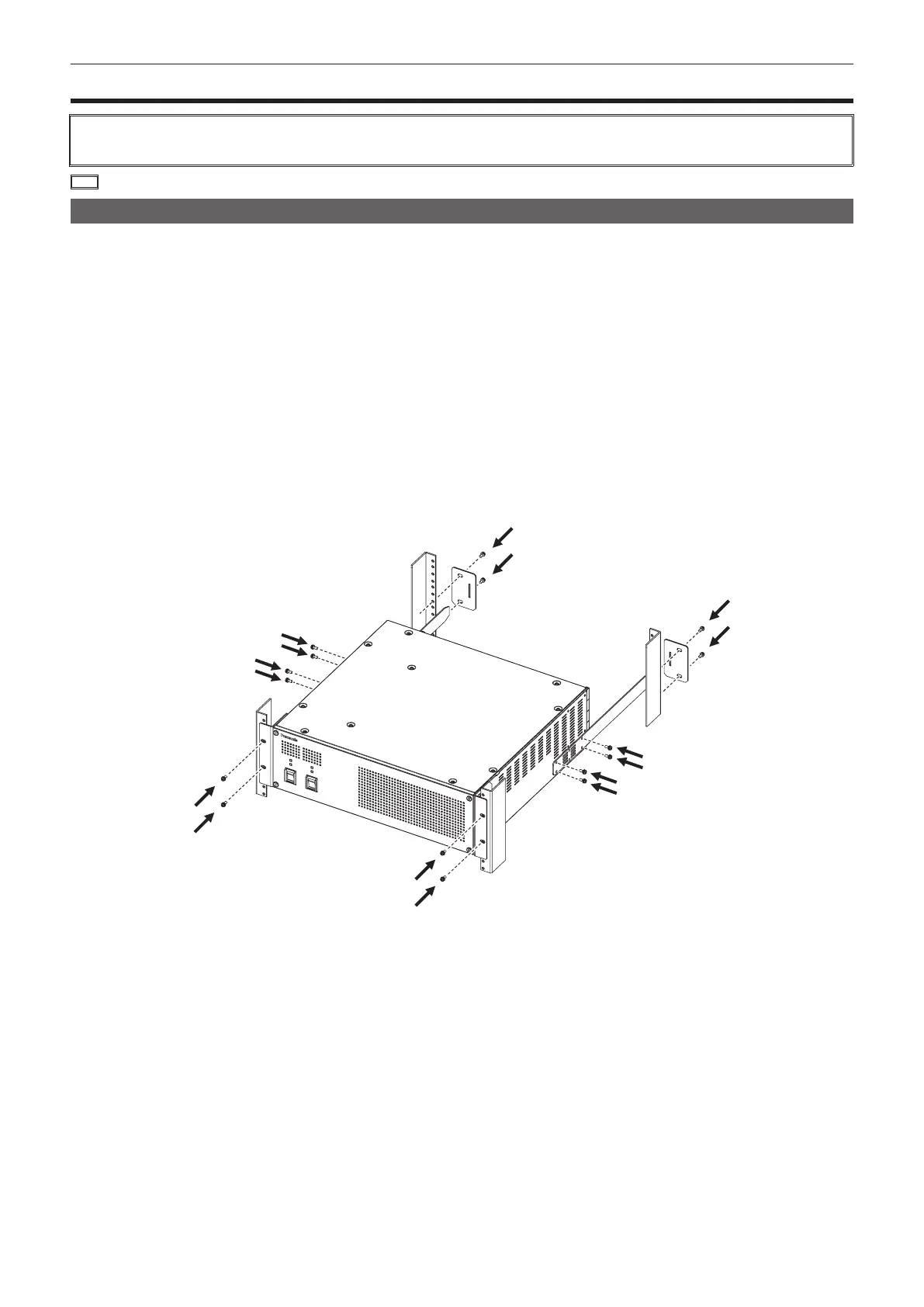
f Securely mount the unit on the 19-inch standard rack that complies with the EIA standards (overall depth: 600 mm (23-5/8 inches) or more).
f Securely afxed with screws that match an appropriately sized rack.
f Be sure to attach the rack-mounted rear panel support bracket (accessory) that supports the back part of the Main Frame AV-HS60U1/AV-HS60U2.
(Prepare a support bracket appropriate for the rack if the supplied bracket cannot be attached.)
f Secure sufcient space around the ventilation holes at the front and side of the front cover.













 To Next Page