– 49 –
Chapter 5 Basic Operations — Wipe
3
Set [Width], [Soft], and [Fill] in the [Border] column.
[Width] Sets the border width.
[Soft] Sets the amount of soft effect.
[Fill]
Select the image to ll in the border area from [Matte], [UTIL1], or [UTIL2]. When [Matte] is selected, the border color can
be set using [Hue], [Sat], [Lum], or [Color Palette] in the [Border Color] column.
f [UTIL1] and [UTIL2] will be available in V2.00.00 or higher.
@@
NOTE
t When [Border] in the [Border] column is set to [On], the amount of soft effect set using [Soft] in the [Border] column is indicated as the ratio of soft
effect to the border width. To add only soft effect to a wipe, set [Border] in the [Border] column to [Off].
Setting the border color
When [Matte] is selected in the [Fill] column, the border color can be set.
1
Select the <ME1>/<ME2> button → [BKGD] → [Edge Border] tab.
2
Adjust the color.
f Set [Hue], [Sat], [Lum], or [Color Palette] in the [Border Color] column.
Setting the background image of 3D waveform
@@
NOTE
t This function will be available in V2.00.00 or higher.
1
Select the <ME1>/<ME2> button → [BKGD] → [Edge Border] tab.
2
Set [Base Video] in the [Base Video] column.
f Select the image to ll in the background of 3D waveform from [Off] (black), [UTIL1], or [UTIL2].
Modifying wipe
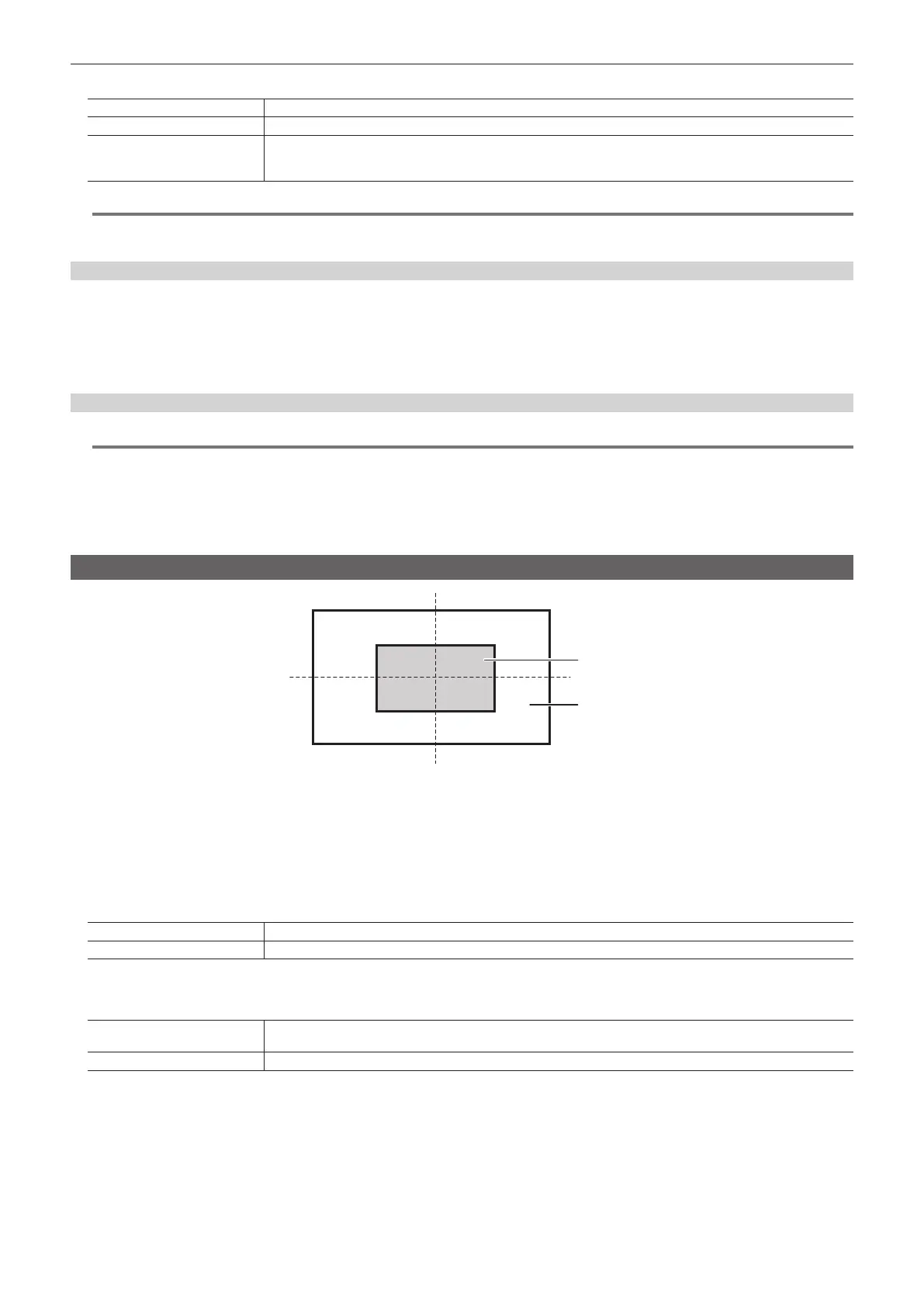
Inside the screen
[Y-Pos]
[X-Pos]
Outside the screen
[100]
[50]
[0]
[
−
50]
[
−
50]
[50]
[
−
100]
[
−
100]
[0] [100]
1
Select the <ME1>/<ME2> button → [BKGD] → [Position] tab.
2
Select [Normal] or [Reverse] in the [Direction] column.
f This setting is linked with the <N>/<R> button. (page 23)
3
Select an item in [Normal/Reverse] in the [Direction] column.
f This setting is linked with the <N/R> button. (page 23)
[On] Wipes in the direction of the setting item.
[Off] Does not wipe in the direction of the setting item.
4
Select an item in [Pattern Limit] in the [Pattern Limit] column.
f This setting is linked with the <PATT LIMIT> button.
[Off]
Does not restrict the amount of wipe transition for background transition. If the setting is changed from [On] to [Off],
transition is made according to the position of the fader lever at the time specied in [Return Time].
[On] Restricts the amount of wipe transition for background transition.
5
Set [Size] in the [Pattern Limit] column.
f Set the size restriction on the amount of transition.
6
Set [Return Time] in the [Pattern Limit] column.
f Set the transition time to the position of the fader lever when [Pattern Limit] is set to [Off] from [On].
7
Set [X‑Pos] and [Y‑Pos] in the [Wipe] column.
f Set the start position of the next pattern waveform.
- WIPE: 11, 12, 13, 14, 15













 To Next Page