– 15 –
Chapter 2 Installation and Connection (To installation personnel) — Connection (To installation personnel)
Connection (To installation personnel)
Connecting the imaging systems
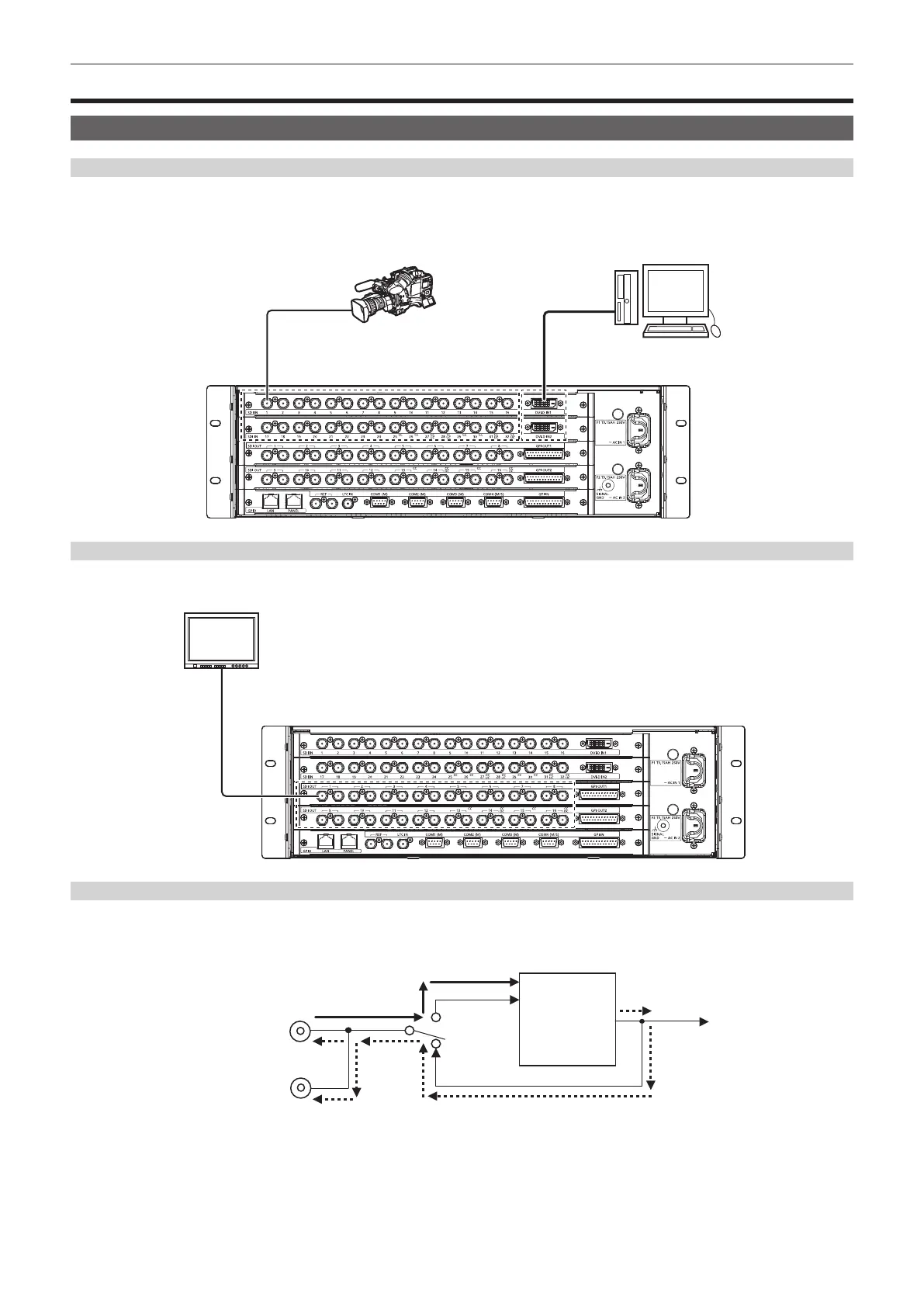
<SDI IN 1> to <SDI IN 32>/<DVI‑D IN1>/<DVI‑D IN2> terminals
Connect cameras, VTR, and other external sources.
The SDI input of the Main Frame AV-HS60U1/AV-HS60U2 has a frame synchronizer function, and a non-synchronized SDI signal can be input. To
reduce image delay, set the frame synchronizer function to [Off], send a sync signal to the unit and the input device, and congure a synchronized
system.
Computer
Camera
<SDI OUT 1> to <SDI OUT 16> terminals
Connect the switcher output signal to monitors and other external devices.
HD-SDI monitor
<REF> terminal
Connect the system sync signal from the sync signal generator.
The loop-through output is performed in the external sync mode. If the loop-through output is not going to be used, provide a 75 Ω termination.
Black burst signals are output from both terminals in the internal sync mode.
Internal sync mode
Internal signal
generator
INT
Sync signal
External sync mode













 To Next Page