– 95 –
Chapter 5 Basic Operations — Video memory
Compatible le formats for moving image data
Moving image data handled by the unit is in the original format. The extension added to les for exchanging data using a memory card or a computer is
clp.
Still image les with serial numbers (TARGA format (tga)) can be converted to the format handled by the unit (clp) on a computer on which the
AV-HS410 ClipConvert software has been installed.
For the AV-HS410 ClipConvert software, visit the following website.
http://pro-av.panasonic.net/ (English only)
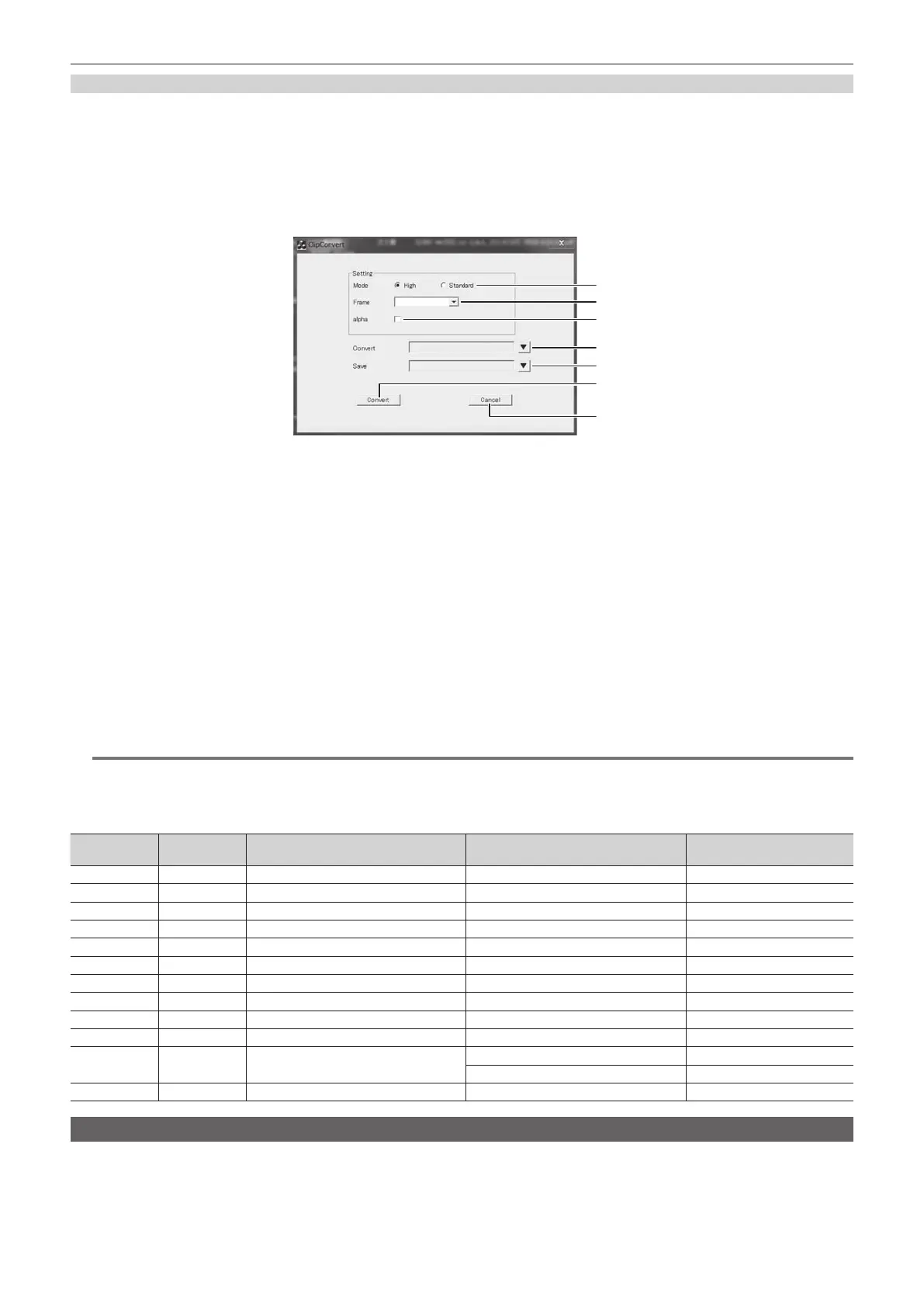
r Operation screen of the ClipConvert software
1
6
7
2
3
4
5
1 “High”/“Standard”
Select the bit rate for loading a le.
High: 200 Mbps, Standard: 100 Mbps
2 “Frame”
Select the frame rate of the le to be loaded.
This setting cannot be used when the frame rate is different from the AV-HS6000 system format.
In the interlace mode and PsF mode, one le is expanded into two elds; and in the progressive mode, one le is equivalent to one frame.
3 “alpha”
Select this check box when converting images with key signals.
4 “Convert”
Select aTARGA le.
5 “Save”
Specify the save destination.
6 “Convert”
Executes the conversion.
7 “Cancel”
Cancels the program.
@@
NOTE
t TARGA les compressed in the RLE format cannot be used.
r Header formats of supported TARGA les
f Numbers with H are in hexadecimal notation.
Offset
(bytes)
Length
(bytes)
Header Description of setting Setting
0 1 ID eld length ― 0H
1 1 Color map type No color map 0H
2 1 Image type Full color 2H
3 2 Color map origin No restrictions ―
5 2 Color map length No restrictions ―
7 1 Color map entry size No restrictions ―
8 2 X coordinate of image No restrictions ―
10 2 Y coordinate of image No restrictions ―
12 2 Width of image Varies depending on the image size. ―
14 2 Varies depending on the height of image. ― ―
16 1 Color depth
24 bits 18H
32 bits 20H
17 1 Image descriptor No restrictions ―
Playing back moving images (Clip)
f Image data created using a computer can be loaded.
For details, refer to “Operating the register memory” (page 93).
f This operation can be also performed in the multi-selection panel area.
For details, refer to “Video memory menu” (page 39).













 To Next Page