– 27 –
Chapter 3 Part Names and Functions — Menu Panel AV‑HS60C3
Menu Panel AV‑HS60C3
Operation panel
3
1
2
4
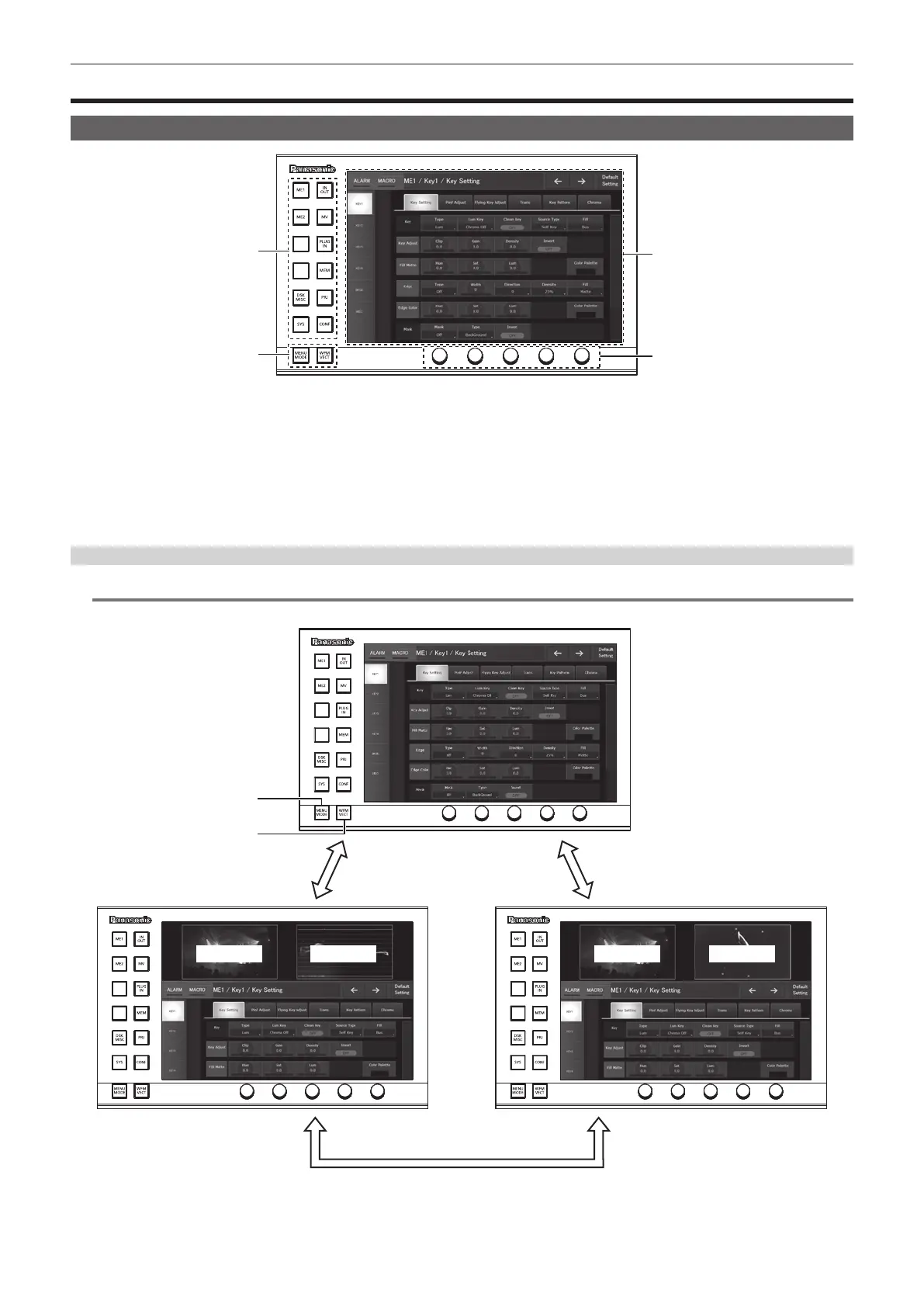
1 Top menu buttons (<ME1>, <ME2>, <DSK MISC>, <SYS>, <IN OUT>, <MV>, <PLUG IN>, <MEM>, <PRJ>, <CONF>)
Selects the rst hierarchy of the menu.
2 Split‑screen buttons (<MENU MODE>, <WFM VECT>)
Switches the display of the menu screen.
For details, refer to “Split display of the menu screen” (page 27).
3 Menu screen
4 Rotary encoders
When the rotary encoder is turned, the numeric values of the number button focused on the menu can be changed.
When the rotary encoder is double-clicked, the numeric values of the number button focused on the menu will return to the default settings.
Split display of the menu screen
@@
NOTE
t This function will be available in V2.00.00 or higher.
1
2
<MENU MODE> button
<MENU MODE> button
<WFM VECT> button
PICT VECTPICTWFM
1 <MENU MODE> button
Each time this button is pressed, the full screen display and split display (PICT, WFM/VECT, menu) of the menu are switched.
The display content is as follows when the display of the Menu Panel AV-HS60C3 is split.













 To Next Page