– 81 –
Chapter 5 Basic Operations — Memory
[ME1]
[DSK]
[AUX Sel1]: [All], [AUX1] - [AUX16]
[AUX Sel2]: [AUX1] - [AUX16]
[AUX Sel3]: [AUX1] - [AUX16]
[AUX Sel4]: [AUX1] - [AUX16]
[AUX Sel5]: [AUX1] - [AUX16]
CBGD1
CBGD2
[XPT]
[AUX]
Key1 Key2 Key3 Key4
[Key XPT]
[A/B XPT]
[CBGD]
BKGD
BKGD
[BKGD]
[Key1] [Key2] [Key3] [Key4]
[ME2]
Key1 Key2 Key3 Key4
Key1 Key2 Key3 Key4
1
Select the <MEM> button → [SHOT MEMORY] → [Detail Select] tab.
2
Select an item in [BKGD]/[Key1] to [Key4] in the [Detail ME] column.
[On] Sets as a memory target.
[Off] Does not set as a memory target.
3
Select an item in [A/B XPT]/[Key XPT] in the [Detail XPT] column.
f This function will be available in V2.00.00 or higher.
[On] Sets as a memory target.
[Off] Does not set as a memory target.
4
Select an item in [AUX Sel1] to [AUX Sel5] in the [Detail AUX] column.
f This function will be available in V2.00.00 or higher.
f Select an item from [AUX1] to [AUX16].
To select all AUX buses, select [All] in [AUX Sel1].
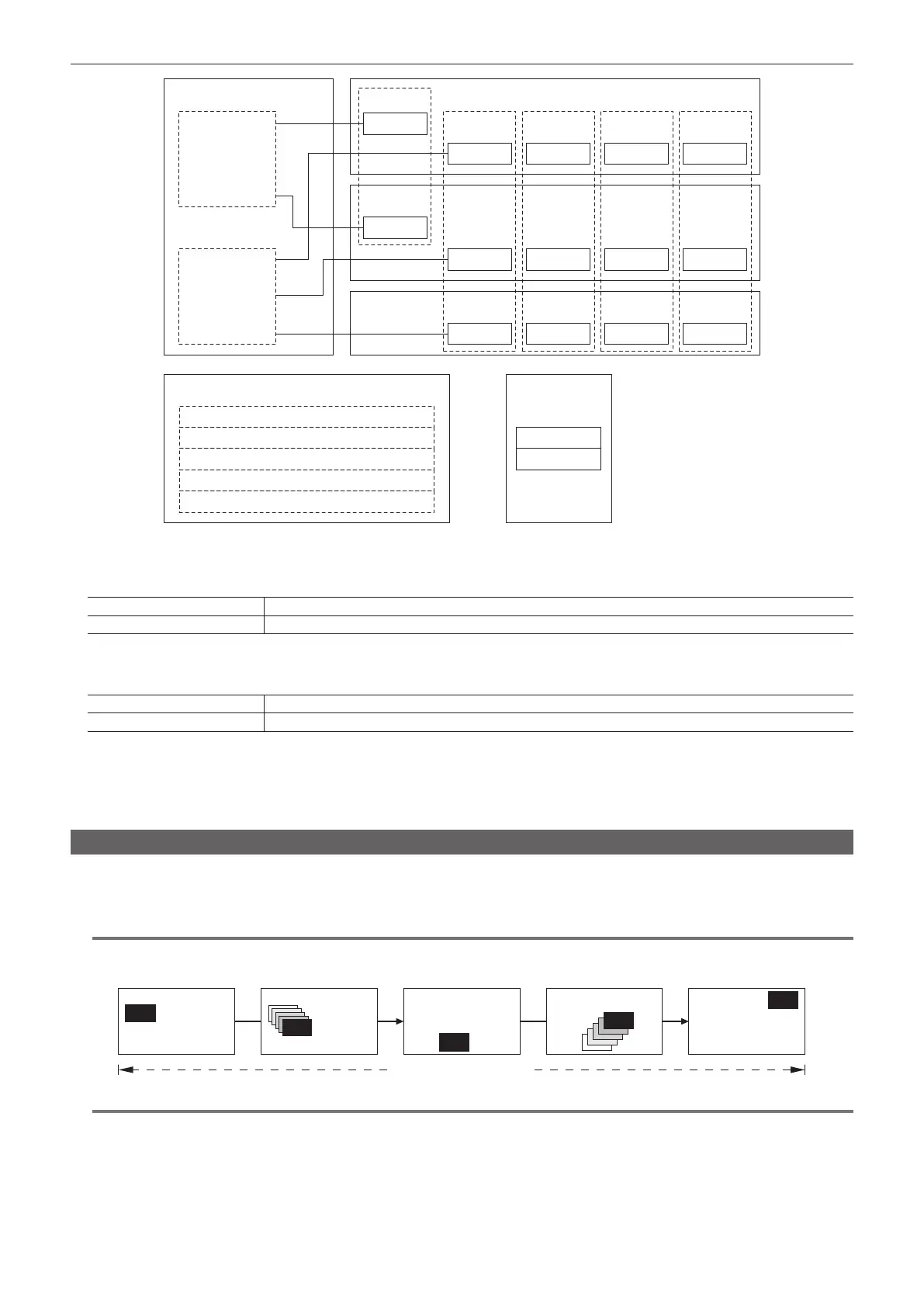
Event memory
Register multiple image effects that can be registered in the shot memory as events. Smooth transitions can be achieved by playing back images
continuously while interpolating between events. A group of these events are referred to as an event memory.
Maximum 64 events can be registered in one event memory.
@@
NOTE
t This function will be available in V2.00.00 or higher.
Event 1 Interpolation Interpolation event 2 Interpolation Event 3
Event memory
@@
NOTE
t Use the Menu Panel AV-HS60C3 to register and edit events in the work memory, and save the created event memory in a register memory.
t Use the multi-selection panel area of each ME or the EMEM LINK function to load event memories saved in the register memories and play them
back. The number of register memories that can be registered is 81 (9 pages × 9).
For details on operating the multi-selection panel, refer to “Event memory menu” (page 38).
t When operations such as playback of an event memory are performed in a system format different from the system format used when the event
memory was registered, the operations will not be performed correctly.
t When registration or editing is being performed on the Menu Panel AV-HS60C3, playback being performed by other operation areas is suspended.
Also, the target cannot be played back if the following playback operations are performed by other operation areas.













 To Next Page