– 54 –
Chapter 5 Basic Operations — KEY
f Set the start position of the next pattern waveform.
- WIPE: 11, 12, 13, 14, 15
- SQ: 41, 42, 43, 44, 45
5
Select an item in [In=Out] in the [Wipe Out]/[SQ Out] column.
[Off] Sets the start position of pattern waveform separately for key in and key out.
[On] Sets the same start position of pattern waveform for key in and key out.
r Pattern examples for wipe transition
Pattern example 1 Pattern example 2 Pattern example 3*
1
Pattern example 4*
2
Key in
SQ
SQ
Key out (when set to [Normal])
SQ
SQ
Key out (when set to
[Reverse])*
3
SQ
SQ
*1 Indicates the movement of the following pattern waveform.
f WIPE: 11, 12, 13, 14, 15
*2 Indicates the movement of the following pattern waveform. The movement when [Normal] is set and [Reverse] is set becomes the same.
f SQ: 41, 42, 43, 44, 45
f 3D: 95, 96, 97, 98
*3 This function will be available in V2.00.00 or higher.
@@
NOTE
t The <N>/<R>/<N/R> buttons are dedicated to the background transition.
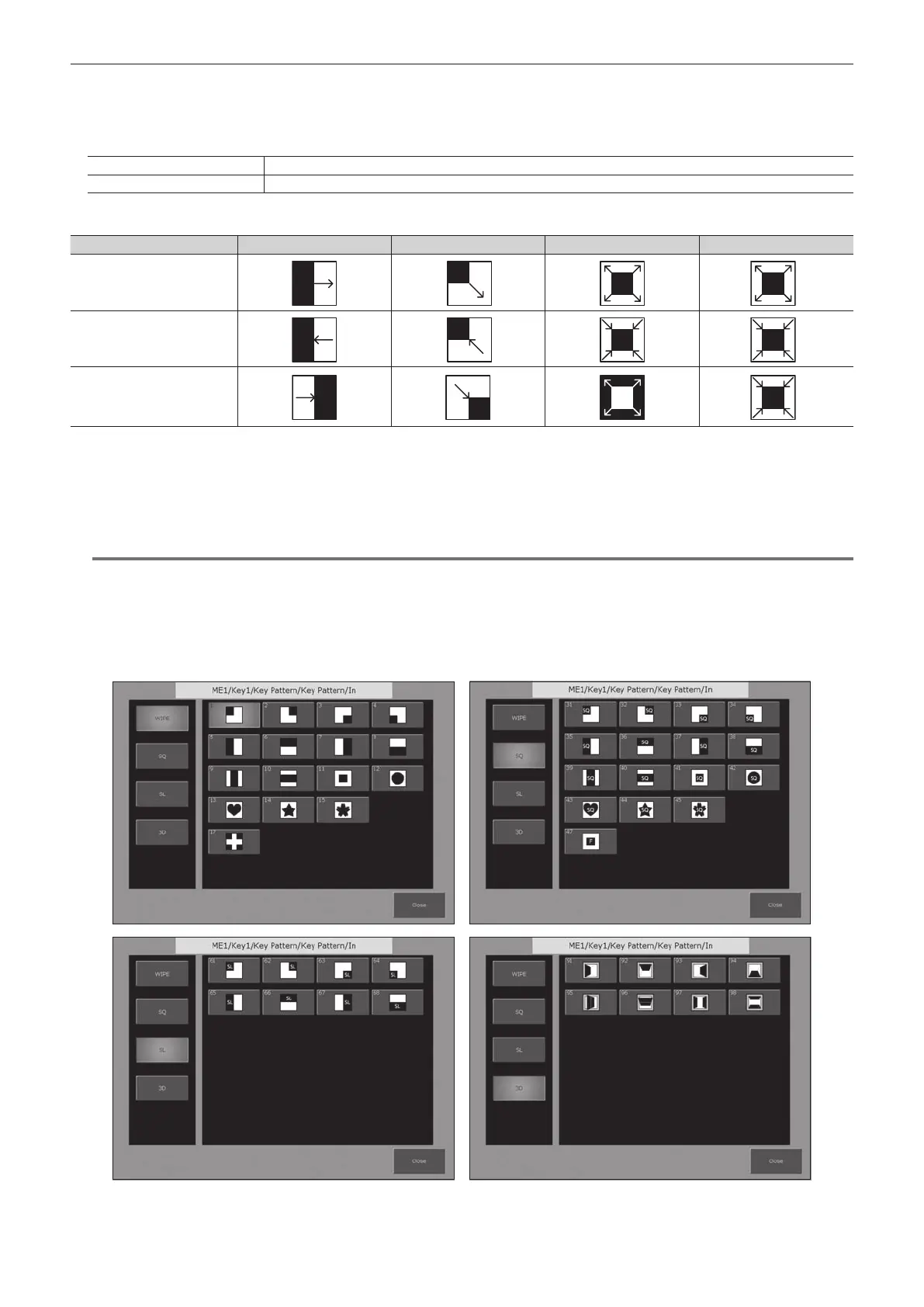
r Wipe pattern screens for key transition
f The following wipe patterns are available only for [KEY1] and [KEY2].
- SQ: 31 to 47
- SL: 61 to 68
- 3D: 91 to 98













 To Next Page