– 58 –
Chapter 5 Basic Operations — KEY
f For details on [Clean BG Noise], refer to “Removing noise in the background image” (page 56).
f For details on [Clean FG Noise], refer to “Removing noise in the foreground image” (page 56).
f For details on [Spill Sponge], refer to “Removing color irregularity in the detail areas” (page 57).
r [Spill+], [Spill−]
Remove and restore the color irregularity of blue or green in the foreground image step by step.
[Spill] [Spill−]
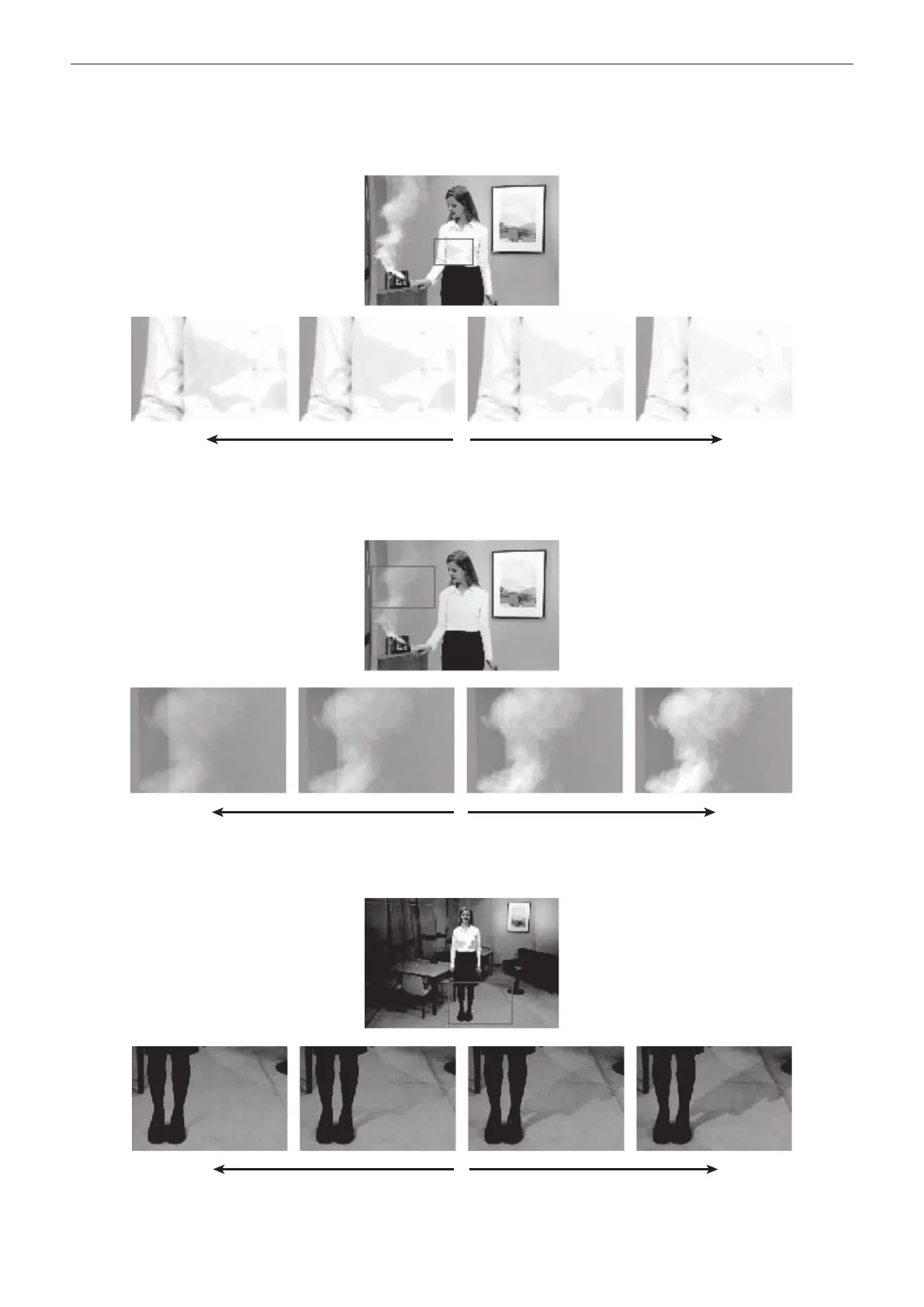
r [Matte−], [Matte+]
Adjust the matte information.
To make the area of shadow in the foreground image lighter, use [Matte−] to adjust.
Conversely, to make it darker, use [Matte+]. Transparent images such as images of smoke or water can be made to stand out more.
[Matte−] [Matte]
r [Detail−], [Detail+]
Remove the noise in the background image step by step.
This is a useful way of adjusting images lost by other sampling operations to adjust the texture or transparency of images.
[Detail−] [Detail]
r [Matte Sponge]
Select the semi-transparent parts of the subject in the foreground image and make them matte (non-transparent).













 To Next Page