– 98 –
Chapter 5 Basic Operations — Video memory
2
3
4
1
5
6
7
8
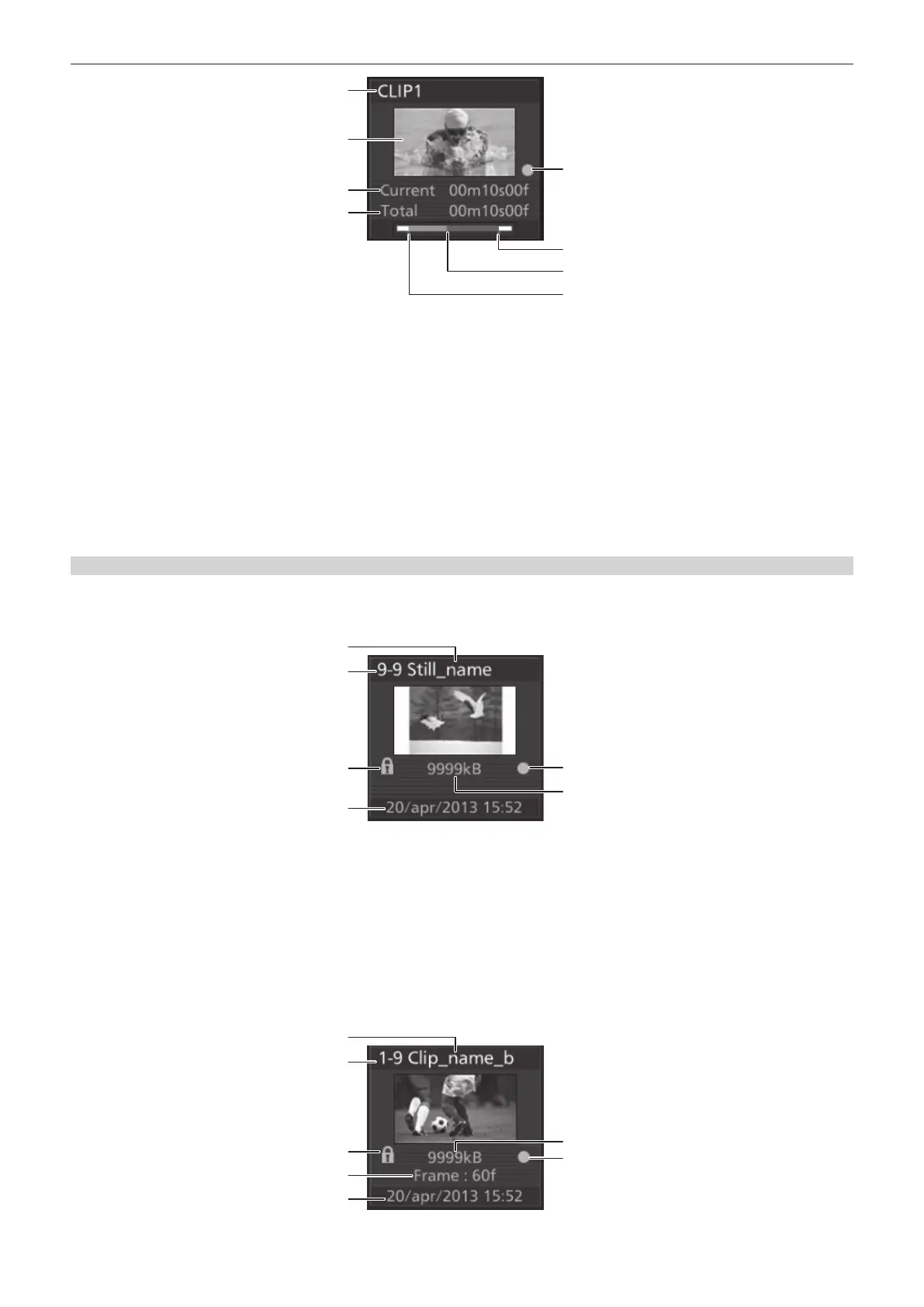
1 Channel name
Displays channels from [Clip1] to [Clip4].
2 Image of the 10th frame counting from the rst frame
Displays the image of the 10th frame counting from the rst frame of the clip. (If the number of frames in a source is 10 frames or less, then the
image of the frame one frame before the last image is displayed.)
3 Current frame
4 Recording time
Displays the recording time. If the clip has been trimmed, then the time from the IN point to the OUT point is displayed.
5 Source with key mark
Indicates a source with key. This mark is displayed only for sources with key.
6 OUT point
7 Current playback position
8 IN point
Register icons
r Icon of a still image le
Select the <MEM> button on the top menu → [STILL] → [Register] tab, and then the following le icon is displayed on the le selection screen.
1
3
4
2
5
6
1 Still image le name
2 Register memory number
3 Protection mark
Indicates that the image le is protected.
4 Time stamp when saved
5 Source with key mark
Indicates a source with key. This mark is displayed only for sources with key.
6 Image le size
r Icon of a moving image le
Select the <MEM> button on the top menu → [CLIP] → [Register] tab, and then the following le icon is displayed on the le selection screen.
1
3
5
4
2
7
6
1 Moving image le name













 To Next Page