53
User Preset
2
3
User Preset
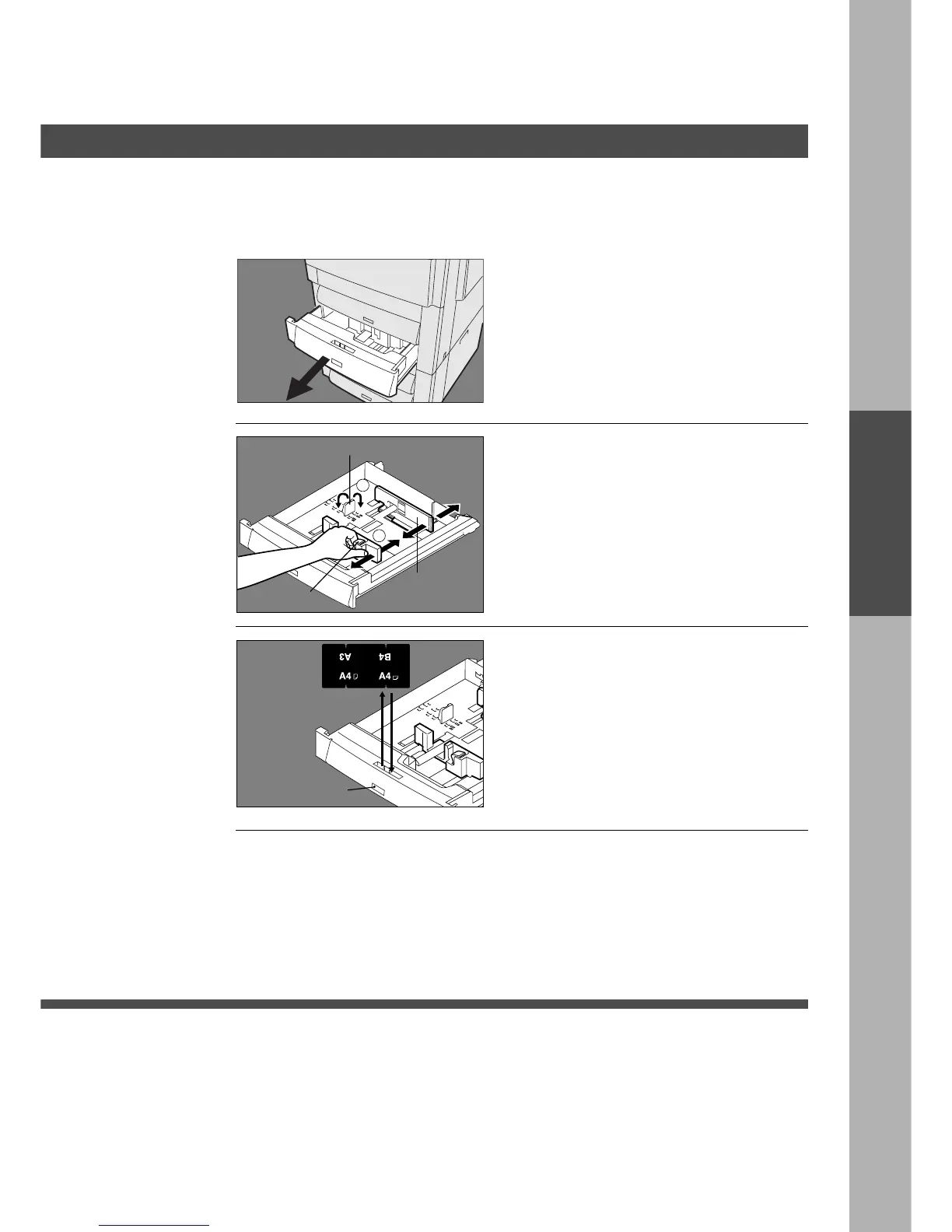
Change paper guide inside of paper drawer and paper size indicator
# Pull out paper drawer and remove
paper.
$ Move paper guide a to the paper
length required.
% Move paper guide b to the paper
width required.
Squeeze the stopper to move the paper
guide b to the desired paper size.
& Change the paper size indicator.
Take out and re-insert the indicator so
the correct paper size is shown.
(A5 size is on the rear)
Paper Guide
aa
aa
a
Stopper
Paper
Guide
bb
bb
b
Size Indicator
( Place new paper into drawer.
) Close paper drawer.
3










 To Next Page