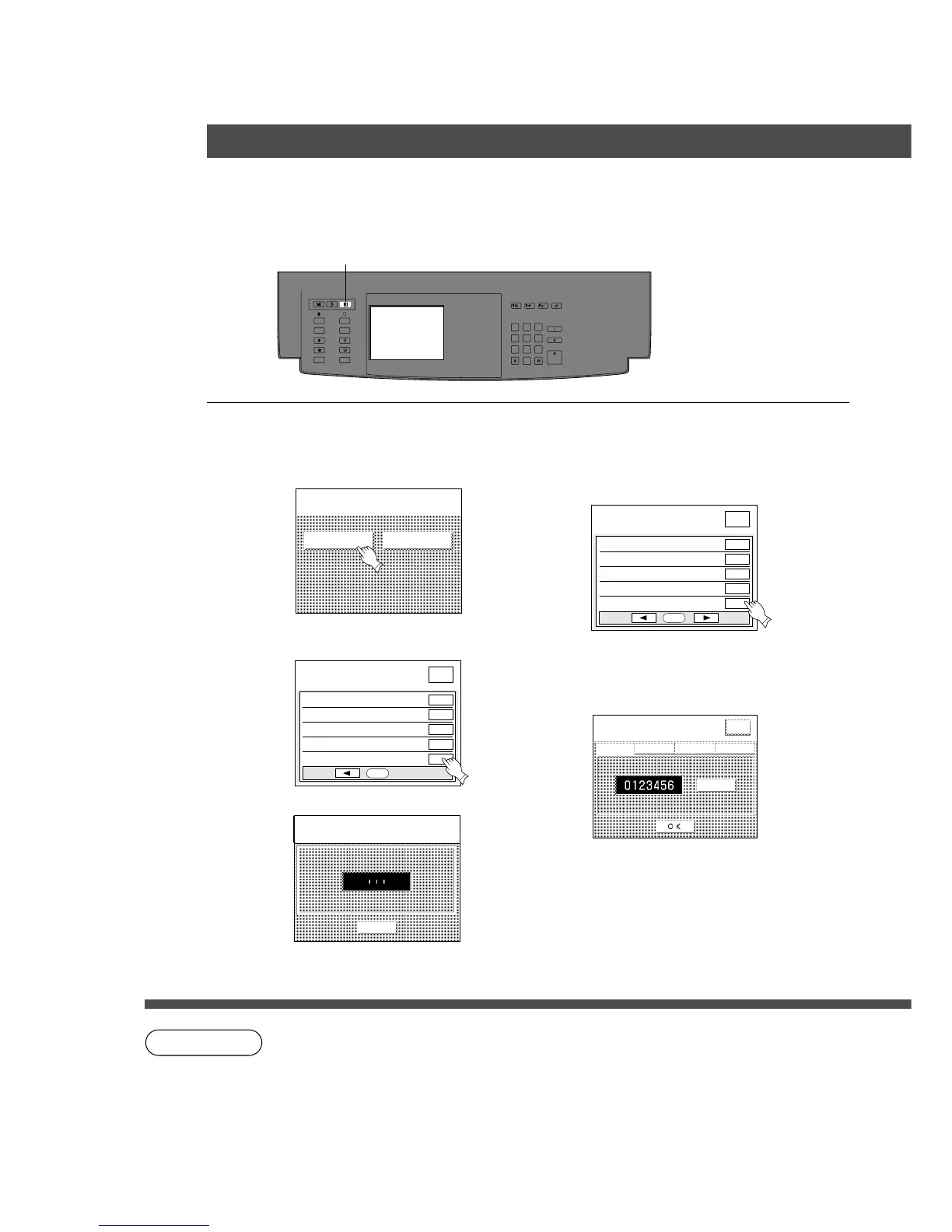
User preset mode
Select function
GENERAL FUNCTIONS COPIER SETTINGS
MULTI-SIZE
FEED
USER
PRESET
SORT/
FINISH
ENERGY
SAVER
INTERRUPTMANUAL RESET
1 32
4 65
7 98
0
A3
FLS•B4
A5
A4
A4
■■
■■
■ Departmental counter
Key operator can manage, limit copies, counters and code numbers for each department.
(Maximum department number: 100)
1
Press user preset key
2
Proceed according to screen order
# Select General function
$ Proceed to next page and select 09 key
operator key.
% Input ID code (3 digit) and touch OK key
& Proceed to screen 3/9 and select 14
Departmental counter mode.
( Select menu of total counter, count
number, limited number or password,
and touch OK key.
NOTE
C To reset the user preset mode, press Reset key.
User Preset modes for Key operator.
CInput 0 means total counters
will be cleared.
User Preset
User preset mode
input identification code
CANCEL
Input
TOTAL COUNTER
DEPT. COUNTER
MAX. COPIES
I.D CODE
Print list










 To Next Page