17-00001-C Page | 60
13.
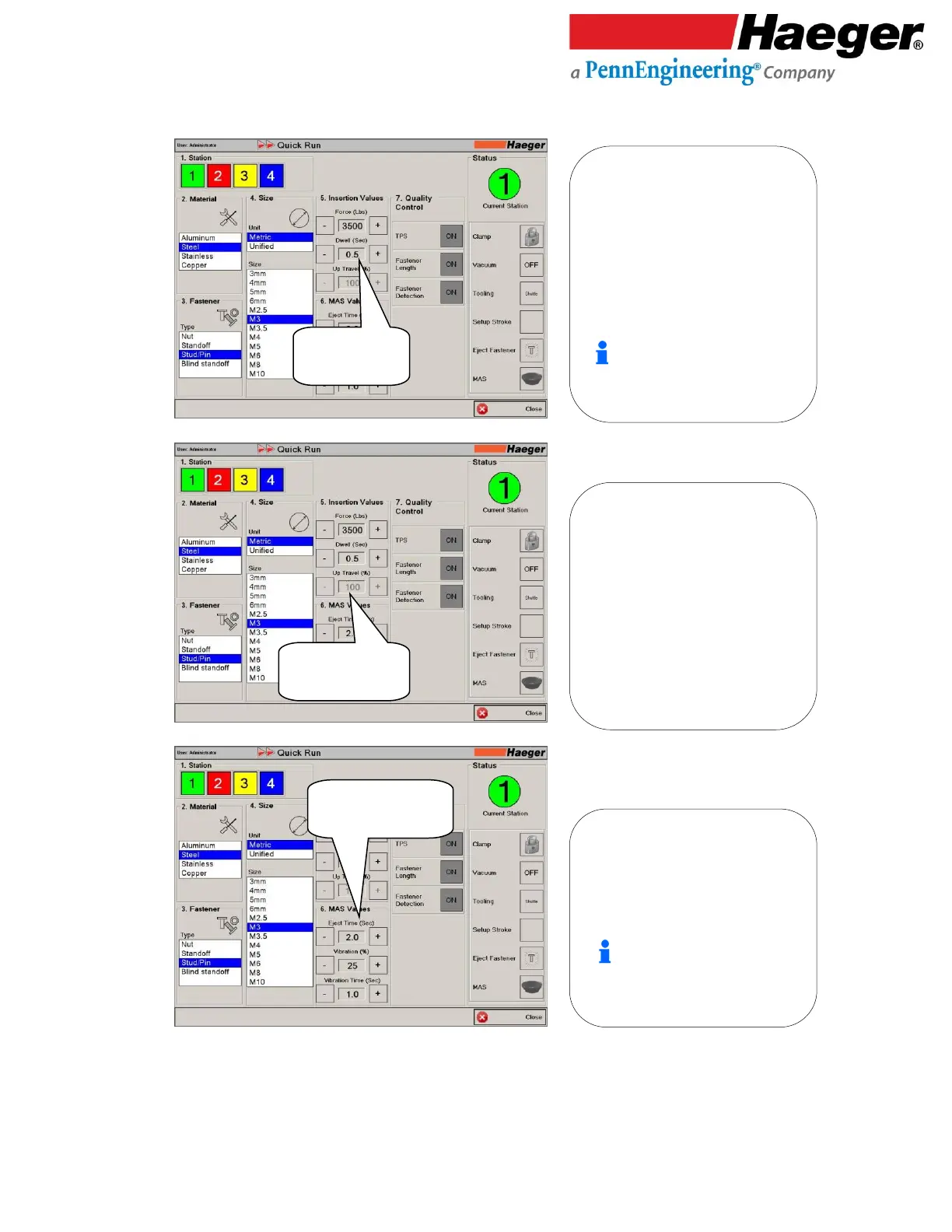
Dwell (Sec)
14.
Up Travel (%)
15.
Input 6: MAS Values
Eject Time (Sec)
• Dwell (Sec)
• Set to 0.5
5. Dwell (Sec): The Dwell is the length of
time that the force is applied between
the Upper and Lower Tools. It can range
from 0.0 seconds to 3.0 seconds. If you
set the Dwell to 0.0 seconds, the Upper
Tool will lower, apply the Force and
immediately
return to the Up position. If
you set the Dwell value greater than 0.0
seconds, the Upper Tool will lower and
continue applying the force for the
length of time set here.
An increased Dwell setting should be
used when inserting fasteners into
materials such as stainless steel.
• Up Travel (%)
• Not Applicable
5. Up Travel (%): Not Applicable here
The Up Travel value controls the Up
position of the Upper Tool. This is the
position the upper tool returns to after
applying the force. The Up value is
measured as a percentage of the total
cylinder stroke. It will vary depending on
the size of the Upper and Lower Tools. If
the Up value is set to 0%, the Upper Tool
will return to its minimum height after
applying a force. Setting the Up value to
70-100% will cause the Upper Tool to
return to the highest point possible.
• Eject Time (sec)
• Set to 2.0
6. Eject Time (Sec): The Air Eject Time
controls the duration or the blow off
time of the air blast which sends the
fastener from your MAS 350 to the
desired automatic tooling.
Use the Eject Timer to adjust the
duration of the air blast.
If the fastener does not travel all the
way to the tooling, increase air ejection
time.



 To Next Page