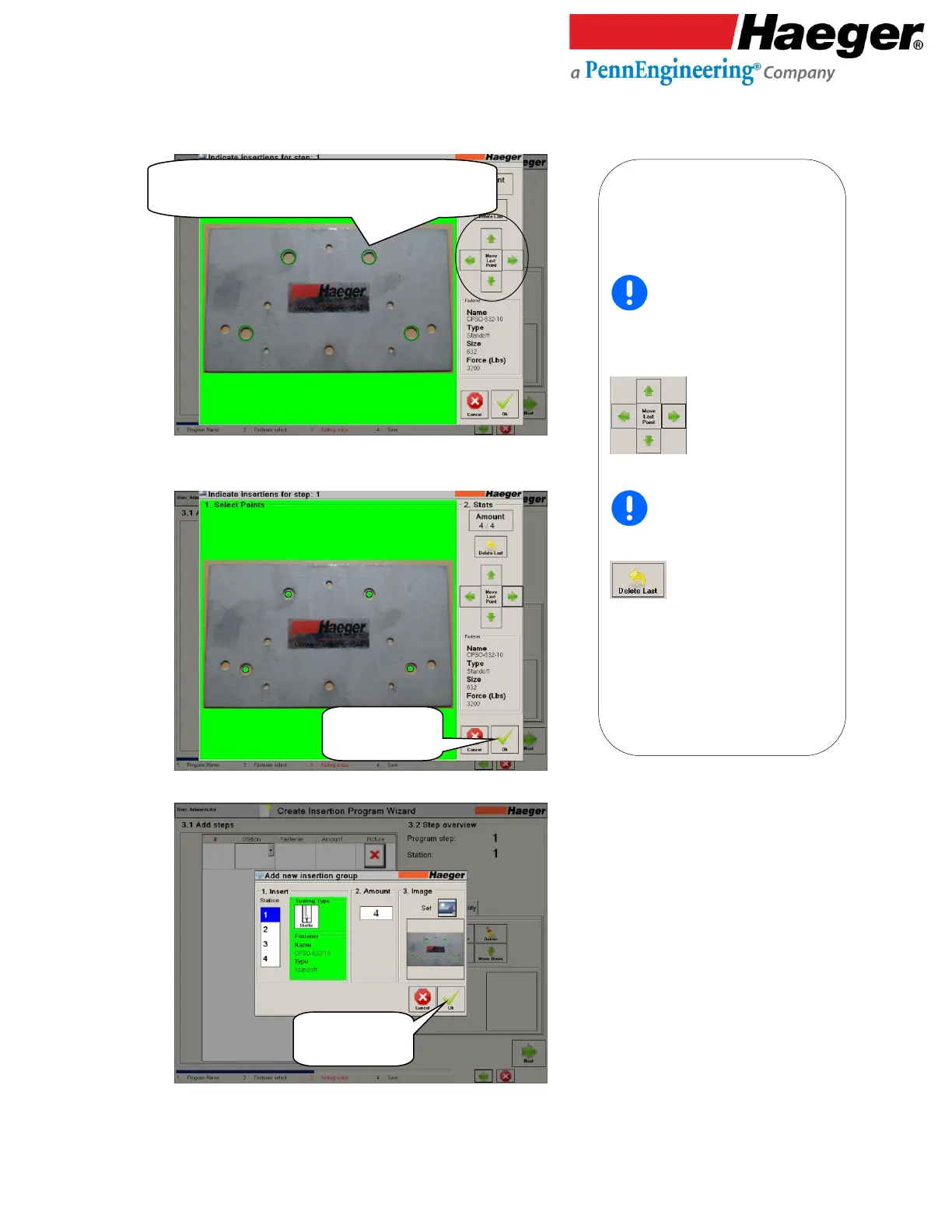
1. Select Points: Identify Group 1
Insertion Points.
Immediately after touching and
locating a point on the screen, you have
an opportunity to move the point directly
over the insertion hole. Touch on or touch
and hold on the appropriate arrow
to center insertion point
over the desired insertion hole.
If you want to move a point, for
example, insertion point 2 of 4, you must
delete the last 2 points (3 & 4) using the
button, before you can
reposition point 2.
• 4 Insertion Points circled in GREEN, Touch on to locate
• Use GREEN ARROWS to center points over location



 To Next Page