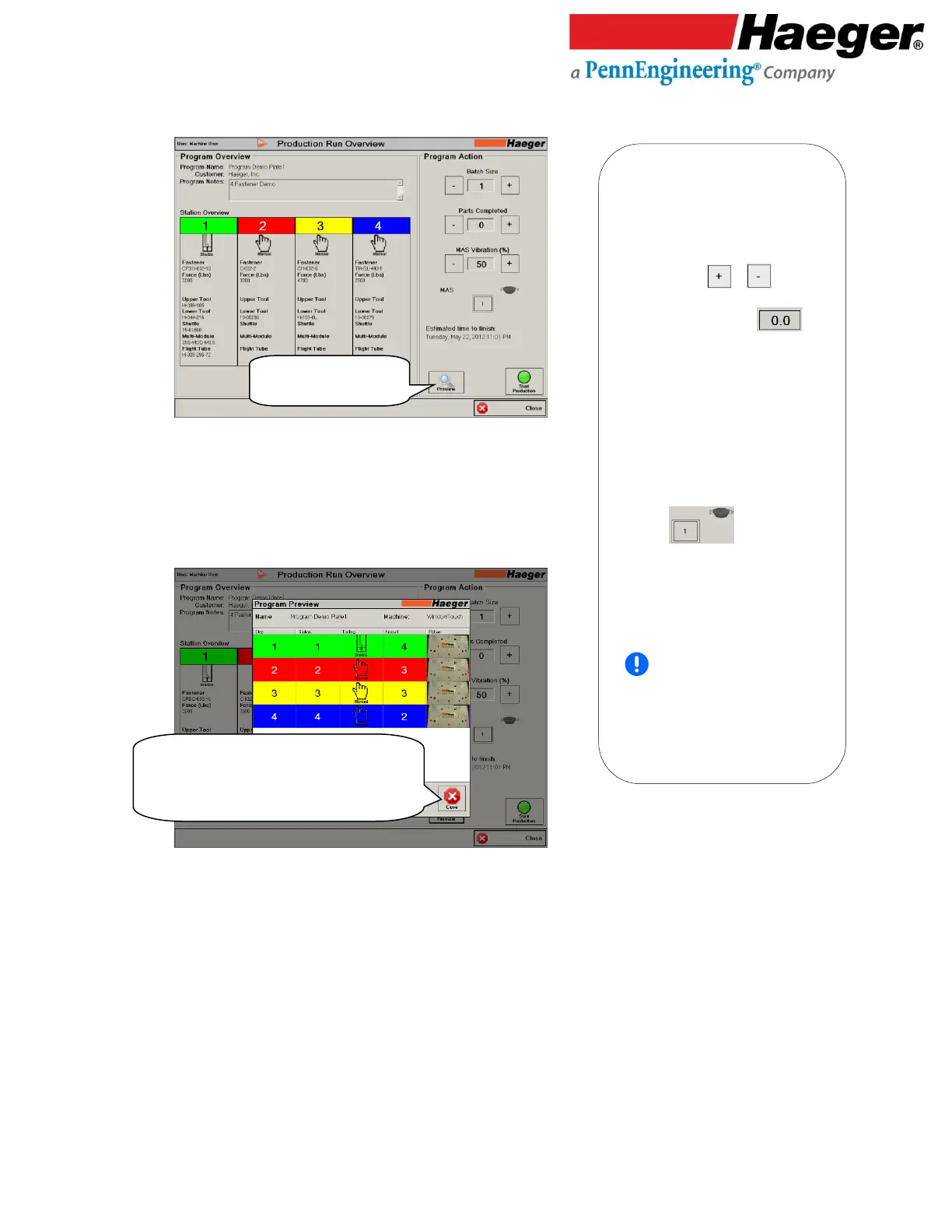
• Verify the Program Data is correct for
the selected part, ready for insertion.
• Touch on CLOSE
Production Run Overview
Program Action
• Batch Size: Is how many parts you
must complete. Batch quantities
can be increased or decreased by
touching the or symbols
on either side of the value shown.
Or touch on the value
itself, to touch type a new value.
• Parts Completed: A running count
of completed parts within a batch.
• MAS Vibration (%): This feature
allows the operator to increase or
decrease the vibration intensity of
the MAS 350 bowl.
• MAS: Touch 1 to
manually vibrate the fasteners up to
the MAS doorway ready to for
ejection. An example of use -- filling
the MAS bowl for the first time.
Verify the Program selected
matches the part for insertion and
hardware in Stations 1, 2, 3 & 4.
Touch on PREVIEW to see Tooling,
hardware insertions per part and a
picture of the part.



 To Next Page