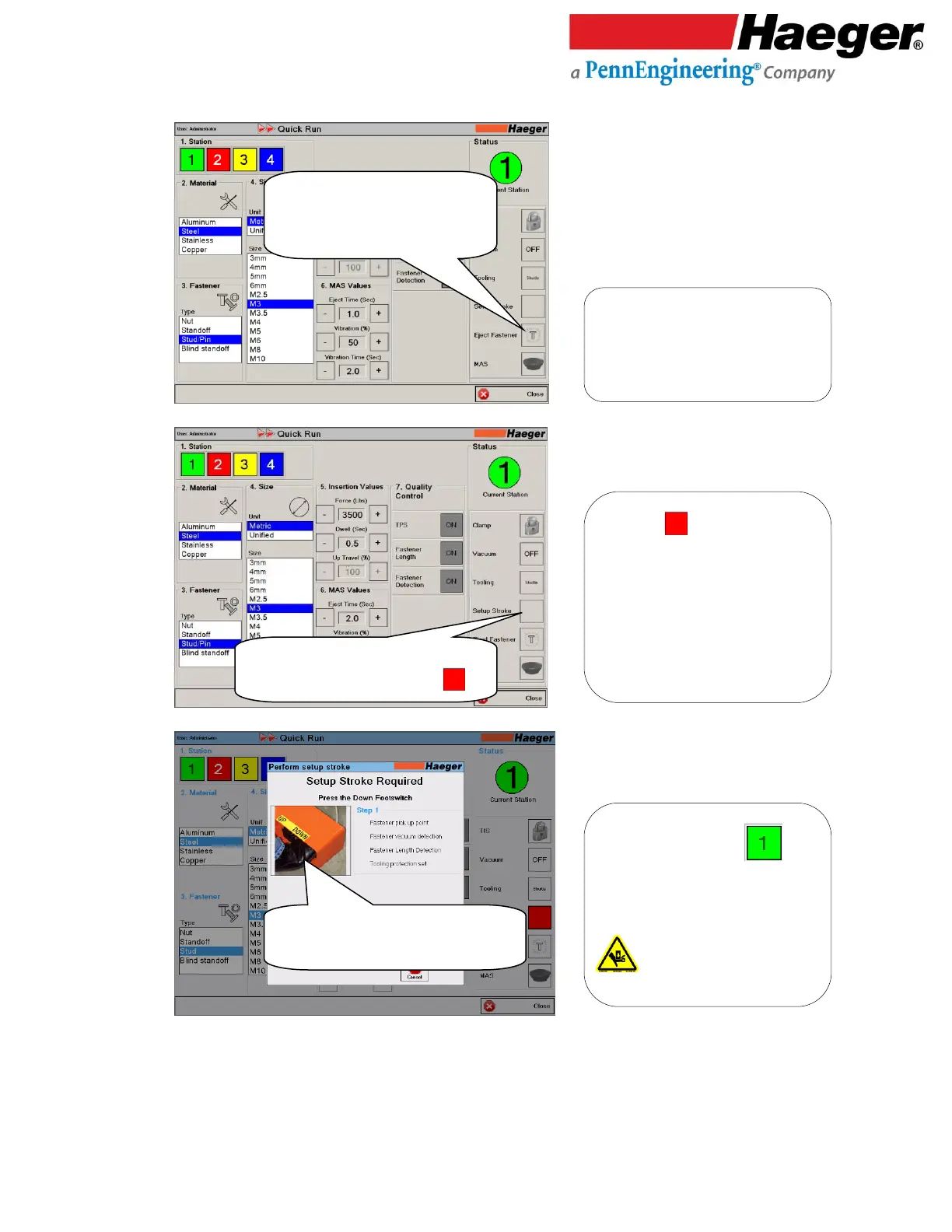
Setup Stroke : This feature allows the
operator to create a first stroke setup. This
first stroke setup feature must be
completed for each of the tooling stations
used in the insertion quick run program, to
record all applicable values required for
Automation. Such as the Shuttle Set Point,
Tip Detection, Fastener Length, and
Fastener Detection.
Setup Stroke Step 1 - Station :
Upper tool will lower and record the
information applicable to the fastener being
inserted.
Upper tool in motion
Eject Fastener: This feature allows the
operator to eject a fastener from the MAS
bowl to the automatic tooling system.



 To Next Page