17-00001-C Page | 61
16.
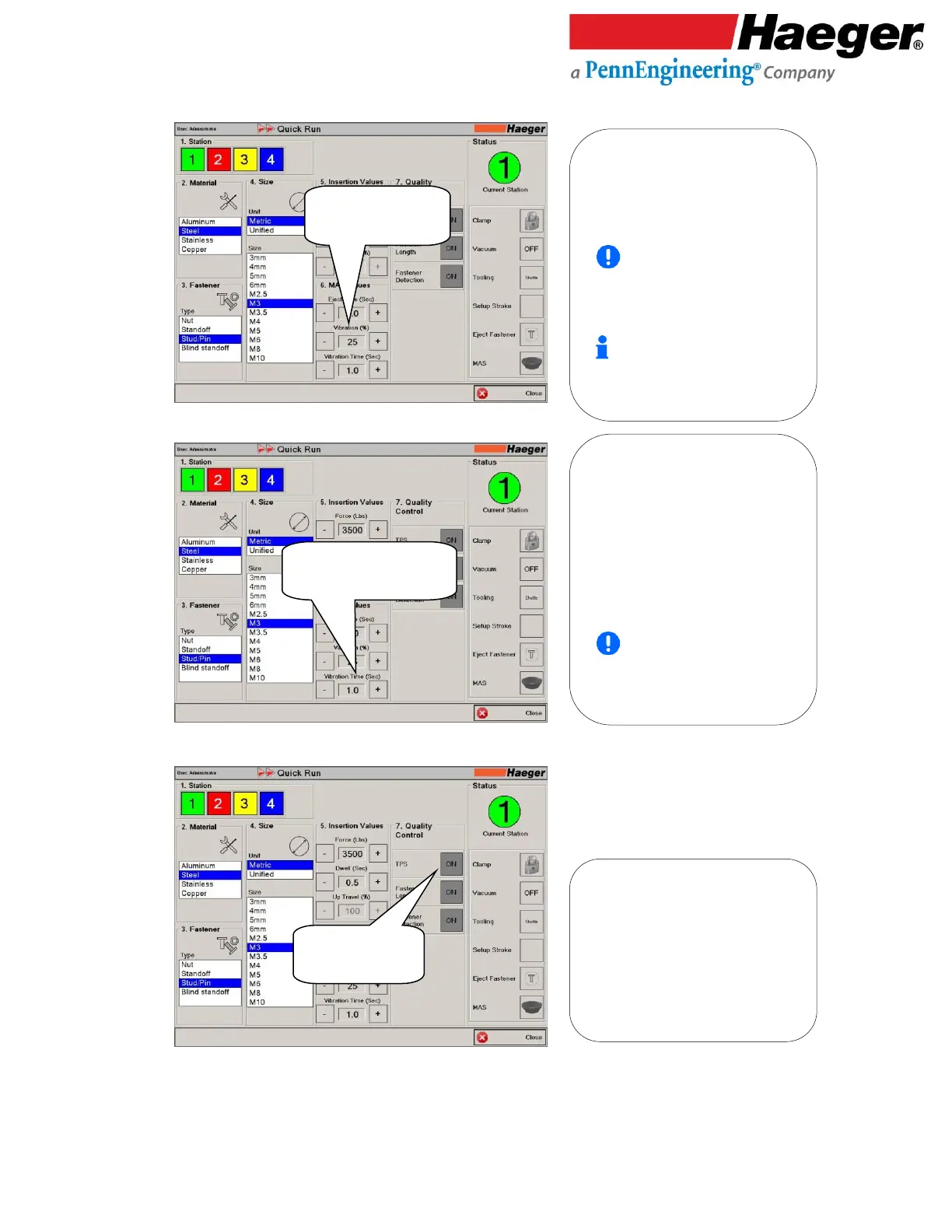
Vibration (%)
17.
Vibration Time (Sec)
18.
Input 7: Quality Control
Tooling Protection System (TPS)
6. Vibration (%): Vibration controls
the MAS 350 bowl vibration speed.
The bowl’s vibration speed controls
how fast the hardware travels up
the spiral track of the feeder bowl
to reach the Multi Module.
The 50% value shown is a
starting point only. Experiment
with different values to achieve
proper fastener line up at the
Door/Gate of the MAS 350 bowl.
Keep good notes for
programming production runs
later.
• Vibration (%)
• Set to 25
• Vibration Time (Sec)
• Set to 1.0
6. Vibration Time (Sec): Vibration Time
controls the duration of time of which
your MAS 350 will continue to vibrate
after a fastener has been ejected to the
tooling. Use the vibration time to adjust
the vibration of hardware in the bowl to
keep a full track of hardware once the
MAS 350 has stopped vibrating for the
next eject command.
The 2 (sec) value shown is a
starting point only. Keep good
notes for programming production
runs later.
7. TPS: The Tooling Protection
System (TPS) is designed to protect
both the tooling and the work piece
from damage. The TPS can be
activated by touching the TPS
ON/OFF button.



 To Next Page