68
Shooting Functions
4
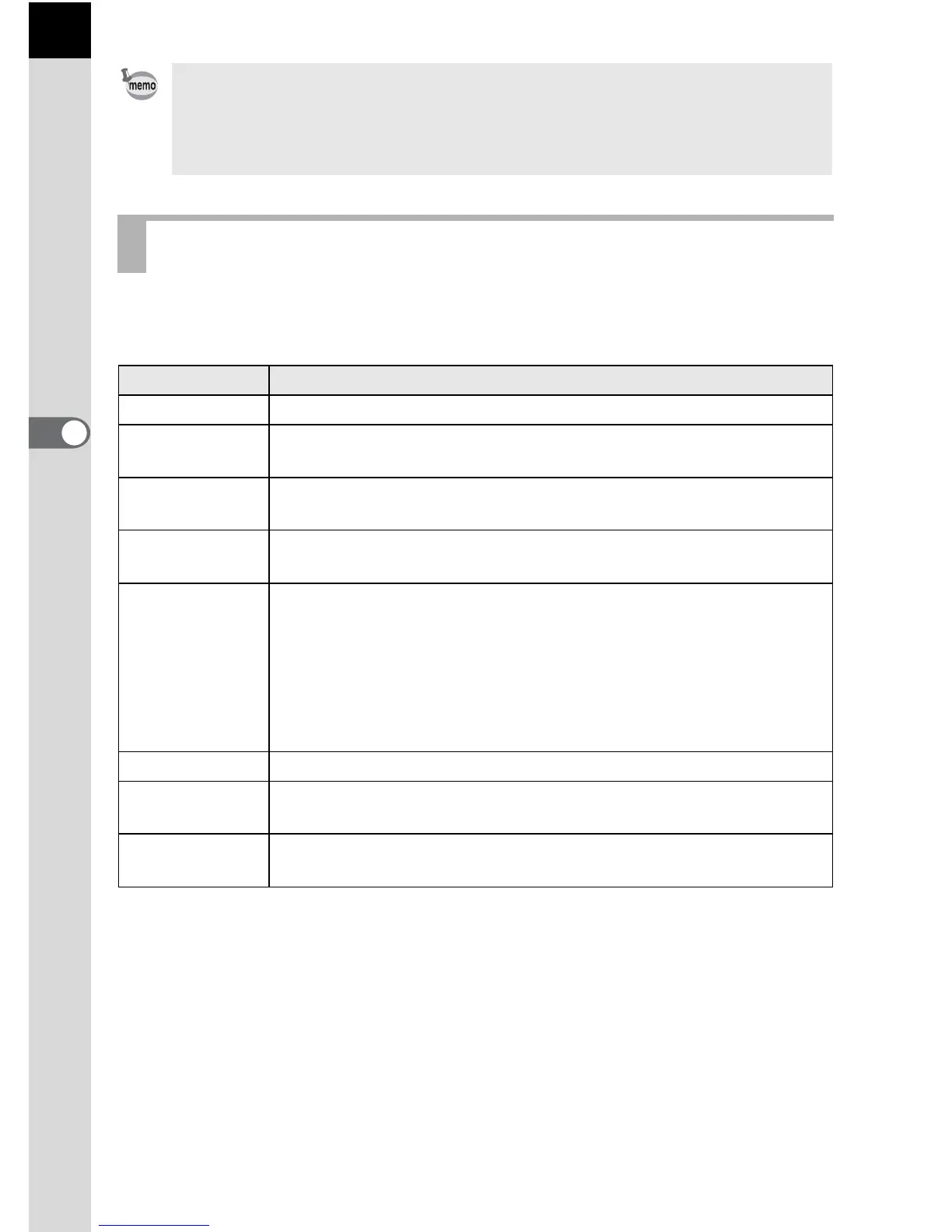
When set to n (Auto Picture) mode, the camera automatically selects
the optimal mode from the following capture modes for the subject.
• Set the guide display time in [Guide Display] of the [R Set-up 1] menu.
(p.185)
• The scene mode selection screen appears when the mode dial is set to H
(p.70)
Auto Picture Modes
Mode Characteristics
U Standard This is selected when none of the following modes apply.
c
Portrait
For capturing portraits. Reproduces a healthy and bright skin
tone.
s
Landscape
For capturing landscape views. Increases color saturation and
produces a vivid color image.
b
Macro
For capturing tiny objects at close focus range like flowers,
coins, jewelry, and more.
.
Night
Scene
Portrait
For capturing images of people in low light conditions, such as
dusk or at night.
Even though the flash is used, the camera will use slow shutter
speeds so the background areas beyond the flash reach will
also appear correctly exposed in the picture (1 Slow-speed
Sync (p.208)). To prevent camera shake, either use the Shake
Reduction function or mount the camera on a tripod.
K Sunset For capturing sunrises or sunsets in beautiful, vivid color.
d Blue Sky
For capturing images of blue sky. Produces a more impressive
deep blue.
x
Forest
Enhances colors of trees and sunbeams through foliage and
produces a vivid color image.


 To Next Page