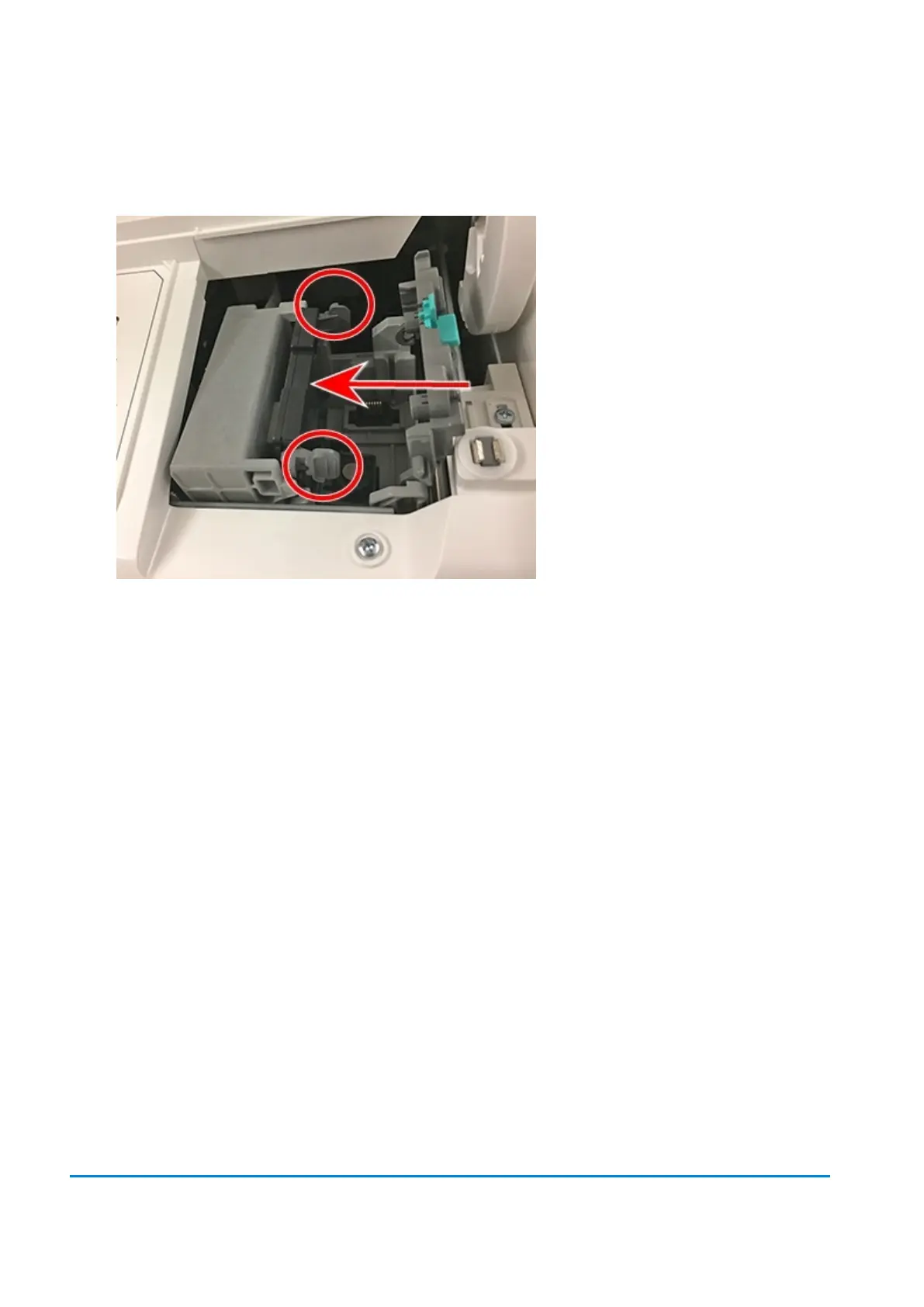
12. Insert the new printhead by squeezing the tabs on either side of the printhead and sliding the
plastic alignment pins into the lower slot of the printhead holder.
13. Gently push the printhead into place until it snaps into position.
14. Install the ink cartridge (see the label to the right of the cartridge holder).
15. Rotate the guard back to the closed position.
16. Close the cover; the ink cartridge moves back to the original position.
17. Tap Done.
18. Perform a print test again to be sure you are getting a good test print pattern.
8 • Mail Machine Maintenance












 To Next Page