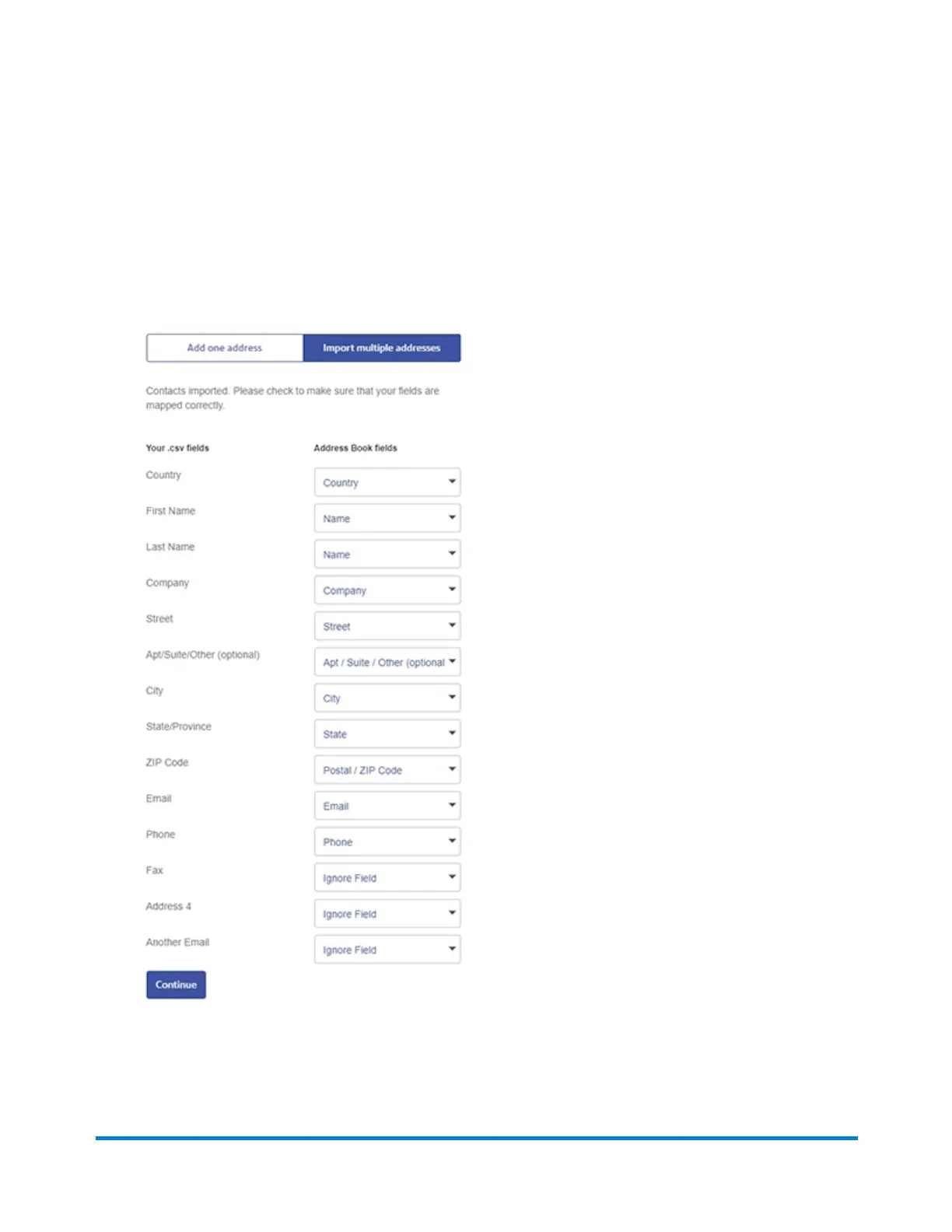
8. Fields contained in your imported address list ("Your .csv fields") and the fields in the SendPro
online Address Book ("Address Book fields") are displayed side by side. Verify that the fields in the
.csv file are correctly mapped to the SendPro online Address Book fields. Use the drop-down
menus to adjust the field mappings if necessary. If SendPro online cannot determine which field to
map, the right side will say Ignore Field, as shown in the last 3 fields in this example. For any that
say Ignore Field, choose the correct field. If you choose Ignore Field, that field will not be
imported.
9. Select Continue to import your address data. The addresses will now appear in your Address
Book.
Browser operations
Pitney Bowes Operator Guide June 2018 215












 To Next Page