115
Polyend Play+ Manual Rev 2
NOTES
1
5
2
4
3
Sequencing Patterns
6
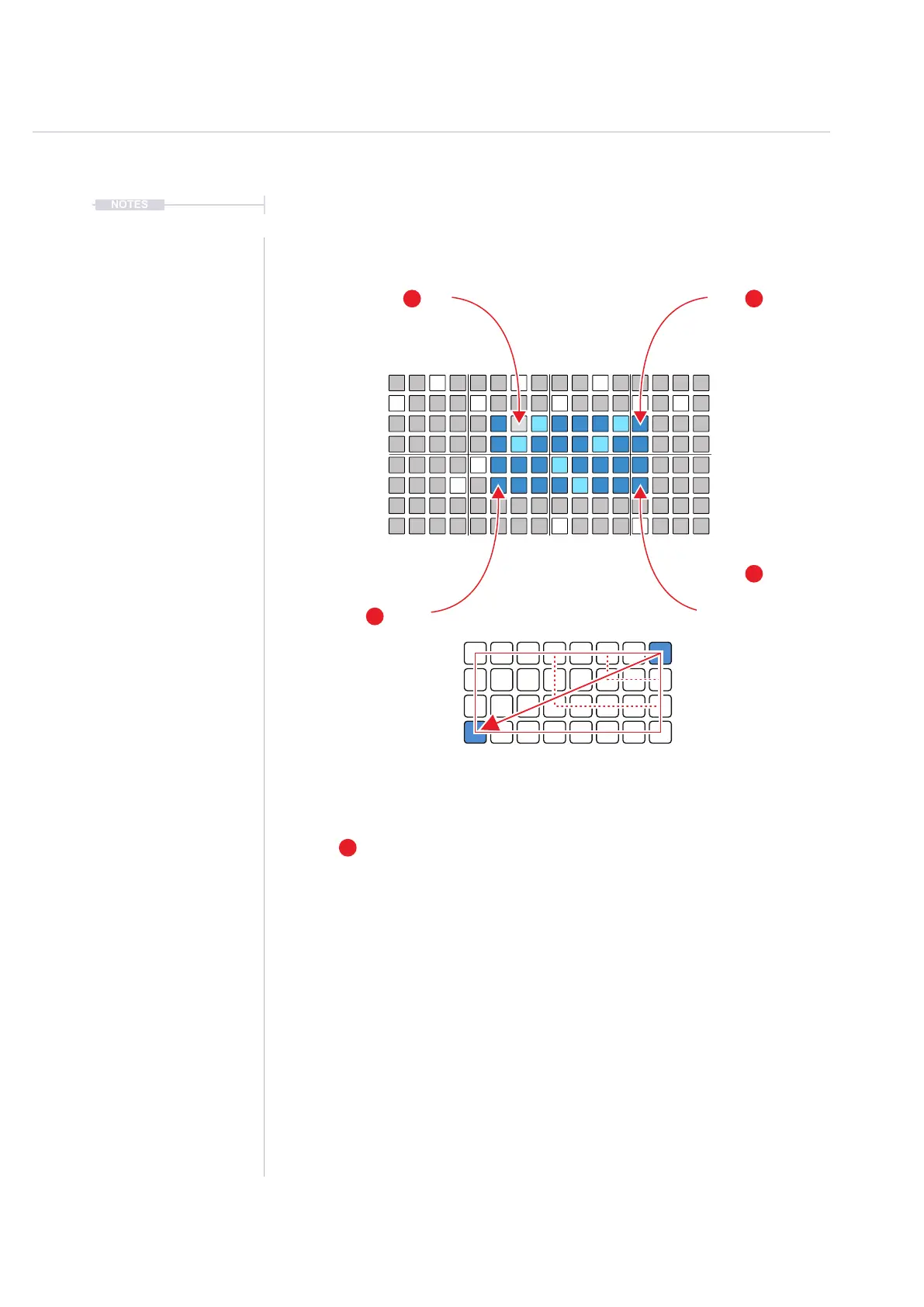
Select Corner A
Hold [Shift] + [Pad]
keep held
Deselect All
Tap [Shift]
A
B
Zone selected will select all steps within the
boundaries of the corner to corner selection block
Select Corner B
Hold [Pad]
Still holding [Shift] + [Pad] A
Remove Selection
Hold [Shift] + [Pad]
from block
Block Selection - Multiple Steps
Selected Steps can be edited by adjusting the parameter knobs. Multiple
selections may have multiple values which displayed as ‘~’ and adjustments
will show ‘+/-’ offset from its individual value.
Reset a parameter by double tapping the left side screen button for the
displayed and active parameter.
The Move and Micromove parameter can relocate selected steps.
Selections can be deleted by pressing [Shift] + [Fill] for the delete command.
The undo command, [Shift] + [Undo] can restore deleted steps. The selection
of steps is retained but the content deleted.



 To Next Page