140
Polyend Play+ Manual Rev 2
NOTES
Sequencing Patterns
6
The basic process for creating beat ll or melody ll templates is a strict
process and steps must be adhered to in the correct order.
3
3
2
1
4
5
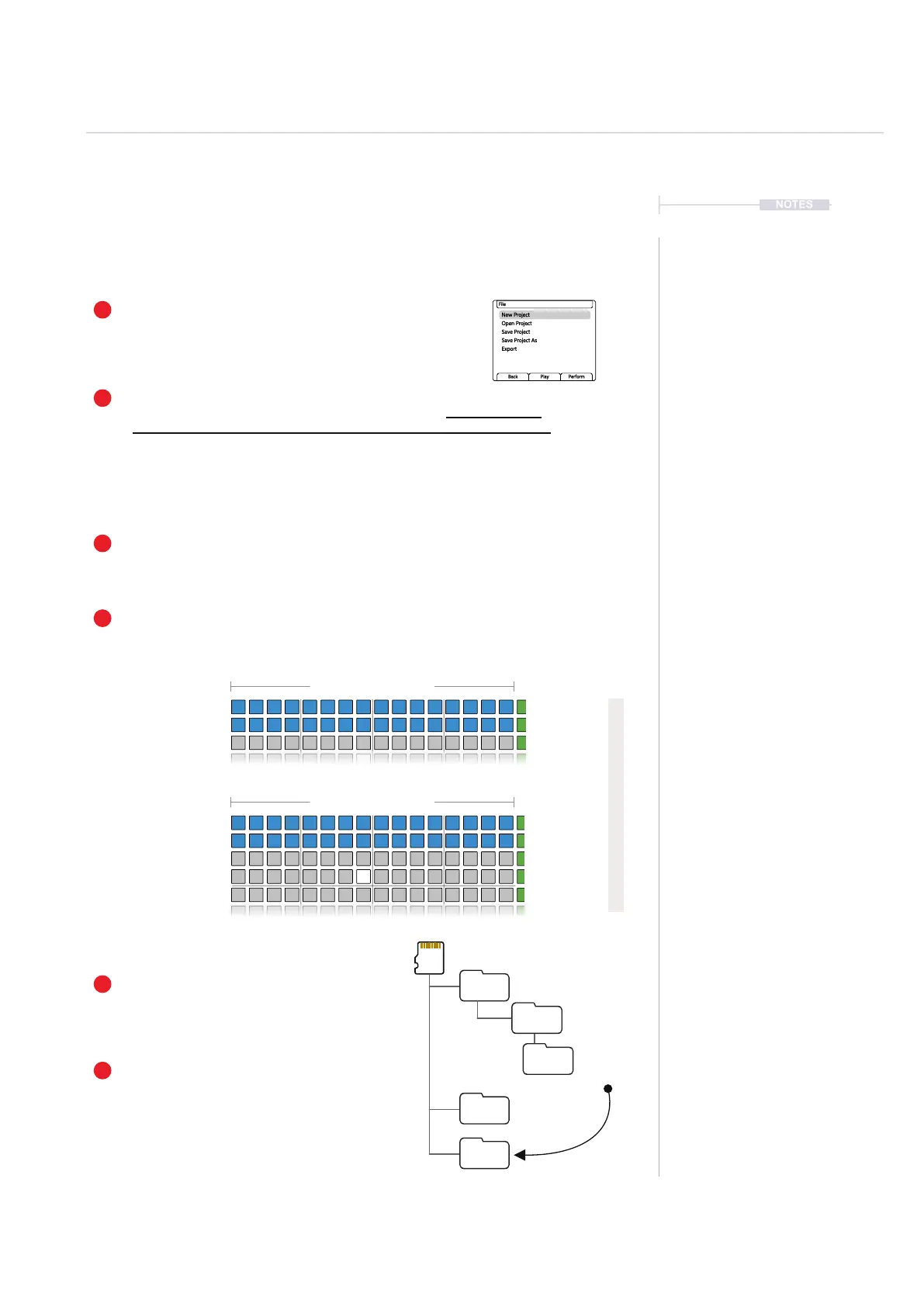
Build Patterns
Build the patterns precisely as per the dened track structure with loaded samples.
Add at least one sample
Load at least 1 sample per category. Samples can be created ofine from Play+
i.e. on a PC or Mac and assembled into the instrument folders on the SD Card.
Beat Fills Audio / MIDI Channel
Melody Fills Audio / MIDI Channel
1. Load First: Bass
2. Load Second: Kick
3. Load Third: HiHat
4. Load Fourth: Snare
5. Load Fifth: Any Other Pack
6. Load Sixth: Any Other Pack
7. Load Seventh: Synth
Track 1
Track 1
Kicks / Ch 1
Synth / Ch 4
Track 2
Track 2
Snare / Ch 2
Synth / Ch 4
Track 3
Track 3
Track 4
Track 5
Maximum 16 Steps
Maximum 64 Steps
HiHat / Ch 3
Synth / Ch 4
Synth / Ch 4
Bass / Ch 5
Load Sample Folders.
These sample folders must be loaded in a specic order. The instrument is
determined specically by the order in which it is loaded and not by its name.
Create a New Project
Create a new blank project. This is used to create the
pattern template based on set criteria and can be
saved to be reused as the base for future templates.
Save Project
Save the project using ‘Save’ or ‘Save As’
in the le menu.
Relocate the Templates
Move and name the created patterns to the
‘BeatFill’ folder or to the ‘MelodyFill’ folder.
This should be done ofine using a Mac or
PC with the SD Card.
New Project
Open Project
Save Project
Save Project As
Export
File
Back Play Perform
Projects
BeatFills
MelodyFills
MyProj
Patterns
1.Pattern
2.Pattern
Must adhere to this instrument track order



 To Next Page