74
Polyend Play+ Manual Rev 2
NOTES
Samples are pre-loaded from the SD card to the on board sample pool
memory after creating a new project. Often, once the project has developed
and patterns produced, some samples remain unused. These take up
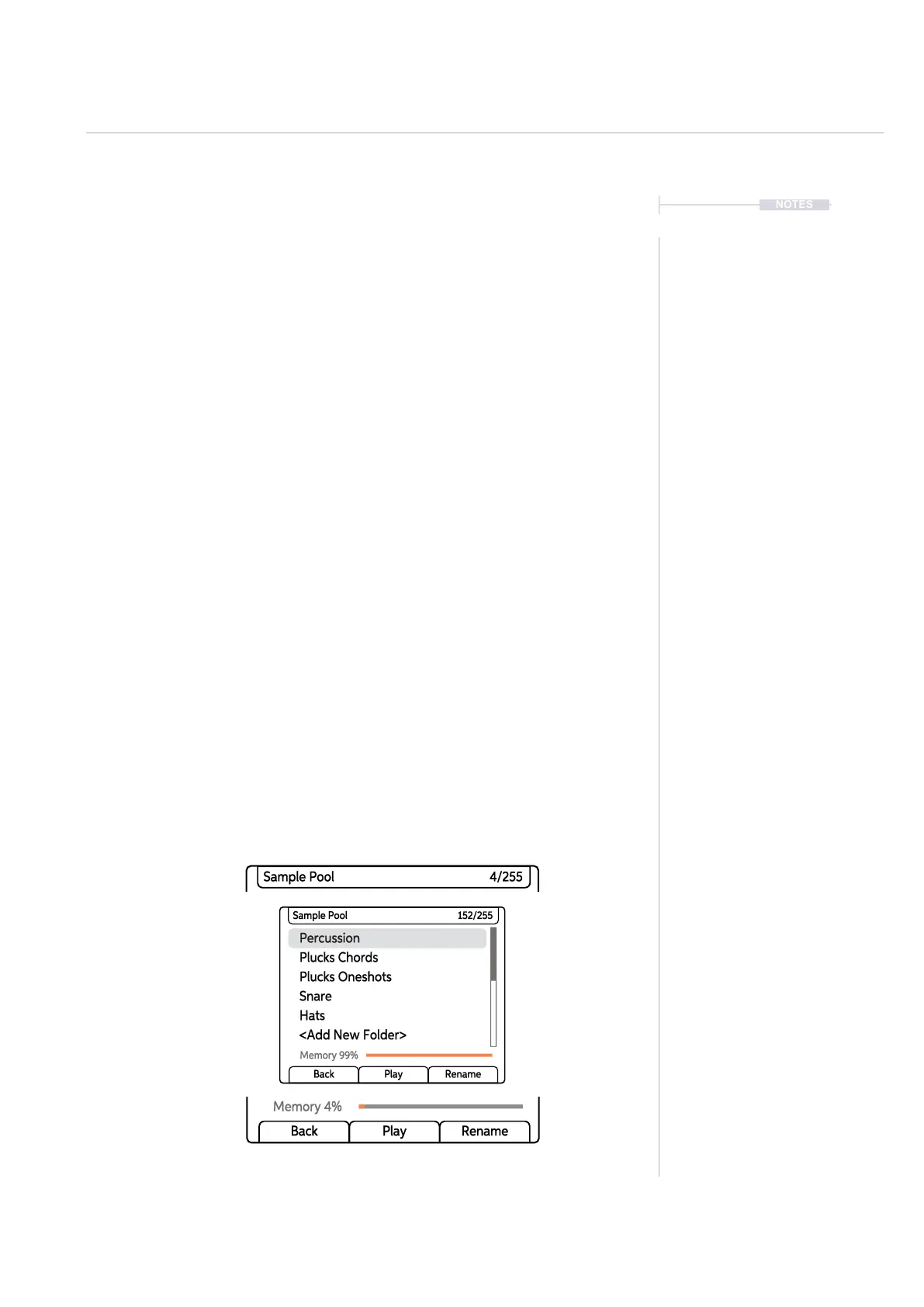
valuable memory and sample count, where the maximum is 255 samples
per project. A quick and easy option exists in the Samples menu to remove
unused samples from the sample pool. The sample is retained intact on the
SD card but is simply deleted from the sample pool.
▌ DELETING A PROJECTS UNUSED SAMPLES
1. Ensure the project in which to work is open and active.
2. Press (Screen) knob to open the options menu.
3. Turn (Screen) to navigate the menu options. The menu may display the
position level previously navigated. If required, Press [Back] screen
button to back up through the menu hierarchy.
4. Highlight the ‘Samples’ option and press (Screen) to select.
5. Highlight the ‘Delete Unused Samples’ option and press (Screen) to
select.
6. The process will remove any samples from the sample pool that are not
used within the project patterns. These are only deleted from the
sample pool and remain intact on the SD Card. Sample pool le count
and memory usage will reect this. Folder structures in the sample pool
remain unchanged but will not be visible if empty when using the
(Sample) knob for selecting samples.
Percussion
Plucks Oneshots
Hats
Plucks Chords
Snare
<Add New Folder>
Sample Pool 152/255
Memory 99%
Back Play Rename
Percussion
Plucks Oneshots
Hats
Plucks Chords
Snare
<Add New Folder>
Sample Pool 4/255
Memory 4%
Back Play Rename
Percussion
Plucks Oneshots
Hats
Plucks Chords
Snare
<Add New Folder>
Sample Pool 4/255
Memory 4%
Back Play Rename
Original Sample Pool folders
and structure for a project
Sample Count reset once samples are removed
Memory reset once samples are removed
Samples & Synths
5



 To Next Page