83
Polyend Play+ Manual Rev 2
NOTES
ACD
FAT
VAP
WTFM
▌ CONFIGURING A SYNTHESIZER AND MODEL
1. Ensure the project in which to work is open and active.
2. Press (Screen) to select the options menu.
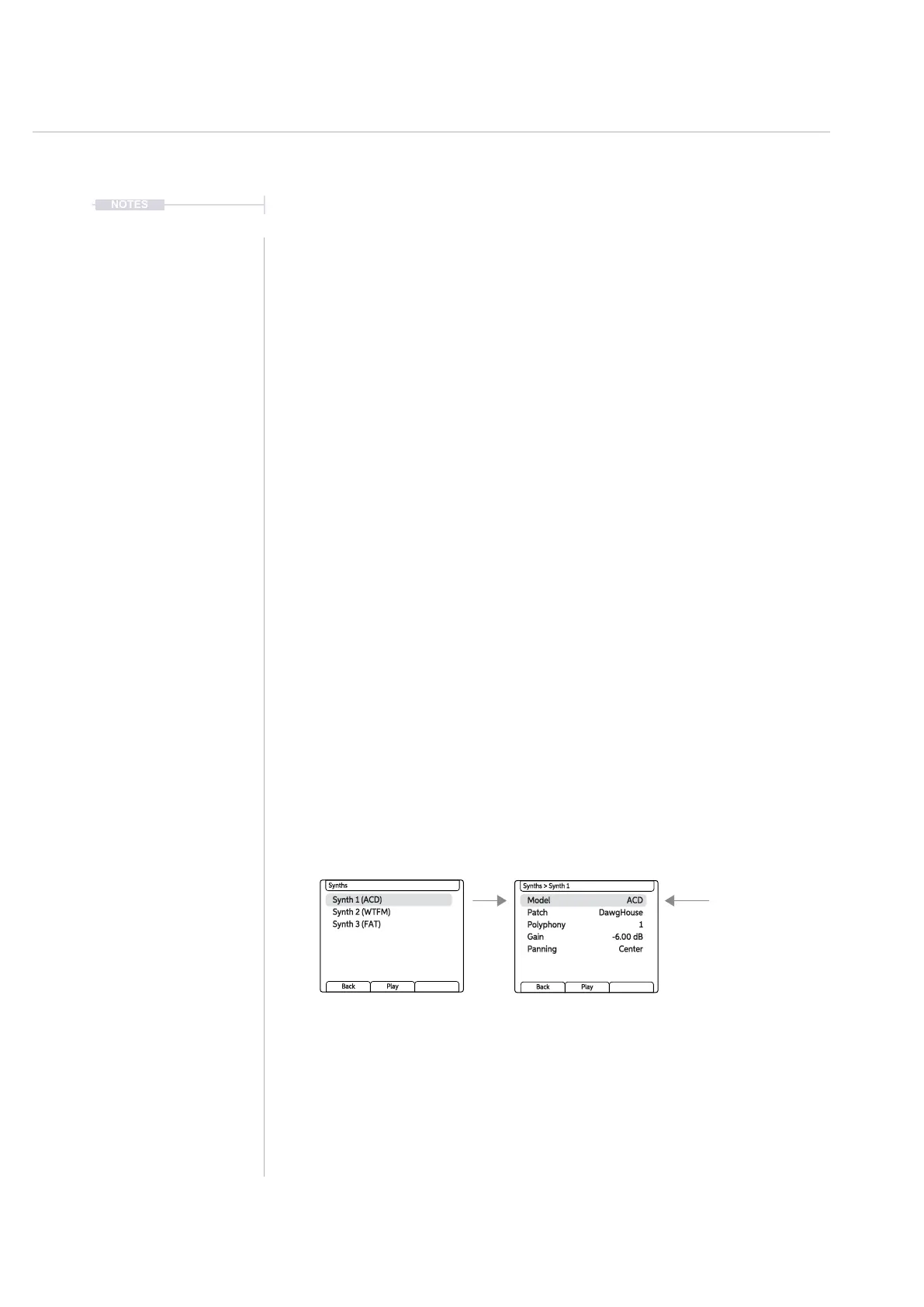
3. Turn (Screen) to highlight and Press to select ‘Synths’ options.
4. Each of the available 3 synths can have one of the 4 synth models
assigned. This will determine its audio style and format. Turn (Screen)
to highlight and press select one of the Synths.
5. Thee available parameters will be presented. Use the (Screen) control
to select and change the options:-
• Model: This selects from the available models to assign to the synth.
• Patch: This selects a patch for the dened model. Patches
congured parameter settings used to store a specic sound. These
are stored on the SD card and will determine the sound style and
also the available parameter macros to the user.
• Polyphony: The number of voices assigned to the synth. Up to 8
voices of polyphony are available in total in Play+ across all synths.
The 8 voices are divided and allocated per synth, for example Synth
1 = 3, Synth 2 = 3, Synth 3 = 2.
• Gain: Adjusts the audio gain for the synth.
• Panning. Adjusts the stereo spread for the synth.
Samples & Synths
5



 To Next Page