85
Polyend Play+ Manual Rev 2
NOTES
▌ ADJUSTING A SYNTH MACRO PARAMETERS
1. Ensure the project in which to work is open and active.
2. Switch Play+ to change Audio/MIDI Mode. Press [Shift] + [Audio/MIDI].
The Function buttons will be lit purple for MIDI and Synth tracks as
opposed to green when purely in audio sample track mode.
3. Press a [Pad] to place on a step or hold the [Pad] to edit. Editing a
general set of parameters will affect the work step settings.
4. The synth selected will determine the pad color: Synth 1, Violet; Synth
2, Yellow; Synth 3, Green.
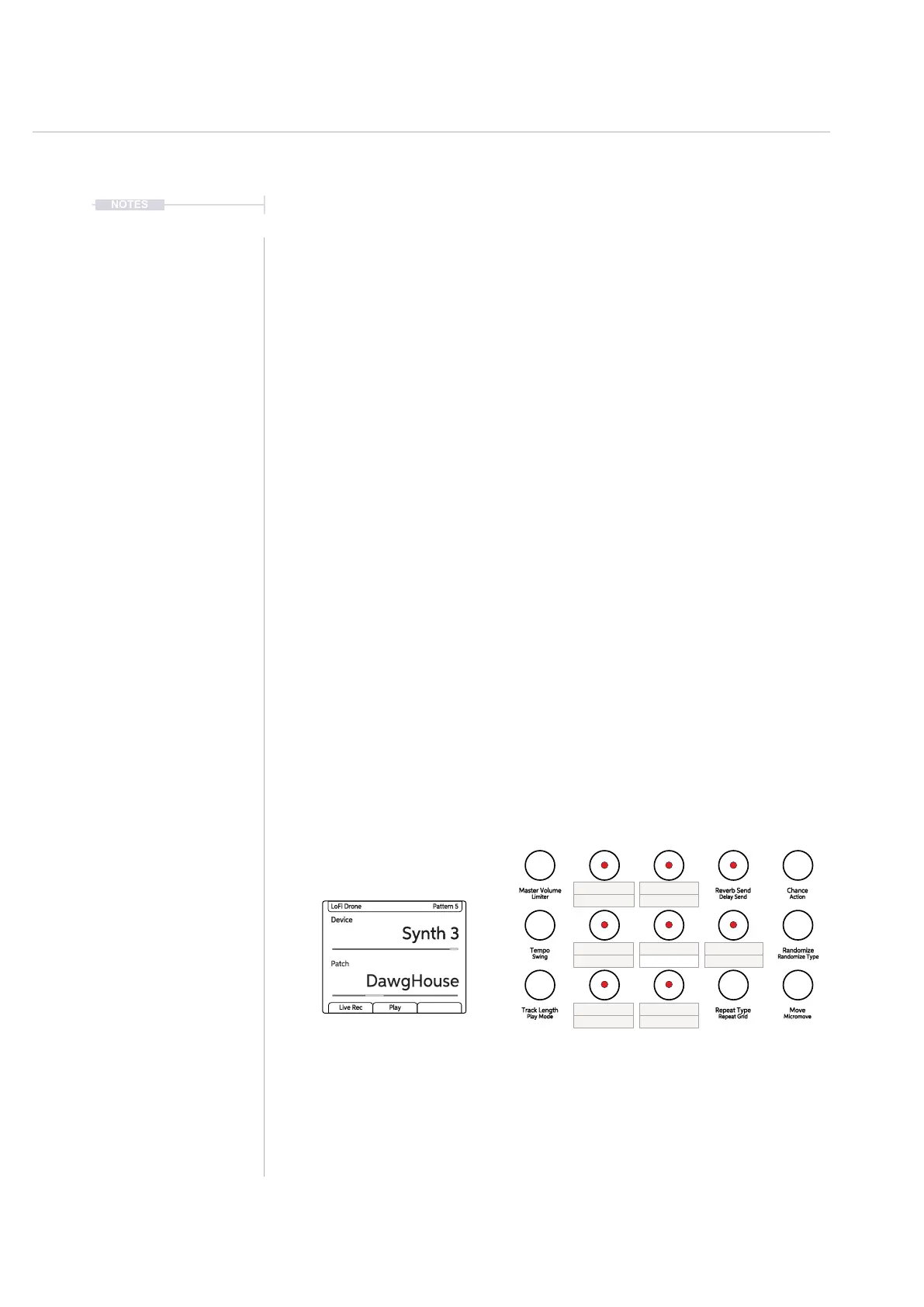
5. The synth parameters available are assigned to 6 macro controls
allocated to the Play+ knobs and assigned automatically based on the
synth patch selected.
6. To change a parameter adjust the respective (Knob). The 6 knob
functions are determined within the patch.
7. To change the patch Tap (Sample). The patch options are available
when Synth 1, 2 or 3 is selected. Patches are dened per synth. The
lower parameter will adjust the patch. Tap the lower left [Screen] button
or double tap (Sample) to select the parameter and turn to edit.
When MIDI / Synth Mode is selected, Synth specic parameters are available within the knob
section. However, these are labelled as per the original audio sample nomenclature and will
revert to the synth parameters and macros per synth engine when a Synth is selected.
The use of macros allows various parameters to be assigned to the 6 knobs and offers more
exibility with patches that when using xed parameter assignments.
The chance and randomize functions also can be applied in MIDI / Synth mode to the Macro
assigned to the ‘Filter Cutoff’ option. Filter CC/Macro is available as a Randomize type option
and Rnd Cutoff CC as a Chance action.
(1) reserved for future Use.
Synth Track Parameters
Reverb Send
Delay Send
Note
Microtune
Master Volume
Limiter
Overdrive
Bit Depth
Volume
Panning
Tempo
Swing
Repeat Type
Repeat Grid
Filter Cutoff
Resonance
Track Length
Play Mode
Chance
Action
Sample
Folder
Randomize
Randomize Type
Sample Start
Sample End
Move
Micromove
Sample Attack
Sample Decay
Pitch Bend
Note Tune
Velocity Chord
Device
Macro Macro
Macro
Note Length (1)
Patch
Macro Macro
Macro
Synths selected using the
(Device) Knob
Samples & Synths
5



 To Next Page