158
Chapter 4 Dynamic Paper Tension Adjustment
6. Close the forms thickness lever all the way (pointer at ‘A’).
7. Attach the hook of a “fish scale” force gauge through the tape you
installed in step 5.
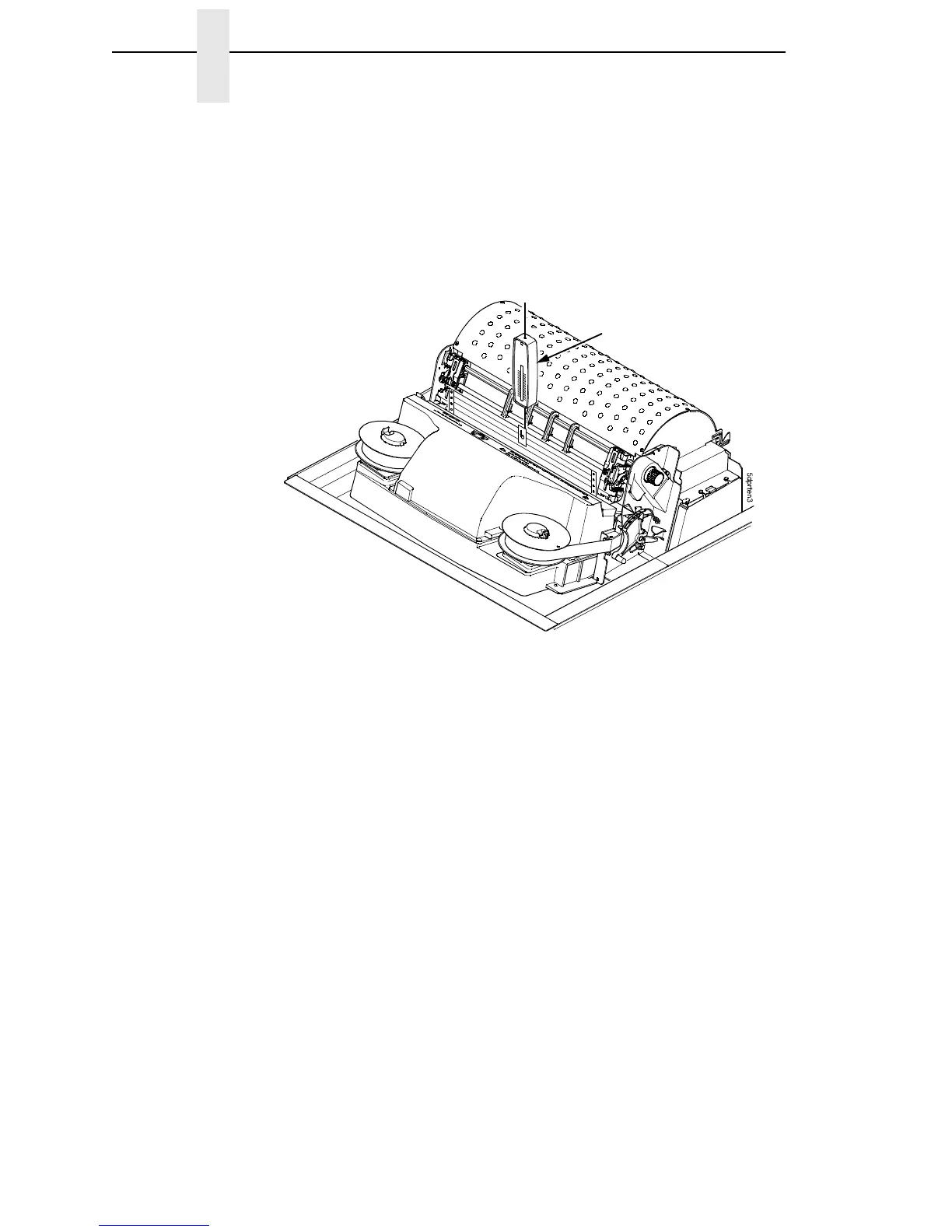
8. Pull the paper slowly straight up through the print station for about six
inches and note the maximum force exerted on the scale. Do not pull any
page perforations through the print station. (See Figure 20.)
Figure 20. Measuring Paper Tension
9. Repeat steps 6 through 8 several times to get a consistent average value
of force on the gauge.
10. The average tension should be 6 to 12 ounces. If the average value is
greater than 13 ounces, paper handling and print quality problems are
likely.
11. If the average value is greater than 13 ounces, check the platen gap
(page 140), adjust if necessary, and recheck the dynamic paper tension.
12. If the platen gap is correct, remove the shuttle frame assembly (page 215)
and check the following:
a. Inspect the hammer bank cover assembly for ribbon debris, paper
debris, or other foreign matter. If the ribbon mask or hammer bank
cover is damaged or deformed, replace it.
b. Inspect the paper ironer for distortion or misalignment. Reposition or
replace it if necessary.
c. Check for correct position and function of the paper motion detector
assembly. Reposition or replace if necessary.
d. Inspect the paper path from above (below the paper ironer), and from
below (above the paper entrance guide), for debris, foreign matter, or
anything that could inhibit paper motion. Correct as necessary.
Scale













 To Next Page