339
Removing The Power Stacker
1. Set the printer power switch to O (off).
2. Unplug the power cord.
3. Unload paper from the stacker area. (Refer to the User’s Guide.)
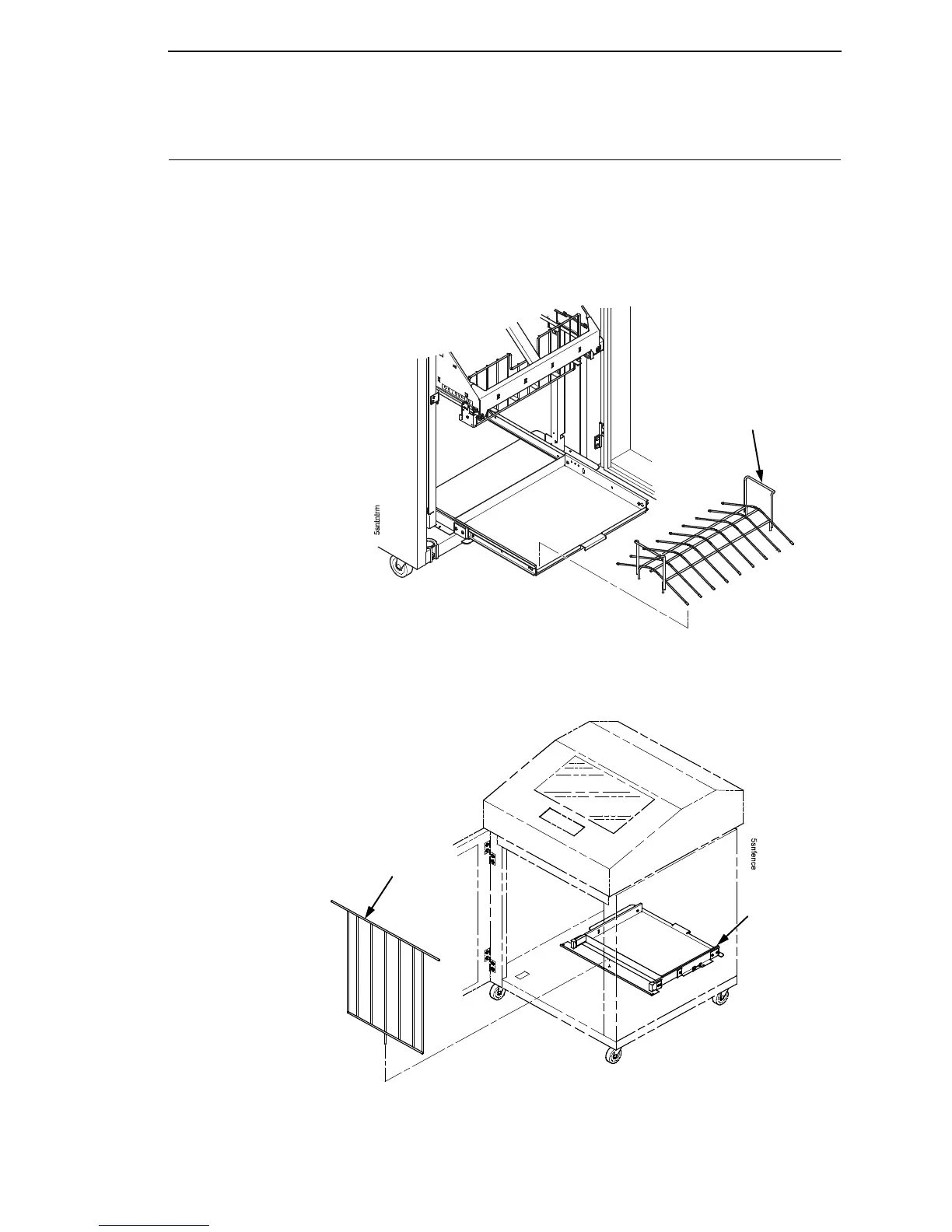
4. Remove the paper tent. (Figure 63.)
Figure 63. Removing the Paper Tent
5. Cut the tie wrap (if present) and remove the paper fence. (Figure 64.)
Figure 64. Removing the Paper Fence
Paper Tent
Stacker
Base
Stacker
Fence













 To Next Page