332
Appendix E Introduction
Introduction
The SureStak Power Stacker is a factory-installed option that augments the
paper feed system of cabinet model printers. It is designed to work with forms
5 to 12 inches long (12.7 to 30.5 cm) and up to 16 inches (41 cm) wide without
the paper tent or 15.5 inches (39.5 cm) wide with the paper tent installed. (The
paper tent is shown in Figure 58 below.) Using longer or shorter paper can
cause error messages and unpredictable operation of the stacker.
Because most of the stacker assembly is inside the cabinet, you must remove
the stacker from the printer to service it or replace most of its components.
This appendix has three parts:
• An overview of stacker operation.
• Removal/installation instructions for the entire power stacker assembly
and components that require the most frequent replacement.
• An illustrated parts breakdown (IPB) showing how the power stacker is
assembled and listing the part numbers for replaceable parts.
NOTE: Only replaceable parts have part numbers in the IPB. If you need to
replace a part for which no part number is shown, replace the entire
power stacker assembly.
Stacker Operation
The power stacker mechanically directs the paper from the printer to the
paper stack. It is mounted in the rear of the cabinet and has its own control
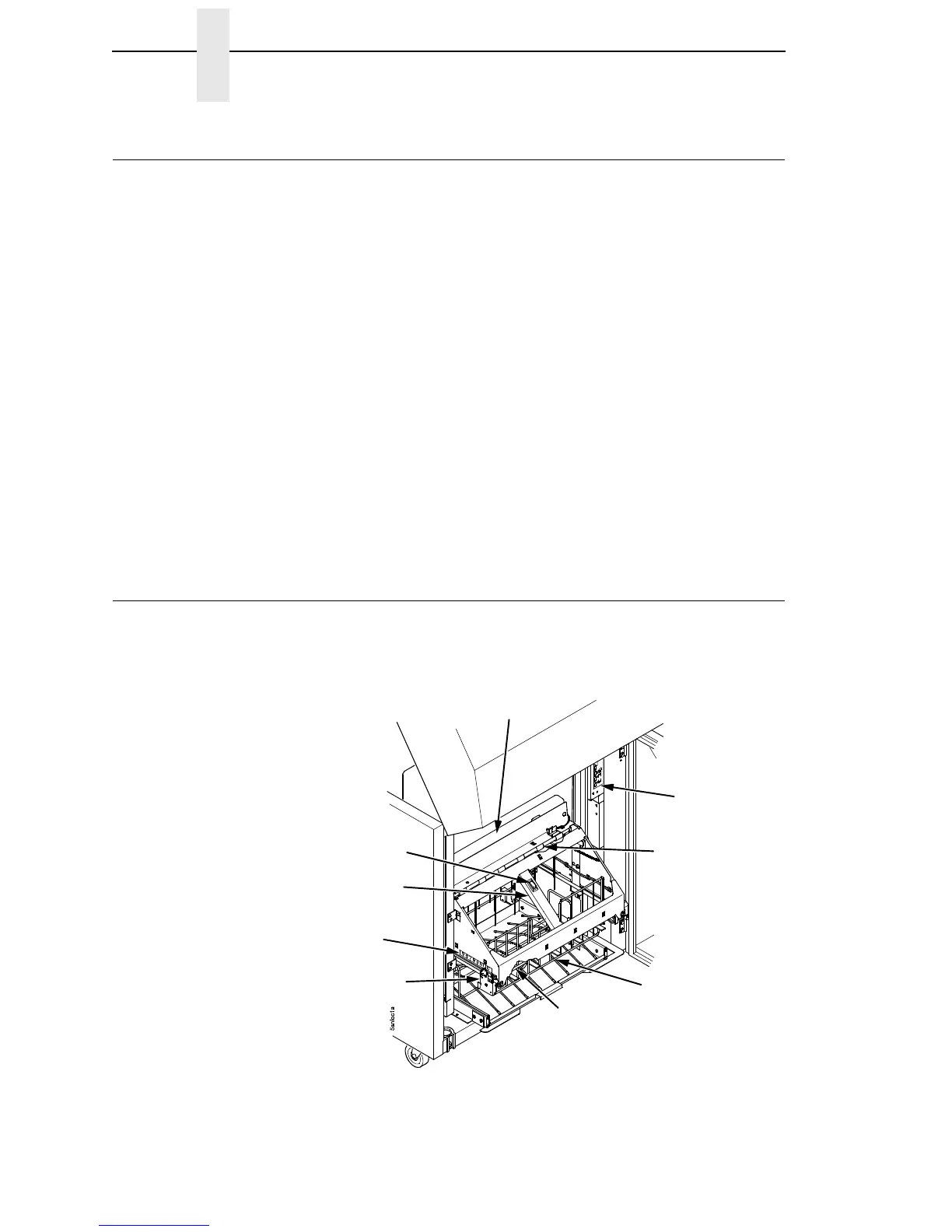
panel. Its main components are shown in Figure 58.
Figure 58. Power Stacker Component Locations
Pinch Rollers
Paper Throat
Rear Control
Panel
Paper Tent
Paddle Shaft
Bearing Bracket
Paper Length
Indicator
Elevator Lift
Handle
Elevator
Disable Switch













 To Next Page