336
Appendix E Stacker Operation
Loading And Starting The Power Stacker
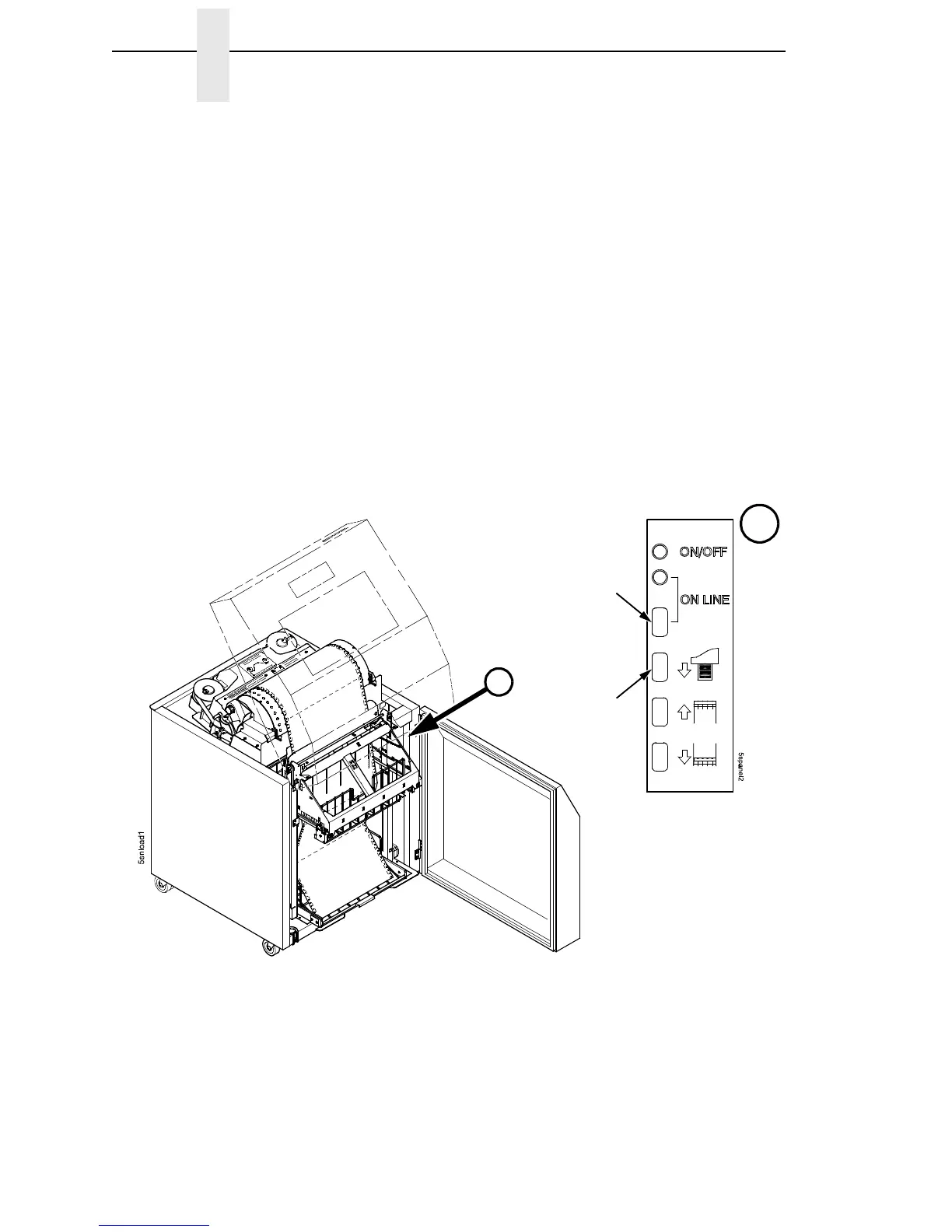
1. Press the PAPER ADVANCE key and hand feed the paper into the paper
throat. Continue to advance the paper until it reaches the wire tent and
feed three to five extra sheets in the stacker. Make sure the paper passes
through the paper stacker throat. (Figure 62.)
2. Stack the extra pages on top of the wire paper tent, making sure the
paper bends with the natural fold. (Figure 62.)
3. Press the ON LINE key on the (front or rear) control panel, to put the
printer in the online state. The stacker elevator will return to its proper
position for printing.
4. Check that the paper is still centered between the sides of the wire paper
tent.
5. Close the cabinet rear door.
6. If necessary, set Top Of Form. (Refer to the User’s Manual.)
Figure 62. Stacking Paper on the Wire Paper Tent
Paper
Advance
ON LINE
A
A













 To Next Page