22
Chapter 1 Controls And Indicators
Controls And Indicators
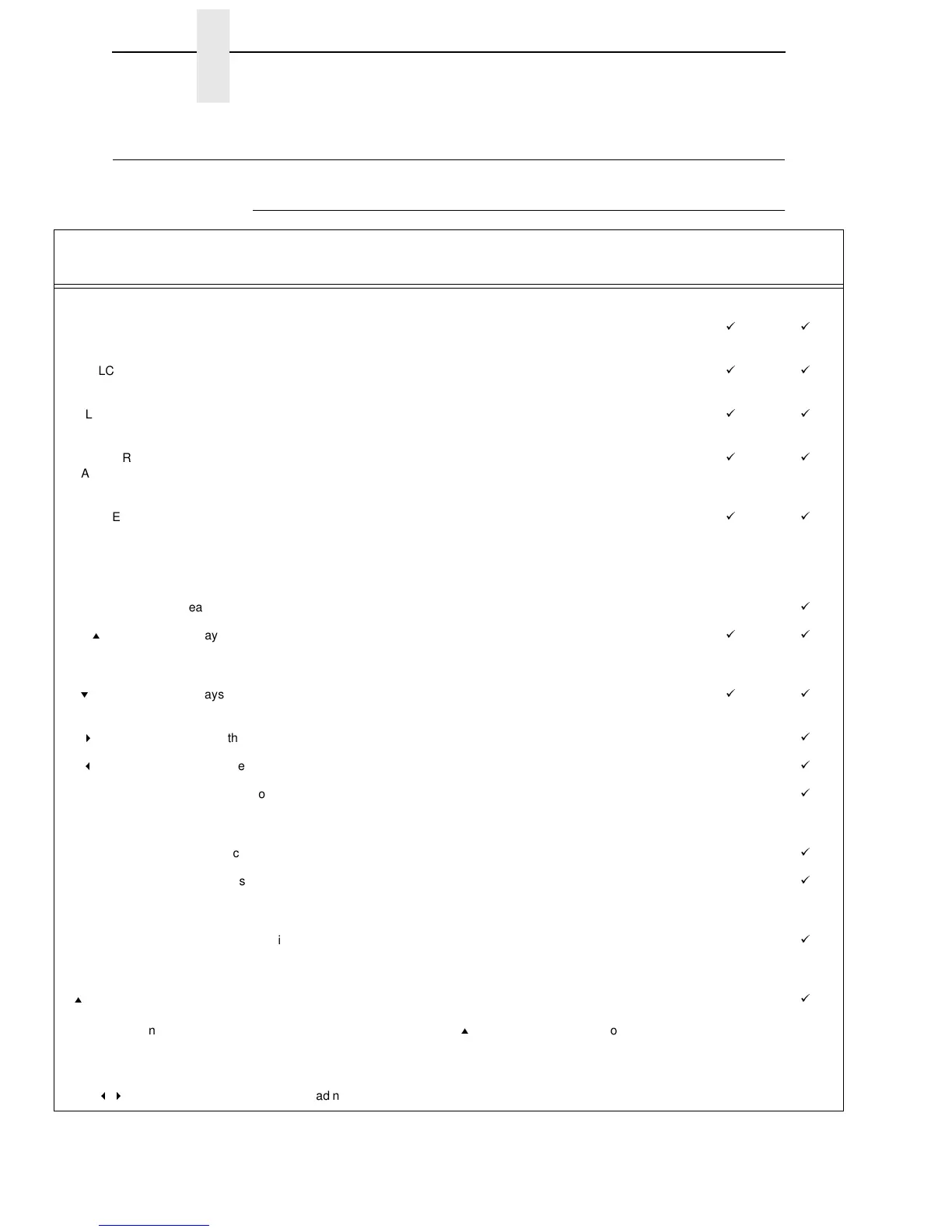
Electrical Controls, Cabinet Models
Switch or
Indicator
Function
Active
On-line
Active
Off-line
Power Switch Turns printer on and off: 1 = on, 0 = off. This switch is also a circuit breaker.
Status Indicator On when the printer is on-line, off when the printer is off-line. Flashes to indicate a fault or
warning.
LCD Liquid Crystal Display. Displays printer status messages, fault messages, and menus which
permit user to set various configurations.
ON LINE/CLEAR Toggles the printer on-line and off-line. Clears the printer after a fault is corrected and returns
the printer to off-line state.
PAPER
ADVANCE
Prints any data in the buffer then moves paper up one line at the currently active line spacing.
If pressed longer than 1/2 second, moves paper to the next Top Of Form as defined by the
currently active form length.
VIEW / EJECT Moves the current print position to the tractor area for viewing. When paper is in VIEW
position, “Printer in View” displays and microstep adjustment feature is active. (See UP and
DOWN keys.) Holding the key down for more than 1/2 second invokes EJECT and paper is
advanced two pages. (EJECT can be disabled via the menus.) Pressing the key a second
time moves paper back to the print position from either VIEW or EJECT position.
CANCEL Clears all data from the print buffer (if enabled in the MAINT/MISC menu).
=
(UP) Displays next higher level of a configuration menu. In VIEW mode, moves paper up 1/72
inch.
(See VIEW / EJECT key.)
>
(DOWN) Displays next lower level of a configuration menu. In VIEW mode, moves paper down
1/72 inch. (See VIEW / EJECT key.)
<
(NEXT) Displays the next option in a configuration menu.
;
(PREV) Displays the previous option in a configuration menu.
SET TOF Moves paper downward from TOF (Top Of Form) alignment mark to the print station and sets
this as the first line of print on a page, independent of forms length. If there are data in the
buffers, the printer slews to the page position where printing left off and prints the data.
PRT CONFIG Prints the current printer configuration.
JOB SELECT Allows fast selection of any stored configuration. Repeated pressing scrolls through all saved
configurations. Press ENTER to select the displayed configuration. (ENTER does not have to
be unlocked for this function.)
ENTER Enters an option displayed on the LCD into printer non-volatile memory. Starts and stops
printer tests, sets a value, or prints the configuration. This key is locked and unlocked by a
user-selectable key combination. (Refer to the User’s Manual.)
=
+ ON LINE
(IPDS emulation
only)
When pressed in off-line mode, if there are data in the printer buffer, the printer goes on-line,
prints one page, then returns to the off-line mode. This can be repeated until the end of a
print job. Only one page prints each time you press
=
+ ON LINE. If there are no data in the
printer buffer, the printer is placed in on-line mode.
This key combination does not work if the printer is in the fault state.
;
+
<
Resets the printer by reloading the power-up configuration and resetting the internal state.













 To Next Page