333
Setting Up The Power Stacker
1. Set the printer power switch to | (On).
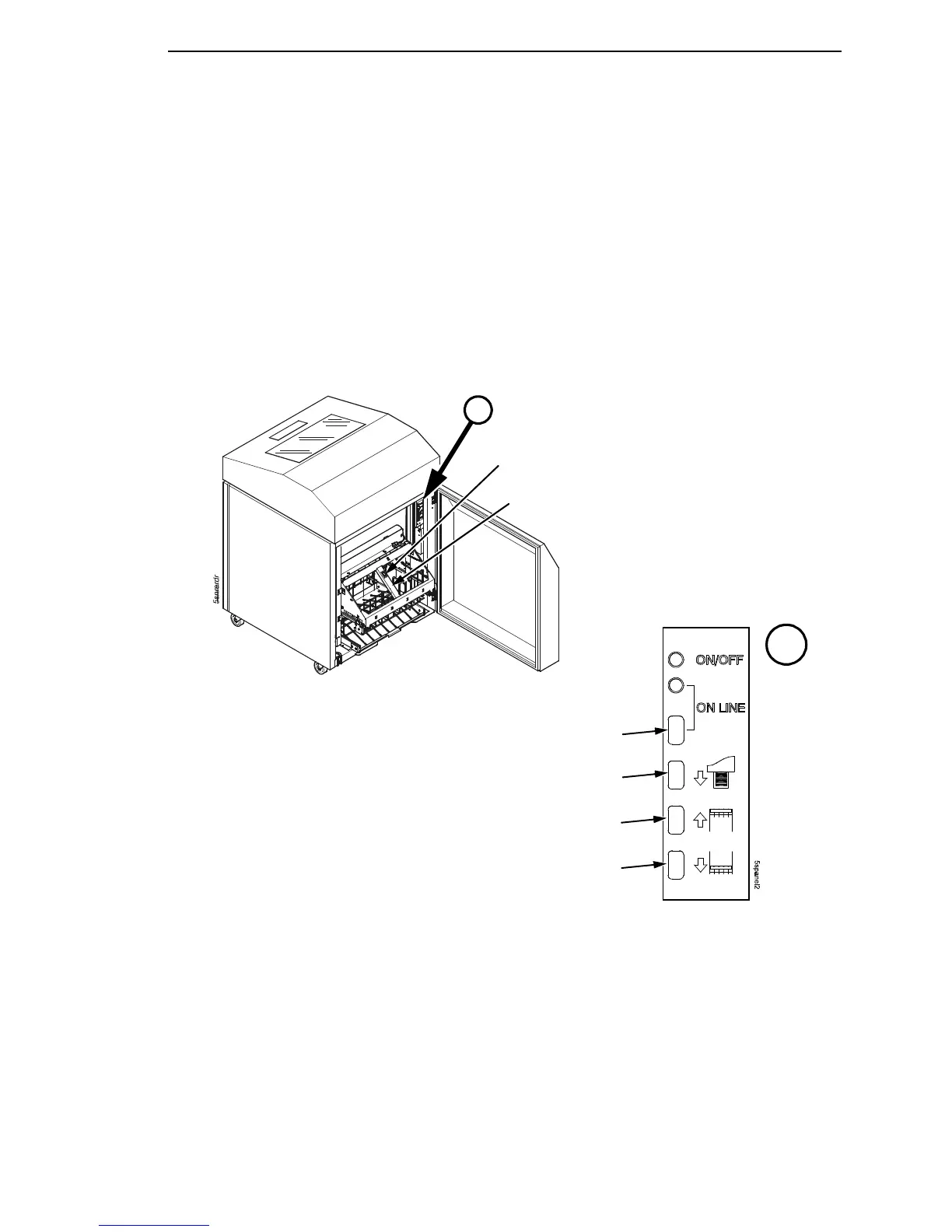
2. Using the rear control panel, press the ON LINE key to take the printer
offline. (Figure 59.)
3. Press the elevator disable switch, grasp the elevator lift handle, and raise
the elevator to the top of its travel. (Figure 59.)
Figure 59. The Rear Control Panel
A
A
Elevator Up
Elevator Down
Paper Advance
Elevator Disable
Switch
Elevator Lift
Handle
ON LINE













 To Next Page