32
Chapter 2 Cleaning The Outside Surfaces
CAUTION
To avoid corrosion damage, use only alcohol when cleaning printer
mechanical elements, and make sure the cleaning solution contains no
water.
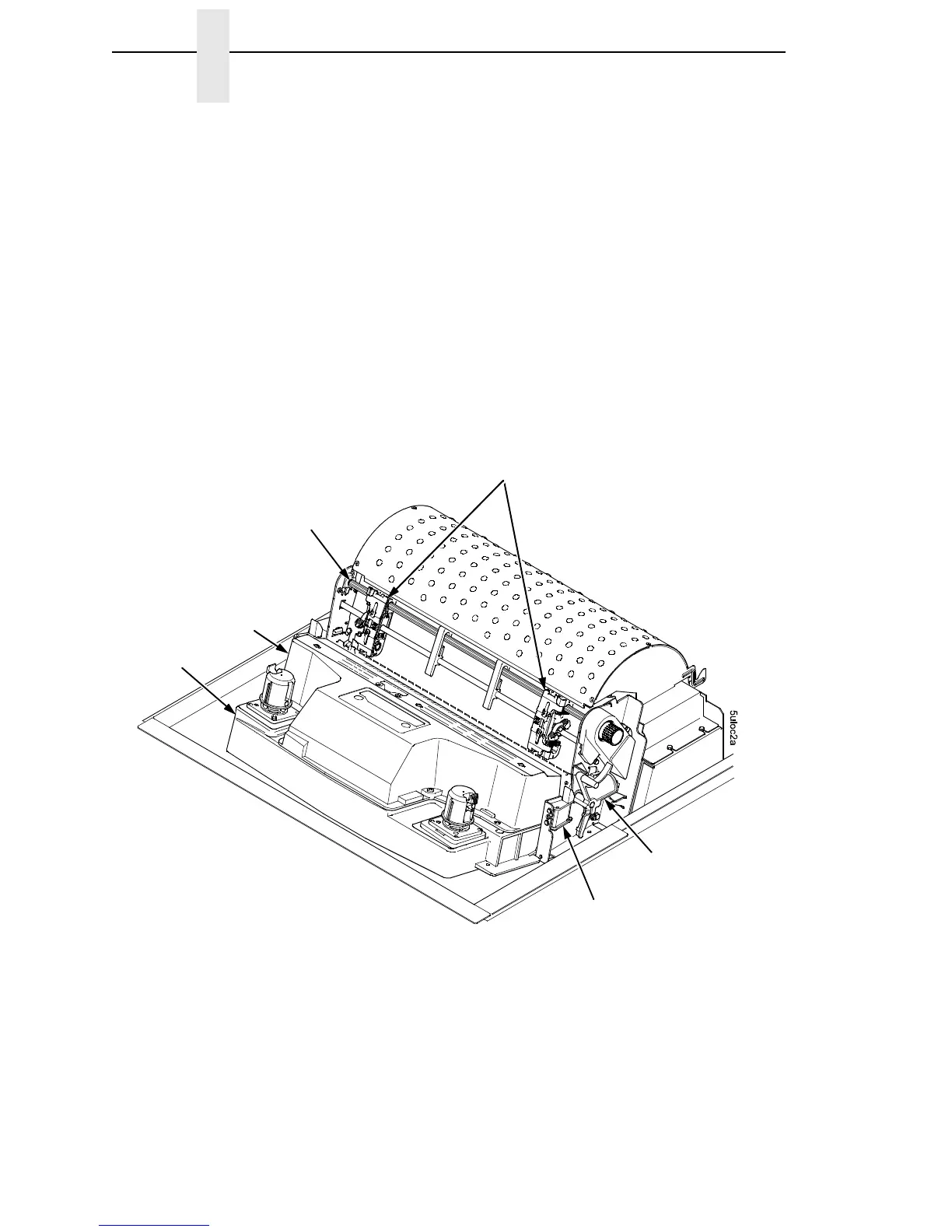
9. Using a cloth dampened (not wet) with alcohol, clean the ribbon guides.
10. Vacuum up dust and residue from the lower cabinet.
11. Wipe the interior of the lower cabinet with a clean, lint-free cloth
dampened with water and a mild detergent or window cleaning solution.
12. Dry the cabinet interior with a clean, lint-free cloth.
13. Clean the shuttle frame assembly, as described in the next section.
Figure 5. Cleaning Inside the Cabinet or Top Cover
NOTE: A cabinet model is
shown here. The procedure is
the same for pedestal models.
Base Casting
Shuttle Cover
Assembly
Splined Shaft
Tractors
Forms Thickness
Lever
Ribbon Guide













 To Next Page