358
Appendix E Installing The Power Stacker
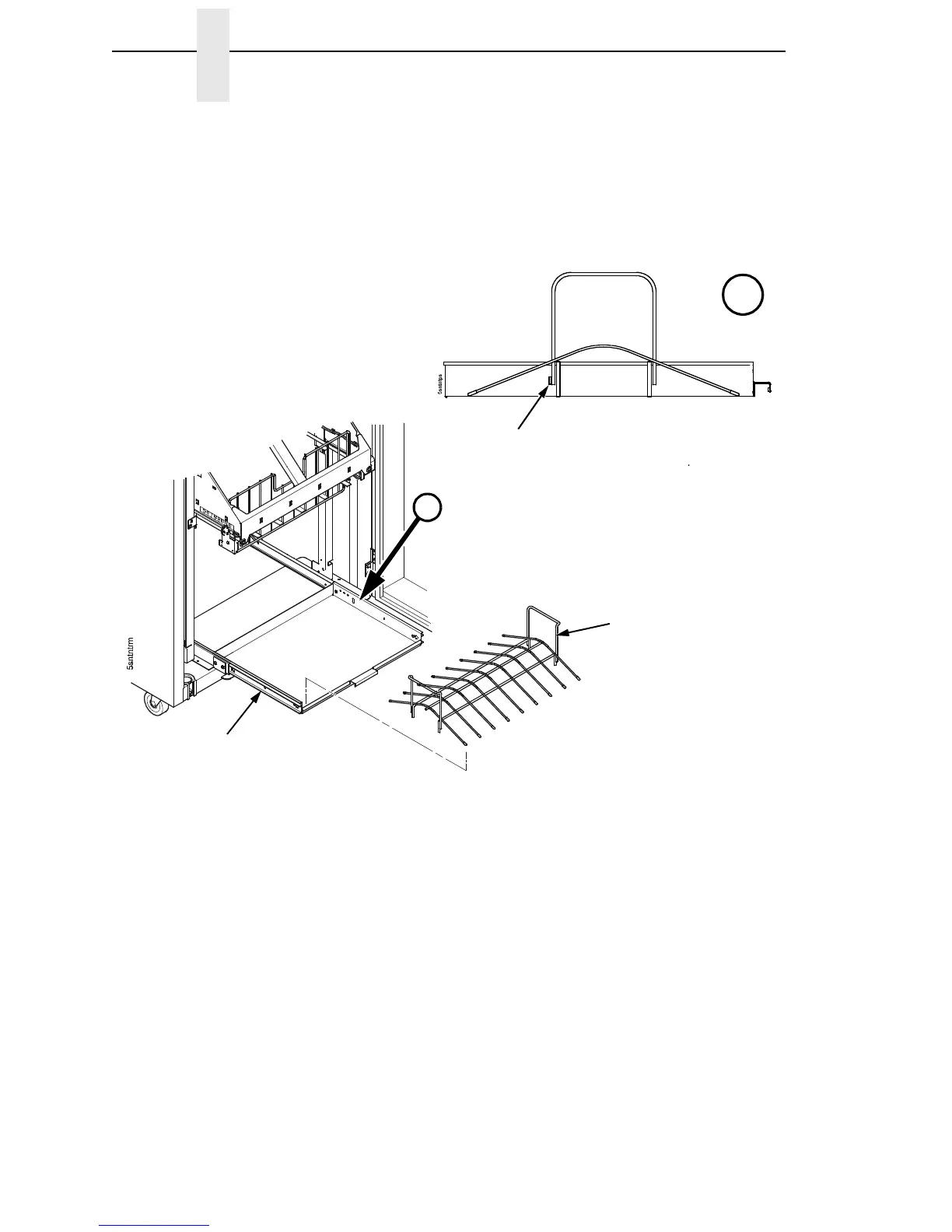
38. Pull out the paper tray and install the paper tent. (Figure 85.)
Figure 85. Paper Tent
39. Install the paper path that you removed in step 4.
40. Install paper and test stacker operation. (Refer to the User’s Manual.)
NOTE: The SureStak Power Stacker will stack forms from five to 12 inches
(12.7 to 30.5 cm) long. Using longer or shorter paper can cause error
messages and unpredictable behavior of the stacker. The stacker can
handle forms from 3 to 16 inches (7.6 to 40.6 cm) wide with no paper
tent in the paper tray, and from 3 to 15.5 inches (7.6 to 39.4 cm) wide
with the paper tent installed in the paper tray.
Paper Tent
Paper Tray
A
A
Note the positions of
alignment tab and the
paper fence.













 To Next Page