General Symptom List
99
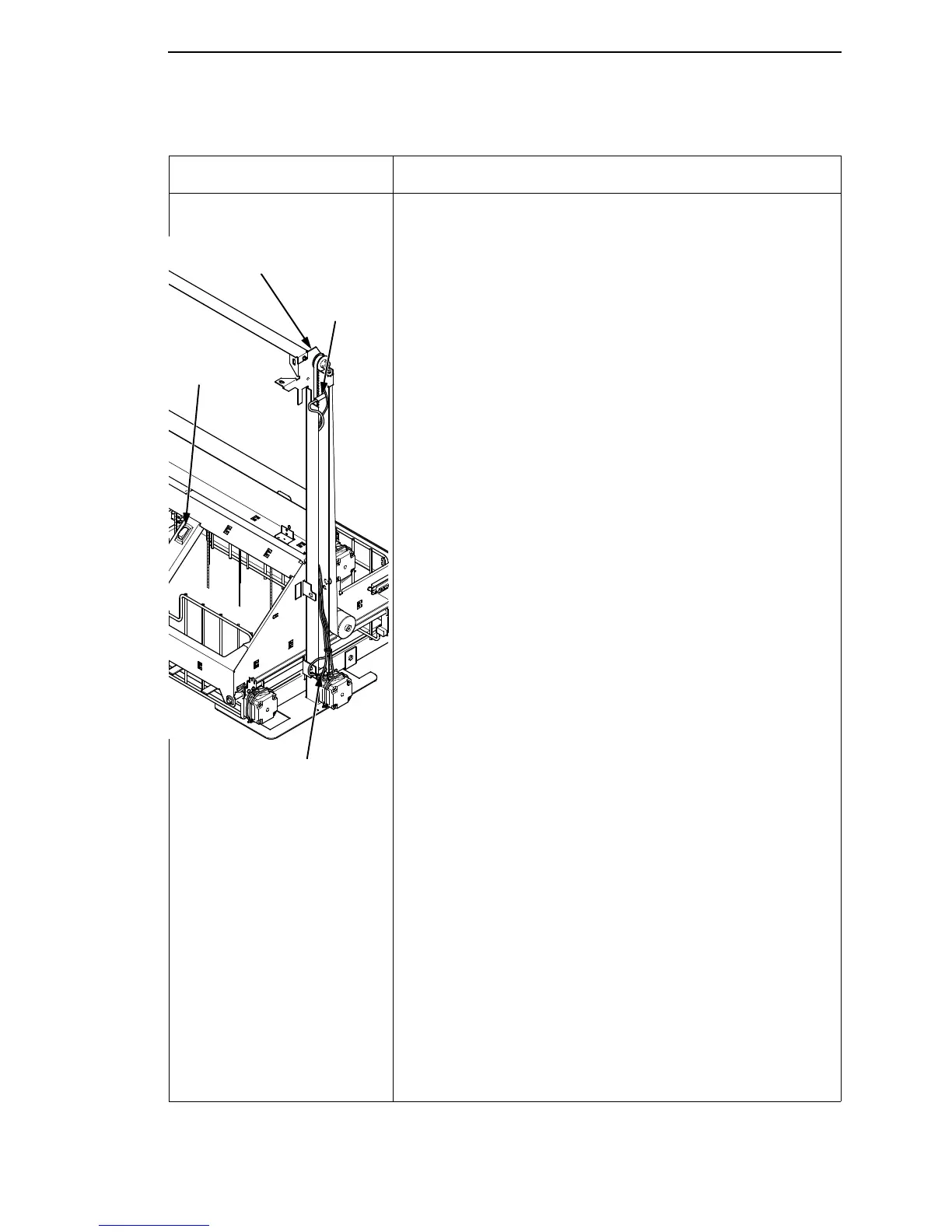
Stacker limit switch check NOTE: This procedure tests the upper and lower limit
switches on the right vertical rail. These magnetic
switches are normally closed. You can quickly check
their functionality with a small, powerful magnet.
You will usually be referred to this procedure from
other troubleshooting procedures. When you have
completed this check procedure, return to the
procedure that sent you here.
1. Power on the printer. Open the rear cabinet door. Unload
the power stacker.
2. Press the Elevator Disable Switch and manually lift the
elevator all the way to the top of its travel.
3. Position a small, powerful magnet between the belt and
vertical rail so that it is in front of the exposed face of the
lower limit switch. Tape or otherwise secure the magnet in
position so that your hands are clear of the vertical rail and
elevator.
a. With the magnet secured next to the lower limit switch
press the ELEVATOR DOWN key on the stacker
control panel.
b. If the elevator does NOT move, the lower limit switch
is OK. Remove the magnet and go to step 4.
c. If the elevator moves, release the ELEVATOR DOWN
key, power down and unplug the printer, and replace
the lower limit switch.
4. Press the Elevator Disable Switch and manually move the
elevator all the way down to the bottom of its travel.
5. Position a small, powerful magnet between the belt and
vertical rail so that it is in front of the exposed face of the
upper limit switch. Tape or otherwise secure the magnet in
position so that your hands are clear of the vertical rail and
elevator.
a. With the magnet secured next to the upper limit switch
press the ELEVATOR UP key on the stacker control
panel.
b. If the elevator does NOT move, the upper limit switch
is OK. Power down, unplug the printer, remove the
magnet, and return to the procedure that sent you to
this check procedure.
c. If the elevator moves, release the ELEVATOR UP key,
power down and unplug the printer, and replace the
upper limit switch.
6.
Table 3. General Symptom List
Symptom Solution
Right Vertical Rail
Upper Limit
Switch
Lower Limit Switch
Elevator
Disable
Switch













 To Next Page