EasyManua.ls Logo

Protec 4400 - Page 61

Default Icon
88 pages
Print Icon
To Next Page IconTo Next Page
To Previous Page IconTo Previous Page
Loading...
93-310-10 Issue 4 Rev 5 Page 61 of 88 Copyright Protec Fire Detection PLC
6400 OPERATING MANUAL
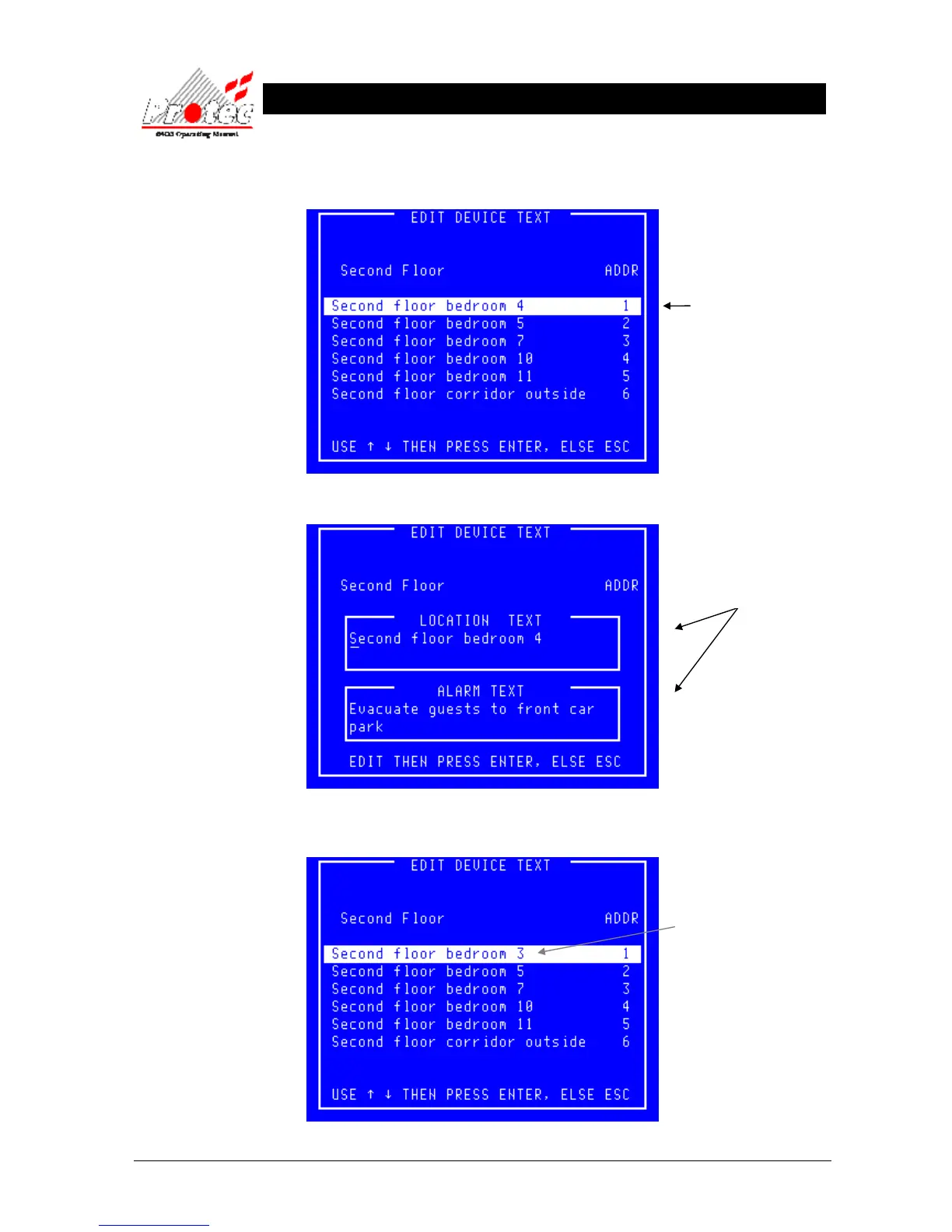
Once all the data has been received from the Node, the following ‘Edit device text’ screen
will be displayed.:-
Pressing the ENTER key will then display the ‘Edit device text’ display :-
Once the Text has been edited correctly, press the ENTER button.
This will then display the ‘Edit device text’ menu with the NEW alterations.
Use the Highlight bar
to select the device for
editing. and then press
ENTER key.
Use the
keys to move the cursor
and the keyboard to edit
the text info.
The text alterations will
now be displayed

Table of Contents

Related product manuals