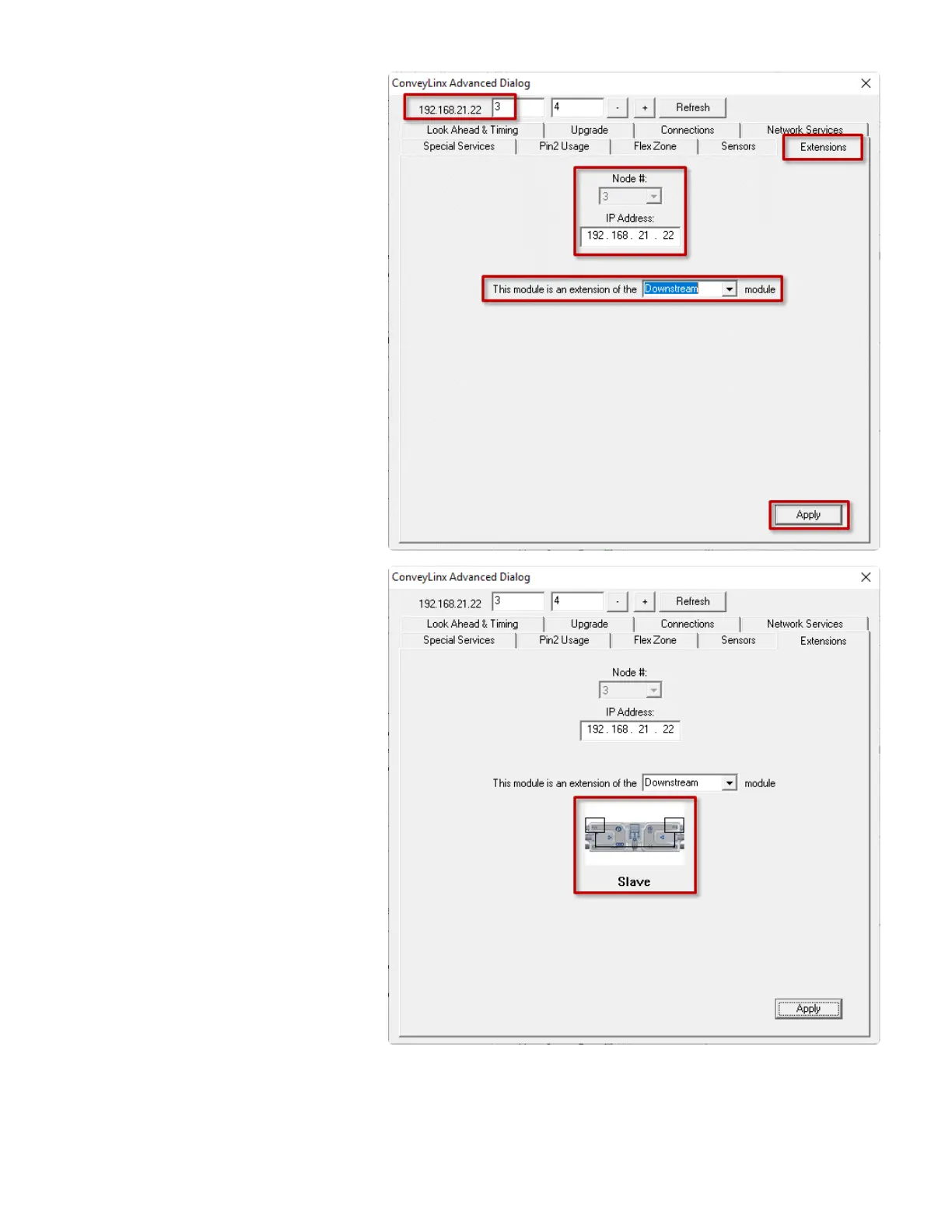
In the Advanced Dialog, navigate to Node
3 and click the Extensions Tab. Notice
that Node 3’s IP address 192.168.21.22 is
filled in. In the drop-down box, select
Downstream and click Apply. Note that
this may take a few seconds to complete
After clicking Apply, the screen will
update and show you that the module has
been configured as an extension or
“slave” of its downstream neighbor
PULSEROLLER ConveyLinx-Ai2 User's Guide - 1.7
Page 133 of 154


 To Next Page
 Loading...