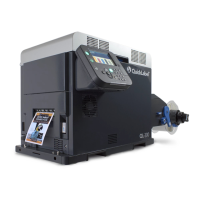
QLS-4100 Xe i
Index
Applicator .................... 4-65, 4-66, 4-67, 4-68
Calibration ........................................ 3-8, 4-23
Cancel ........................................................ 4-3
Cleaning .................................................... 7-3
Color Alignment ....................................... 5-9
Compressed Air
Connection ......................................... 2-14
Operating Without .............................. 5-3
Cross Web Adjustment .......................... 4-14
Cut Flag ................................................... 4-61
Cut Offset ................................................ 4-20
Cutter ....................................................... 4-60
Cutter Baseline ........................................ 4-30
Data Port .................................................. 4-41
Date .......................................................... 4-56
Dimensions .............................................. A-2
Display Counter ............................ 4-19, 4-49
Drive Roll Replacement ........................... 7-9
Drive Station Lift ...................................... 6-6
Drop/Lift Adjust ..................................... 4-38
Error Messages ......................................... 5-5
Ethernet ................................................... 2-11
Factory Reset ........................................... 4-57
Form Feed/Advance ................................. 4-3
Form Stop Adjust .......................... 4-21, 8-19
Front Panel Lock/Unlock ....................... 4-51
Fuse/Line Voltage Selection .................. 7-11
Horizontal Baseline ......................... 4-26, 6-8
Horizontal Offset .................................... 4-17
Indicators ................................................... 5-4
Keypad ....................................................... 4-2
Label Reprint ................................. 4-21, 4-34
Liner Guide ............................................. 8-16
Media
Loading ................................................ 3-4
Media Requirements Contract ................ 1-2
Media Sensor Adjustment ....................... 3-7
Media Unwind Mandrel
Installing .............................................. 2-7
Memory Card
Detection .............................................. 5-3
Formatting ......................................... 4-54
Write Protection ................................ 4-50
Menu
Cal & Setup Menu ............................. 4-23
Communications Menu .................... 4-41
Operation Menu ................................ 4-31
Options Menu .................................... 4-59
Overview .............................................. 4-4
Ready State & Adjust Menu............... 4-9
Ribbon Menu ..................................... 4-37
System Menu ..................................... 4-49
Mirror Mode ............................................ 4-59
Orientation ................................................ 2-3
Parallel Mode .......................................... 4-42
Parallel Port ............................................... 2-9
Peel Delay ....................................... 4-22, 8-20
Pinch Roll Replacement ........................... 7-9
Pinch Roller Replacement ..................... 7-10
Platen
Replacement ......................................... 7-7
Power Connection .................................... 2-8
Power-on ................................................... 5-2
Print & Peel ...................................... 4-70, 8-1
Installation ........................................... 8-5
Printing ............................................... 8-15
Safety Features ..................................... 8-4
Setup ................................................... 8-11
Print Intensity ........................................... 4-9
Print Line Adjustment ........................... 4-12
Print Quality ............................................ 5-12
Print Servers ............................................ 2-12
Print Speed .............................................. 4-11
Print/Pause ................................................ 4-3
Printer Settings .............................. 4-27, 4-29
Printhead
Angularity Adjustment ...................... 6-3
Lift ......................................................... 6-6
Replacement ......................................... 7-5
Tangency Alignment .......................... 6-2
Printing Labels ........................................ 5-15
Pull Back .................................................. 4-31
Enable/Disable ................................... 4-63
Quick Start ................................................. 1-3


 To Next Page