Page 101 of 254
5.12.3 Remote Assistance
R2Sonic support can assist in setting up the system or troubleshooting the system, remotely, by
taking control of the customer’s computer. An internet connection is required.
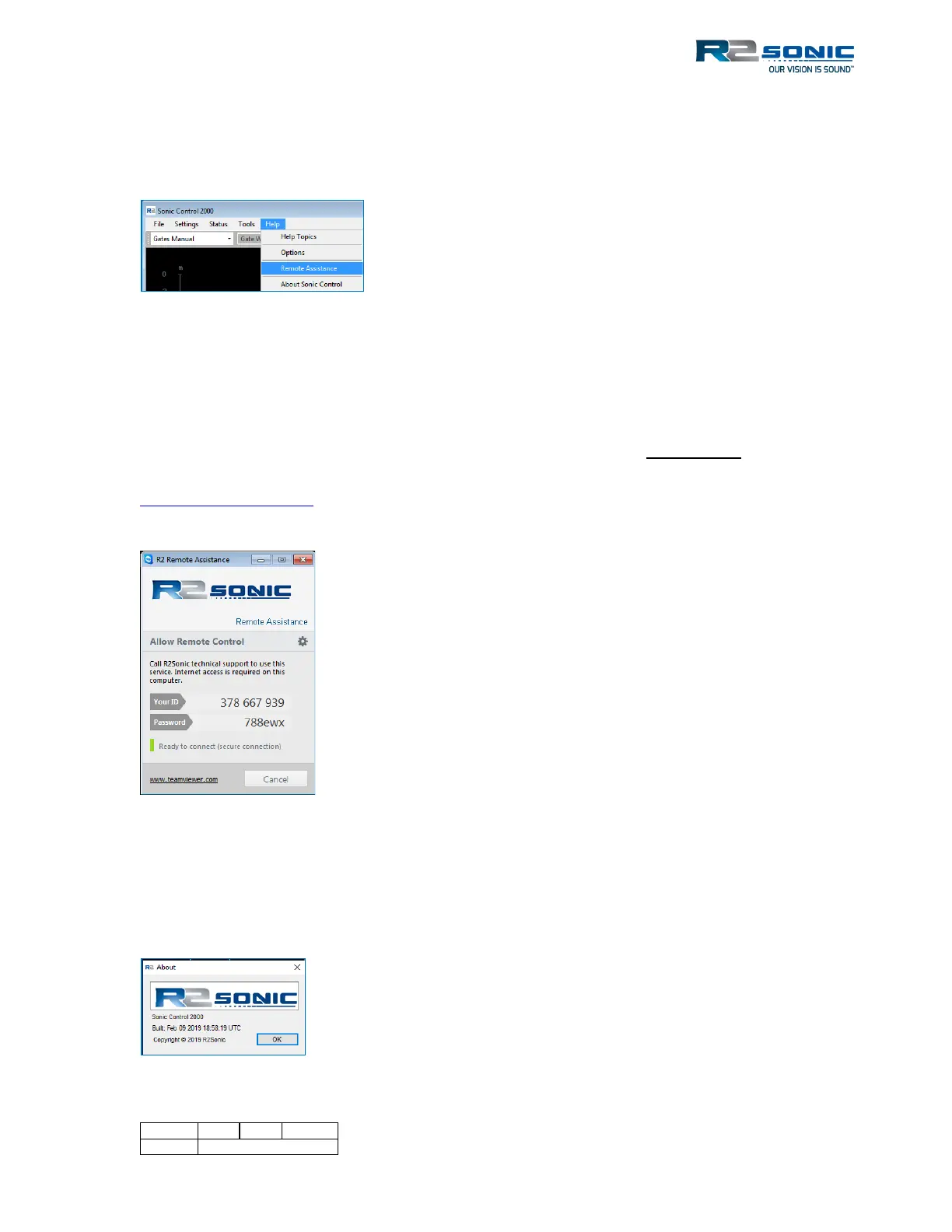
Figure 113: Remote Assistance
When Remote Assistance is selected, a separate program will be launched that will allow R2Sonic
Support to control the computer on which Sonic Control is installed remotely. The Remote
Assistance window will contain an ID and Password. Contact R2 Support (+1.805.259.8142) and
provide the ID number and Password (SMS is preferred), this will allow support to connect to the
computer and take control of it to assist in setup up or troubleshooting. It is preferred that before
starting the Remote Assistance program that R2Sonic Support is notified via email:
R2Support@r2sonic.com or called (SMS is fine), at the above number, to alert them that a Remote
Assistance session is requested. Please use UTC or GMT time.
Figure 114: Remote Assistance window
5.12.4 About Sonic Control
The About Sonic Control shows the version of Sonic Control that is being used. This can be of
importance if a GUI is used that does not match the features of the sonar firmware or the sonar
firmware does not match the features of the GUI.
Figure 115: About, provides the GUI version
Remote Assistance uses TeamViewer™ software
licensed to R2Sonic. When contacting R2Sonic,
requesting Remote Assistance, a mutually agreed
upon time will be established for the session. When it
is time for the session, run Remote Assistance. In the
Remote Assistance window, there will be the unique
ID, which identifies the computer and the password,
which allows R2Sonic Support to take remote control
of the computer. This information has to be sent to
the R2Sonic personnel that will be assisting.



 To Next Page