Page 113 of 254
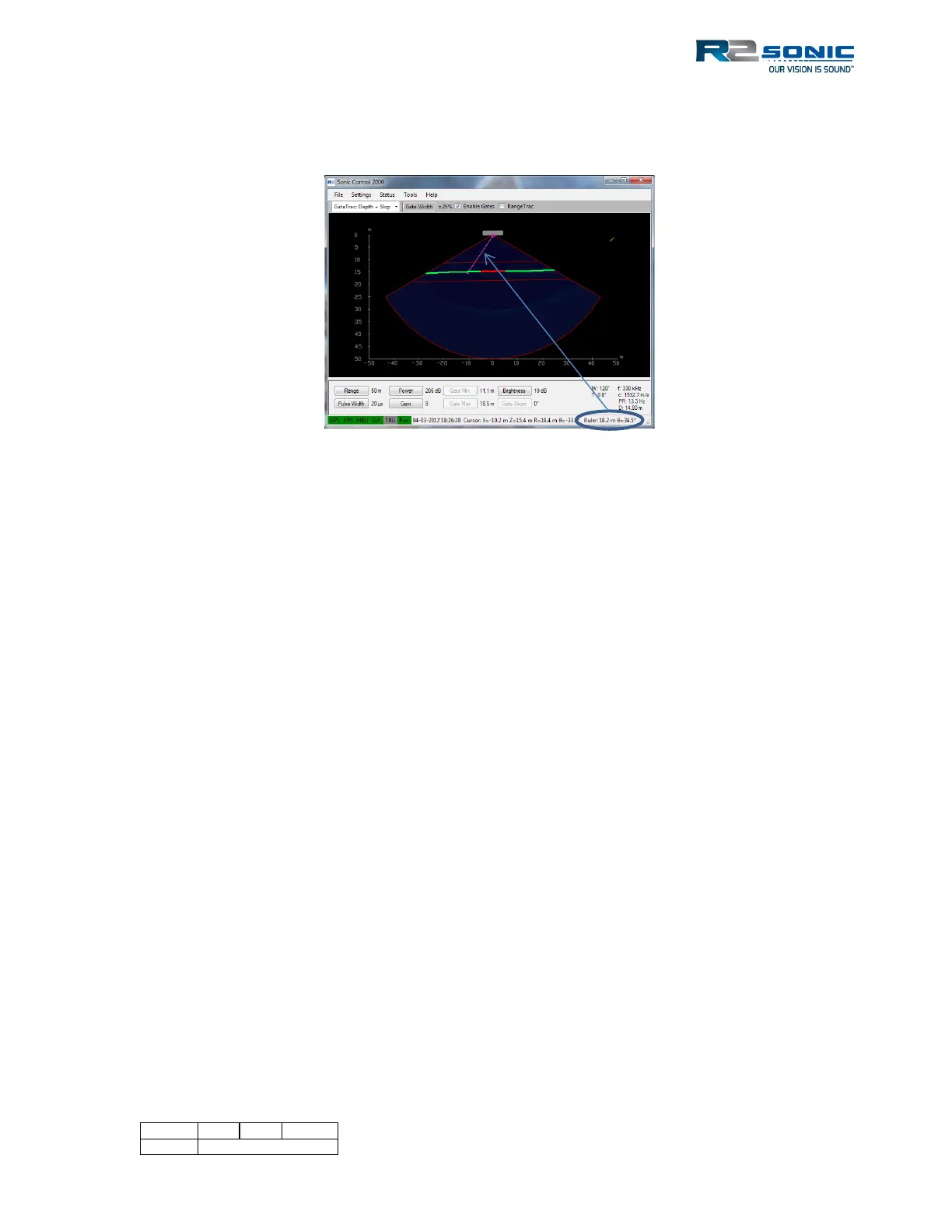
released. The Range and Bearing information are along the bottom of the Sonic Control window. To
remove, the Ruler use Ctrl + Double Click LMB.
Figure 137: Ruler Function
5.19 Save Settings
When Sonic Control is launched, it will always load the default settings configuration file located in
the Sonic Control installation directory (CurrentSettings.ini). The default configuration file will save
any local configuration changes during operation of the system.
When a user-defined configuration is saved, like dualhead.ini, Sonic Control will still use the default
configuration file to store local changes while operating the sonar. This is equivalent to copying the
default configuration file to a configuration file with another name.
When a user-defined configuration is loaded, Sonic Control will use the default configuration file to
store local changes while operating the sonar. This is equivalent to copying the loaded configuration
file to the default configuration file.
5.19.1 Default setting ini file
Within the GUI files, there are factory default ini files, which can be loaded to reset the GUI to
factory default status. Loading a default settings file has been known to clear some operational
issues. When the correct default settings file is loaded, the GUI will need to be set up again by doing
Discover and Apply and setting up the Sensor settings.



 To Next Page