Page 60 of 254
Part No. 96000001
5 OPERATION OF THE SONIC MBES VIA SONIC CONTROL
All Sonic MBES are controlled by the same Sonic Control software. The Sonic Control GUI does not
require a dedicated computer and is usually installed on the user’s data collection computer.
5.1 Installing Sonic Control Graphical User Interface
Sonic Control is supplied on a CD or as an attached file. There is no installation program, merely
decompress the program to a folder in a root directory of the computer. Send the R2Sonic.exe to
the desktop as a short cut (right-click on R2Sonic.exe and choose to Send to -> Desktop (create
shortcut)). The computer must have the Windows .NET Framework installed. This can be
downloaded, for free, from the Microsoft web site (dotnetfix35.exe). NB. Do not install Sonic
Control under Windows’ Program Files or put all of the files, in a folder, on the Desktop.
Figure 44: Sonic Control Icon on desktop
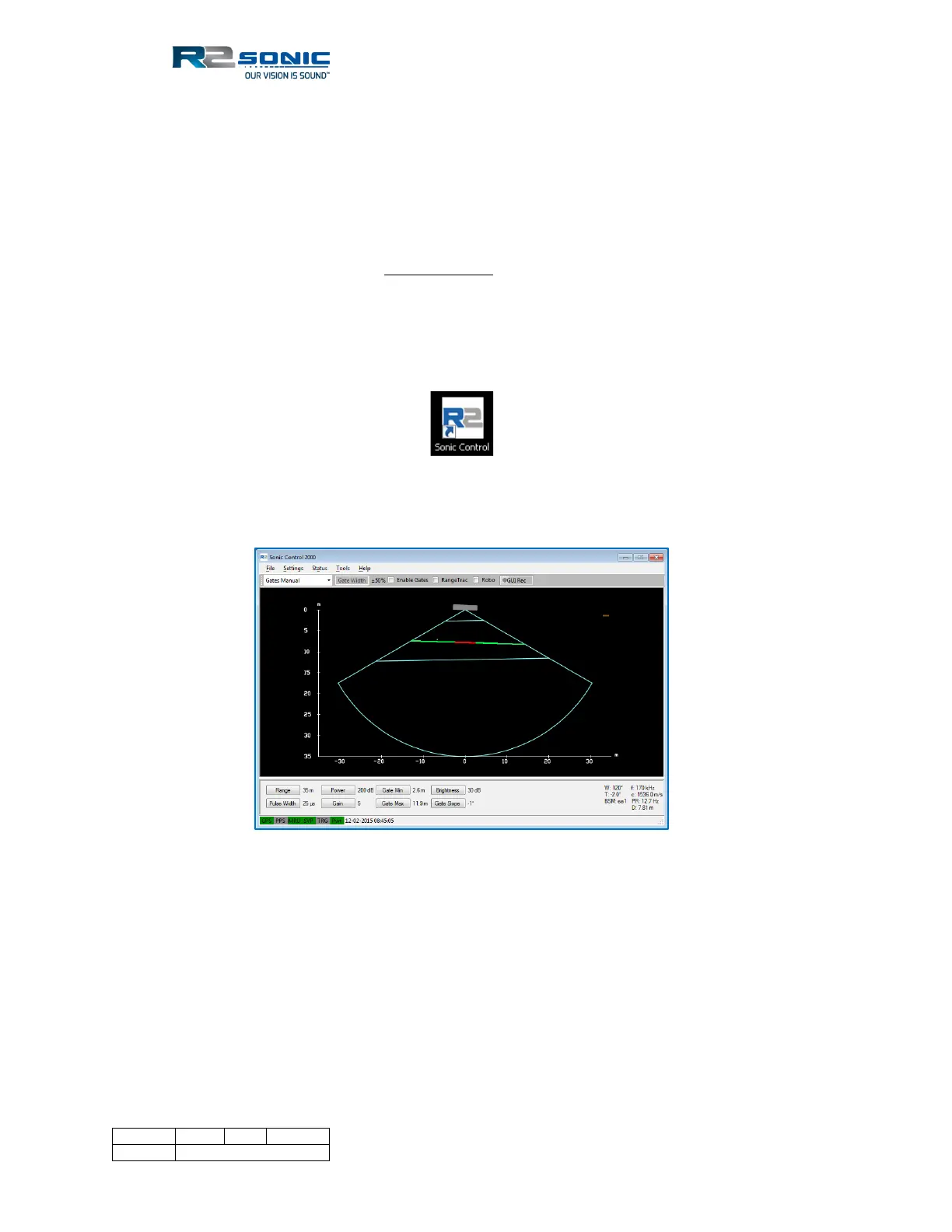
Figure 45: Sonic Control 2000
5.2 Hot Keys
• F2 – Brings up the Sonar Settings
• F3 – Brings up the Sonic 2026 FLS settings
• Alt+Z – Returns sector to 0 rotation
• Alt+X – Takes a snapshot of the GUI
• Alt+I – Display INS Monitor



 To Next Page