Page 103 of 254
5.14 Imagery
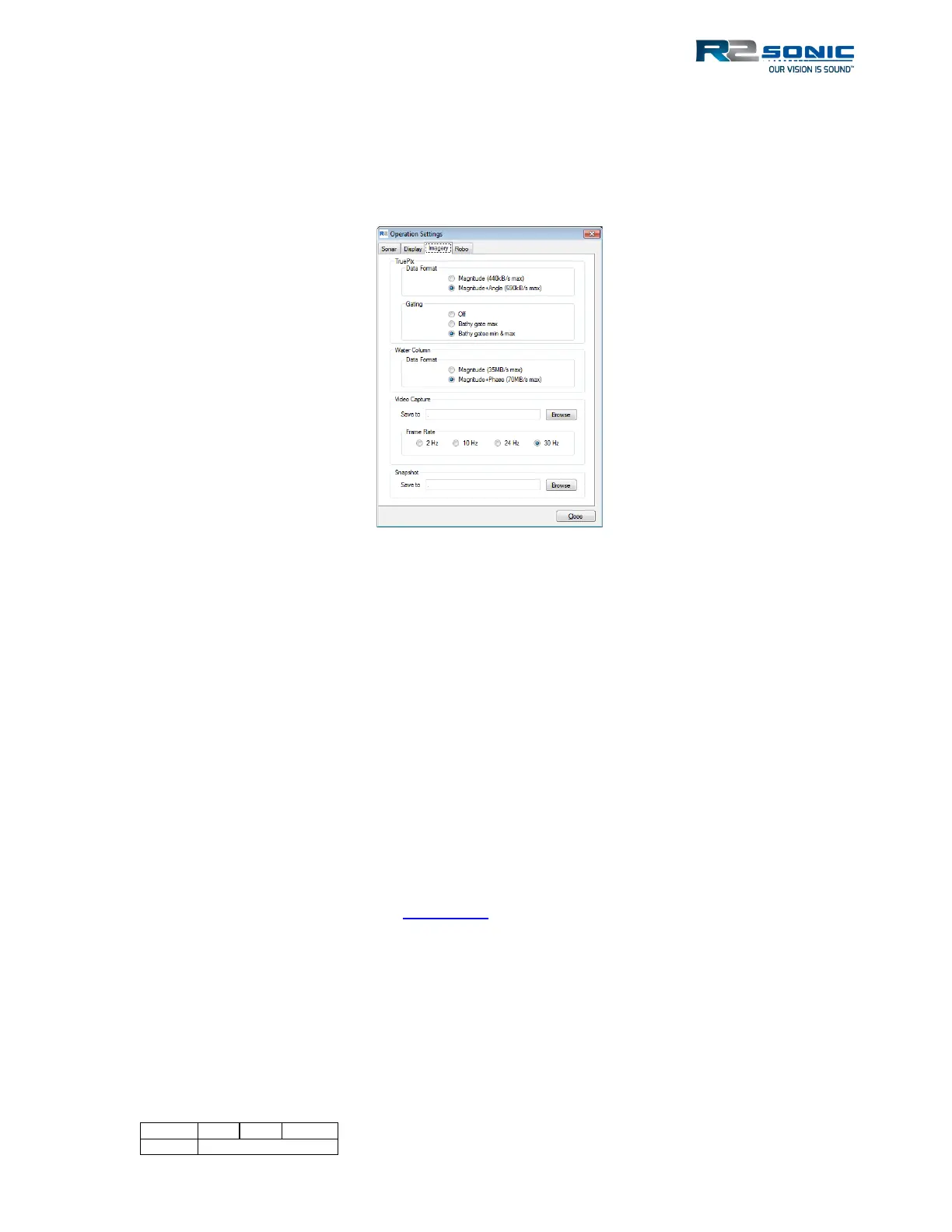
On the Imagery Tab, the user can select the imagery data (TruePix™ and Water Column) formats for
logging. The maximum data size is shown to provide the user with an idea of what to expect when
storing imagery data. The user can also select to apply the bathy gate settings to the TruePix™ data.
Figure 118: Imagery Settings
5.14.1 TruePix™ and Water Column
The size of the TruePix™ and Water Column formats are given; the user can select either of the
formats (this would depend on the users’ end product). For TruePix™, if geolocated data is required,
the Magnitude+Angle format must be used.
Data rates for Water Column and TruePix are also affected by pulse width. Longer pulse widths will
reduce data rate approximately:
15-30us: 1/1 data rate
35-65us: 1/2 data rate
70-135us: 1/4 data rate
>= 140us: 1/8 data rate
5.14.2 Video Capture
The GUI Record button, in the main window, will capture the entire GUI image in a video file. The
format is *.mkv; further details are in Section 5.16. Select a folder location to store videos; if no
folder is selected, the video file will be stored within the GUI files.
To maintain a useable video file size, select the appropriate frame rate for the video.



 To Next Page