Page 108 of 254
Part No. 96000001
5.16.2 RangeTrac™ – Sonic Control automatically sets correct range
RangeTrac™ removes the need to set the correct range manually; Sonic Control will determine the
correct range and maintain the range setting, no matter how rapidly the depth may change.
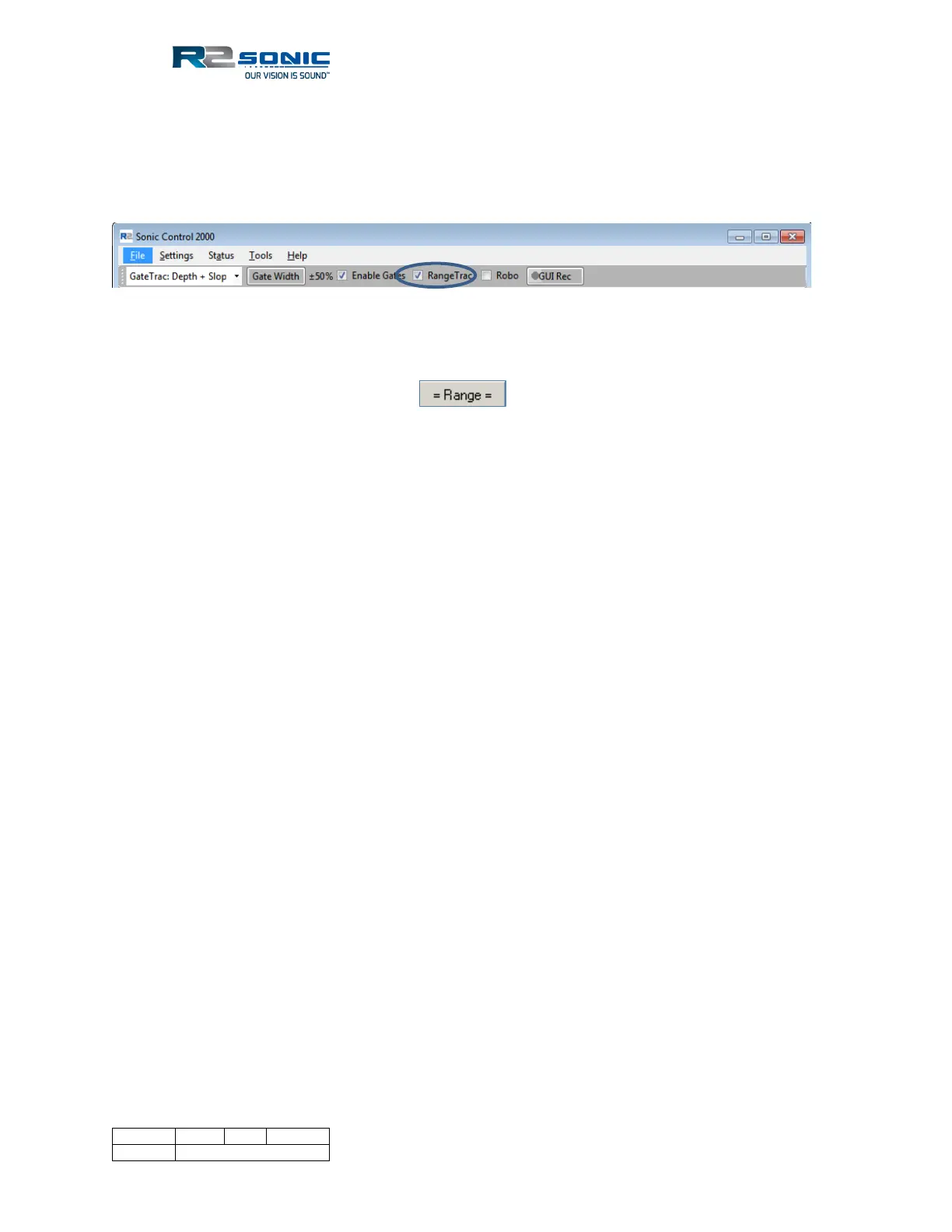
RangeTrac is enabled by selecting the box, next to RangeTrac, in Sonic Control.
Figure 127: RangeTrac enabled
The Range button will change to reflect that Sonic Control is operating in RangeTrac mode.
Sonic Control will continue to operate in RangeTrac mode until the user manually changes range or
RangeTrac is deselected.
When using RangeTrac, the user manually sets the range first and then turns on RangeTrac; from
that point on, there is no need for the user to adjust the Range setting. RangeTrac will automatically
set the correct Range for the water depth. RangeTrac will also optimise the ping rate for the
determined range.
There are no limits to RangeTrac as far as the steepness of slope or amount of variability. RangeTrac
can be used simultaneously with GateTrac, in both the Depth and the Depth + Slope modes.
5.16.3 Power: 191 – 221 dB
The Power setting sets the source level of the transmit pulse; this is represented in the figure below.
The Sonic MBES should be operated with sufficient power to enable good acoustic returns from the
seafloor. The value will change based on water depth, bottom composition, and operating
frequency. In general, higher power is better for getting decent bottom returns rather than using
receiver gain to obtain the returns. If the Power setting is too low, more receiver gain will need to
be used to capture the bottom returns; this can mean extraneous noise will also be received. The
increase in noise will require more processing time; it is better to slightly increase the Power to
increase the strength of the bottom returns and, thus, allow for a lower receiver gain setting. If too
much power is used, the receivers can be over-driven (saturated); this will result in noisy data
and/or erroneous nadir depth readings. A good balance of source level (Power) and receiver gain is
the desired end. Shift – left click will turn transmitter power off (Power 0).
5.16.4 Pulse Width: 15µsec – 1115µsec (Sonic 2026 max is 2000µsec)
Pulse width determines the transmit pulse duration time. The Sonic 2024/2022 pulse width range is
from 15µsec to 1115µsec. The Sonic 2026 pulse width range is from 15µsec to 2000µsec in normal
mode. If the Extended Range option is installed in the Sonic 2026 and the sonar is operated at 90
kHz or 100 kHz, the minimum Pulse Width is 140µsec. The pulse width does not affect the pulse



 To Next Page