Page 104 of 254
Part No. 96000001
5.15 ROBO Automatic Sonar Operation
The sonar can be set up to automatically change Power, Pulse Width and Gain based on the Range
setting and the percentage of receiver saturation. This feature is designed for ease of use, but the
user must be aware that environmental factors play a very large part as to how successful the Robo
settings control the sonar. Robo operation does not negate the need for a user to pay attention to
the sonar. As with all automatic features, Robo operation is designed for a non-challenging
environment.
Robo operation, Range Trac and Gate Trac can be used together for almost hands-free operation of
the sonar (within environmental limits).
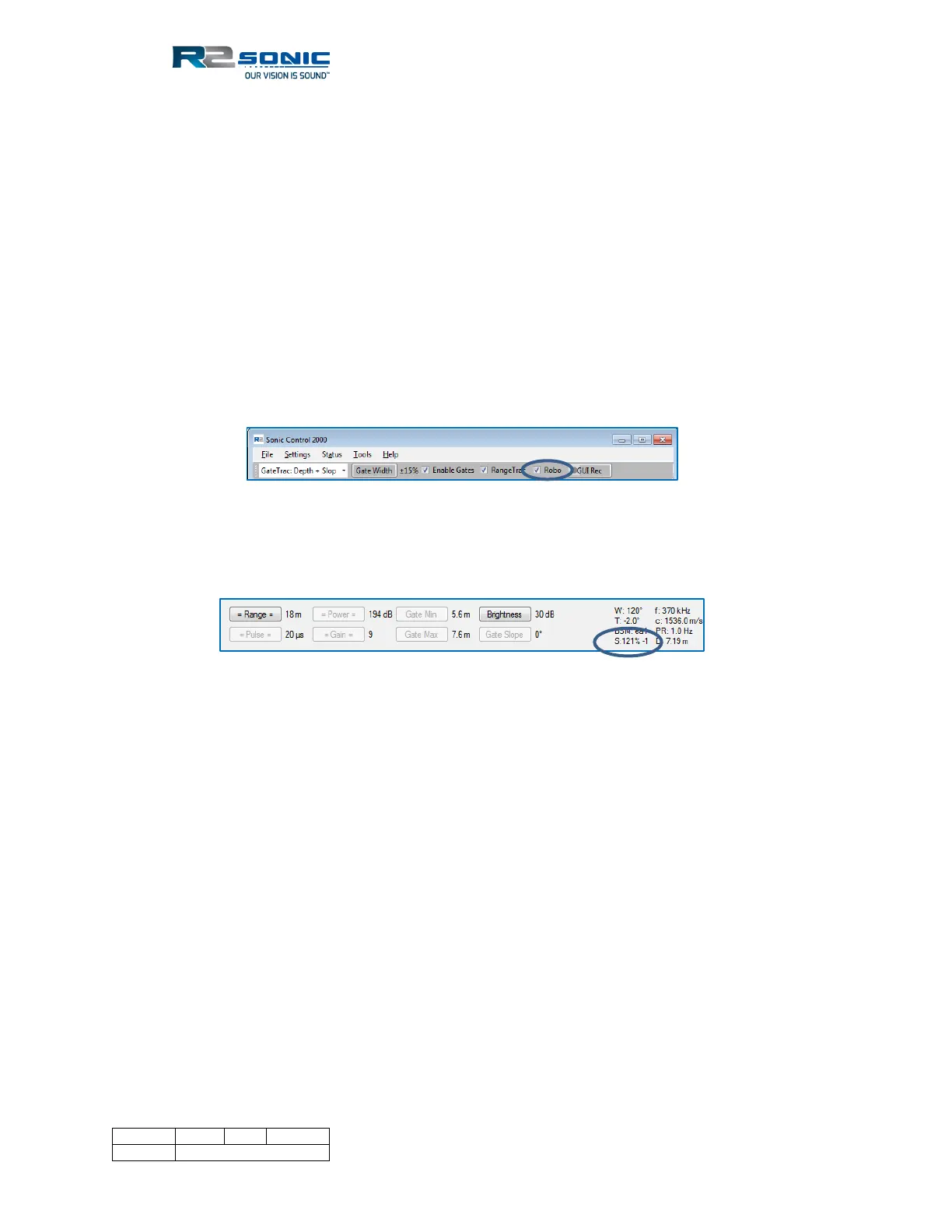
Robo operation relies on a look-up table, which can be easily modified by the user. Enabling Robo
operation is initiated by selecting Robo in the control line.
Figure 119: Enabling Robo Operation
When Robo mode is enabled, Power, Pulse Width and Gain will be greyed out. The Saturation value
will be added, on the right side, to show the value being used for the automatic change of gain.
Figure 120: Operational settings with Robo active



 To Next Page