Page 127 of 254
7.3.3 I2NS DB9 Connections
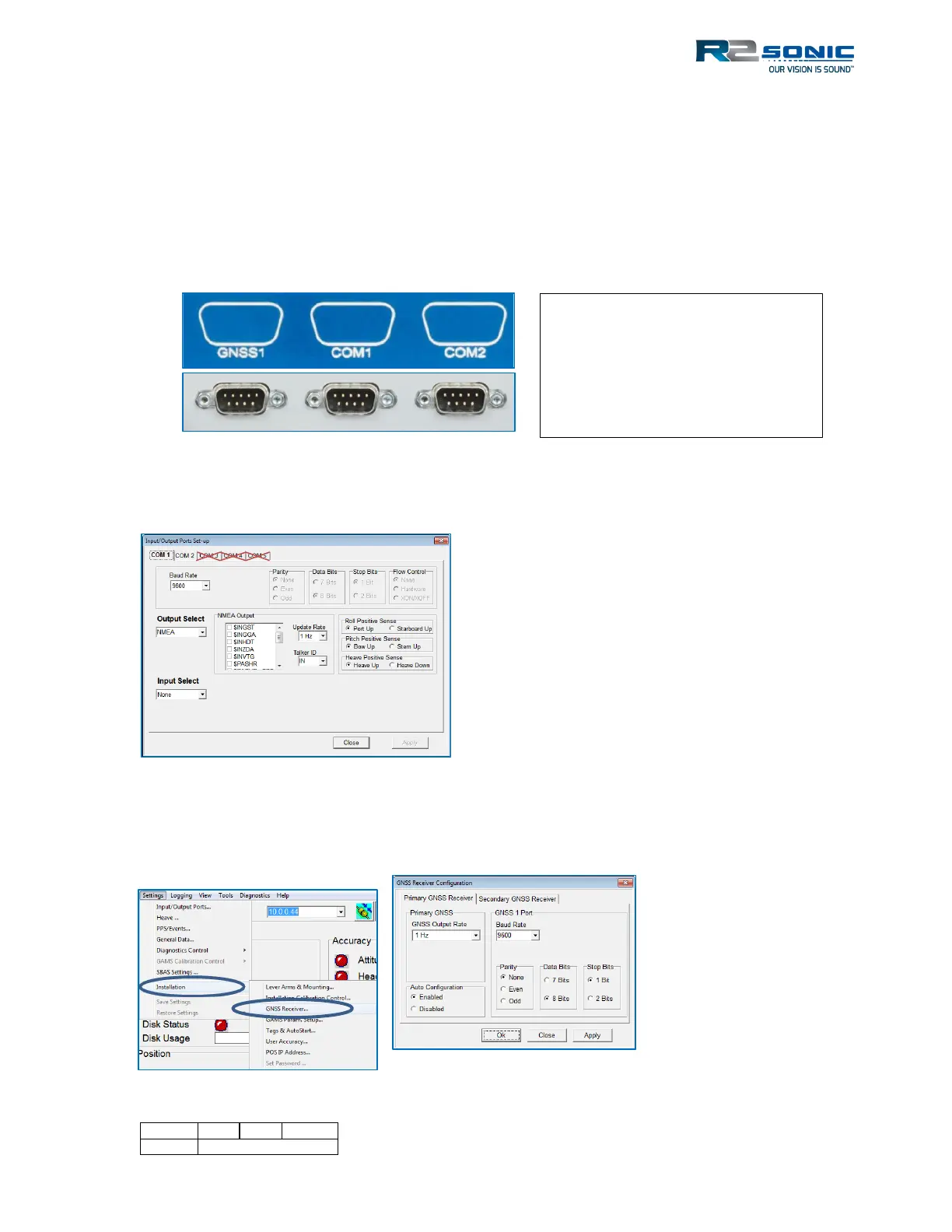
The I2NS has two serial communication ports and one dedicated to the internal GNSS board. The
two com ports are standard DB9M serial connections that are set up in the POSView software. Both
ports are bi-directional and can be configured to receive RTCM corrections or to output standard
NMEA or binary serial data. The DB9M dedicated to the GNSS board is connected directly to the
GNSS board, inside the SIMINS; the port is used to update or directly access the GNSS receiver. For
full information on the serial ports, please refer to the POSView documentation.
In POSView, in the Input/Output Ports Set-up, only COM 1 and COM 2 are to be configured.
Figure 151: POSView Serial port setup
The GNSS1 port communication parameters are set up under Settings | Installation Settings | GNSS
Receiver Configuration.
Figure 152: GNSS1 Port setup
Figure 150: SIMINS Serial Ports
Standard usage is to input GPS
corrections or Aux GPS data using
COM1 or COM2. The GNSS1 port is
not configurable, as to input, like
COM1 and COM2



 To Next Page