Page 72 of 254
Part No. 96000001
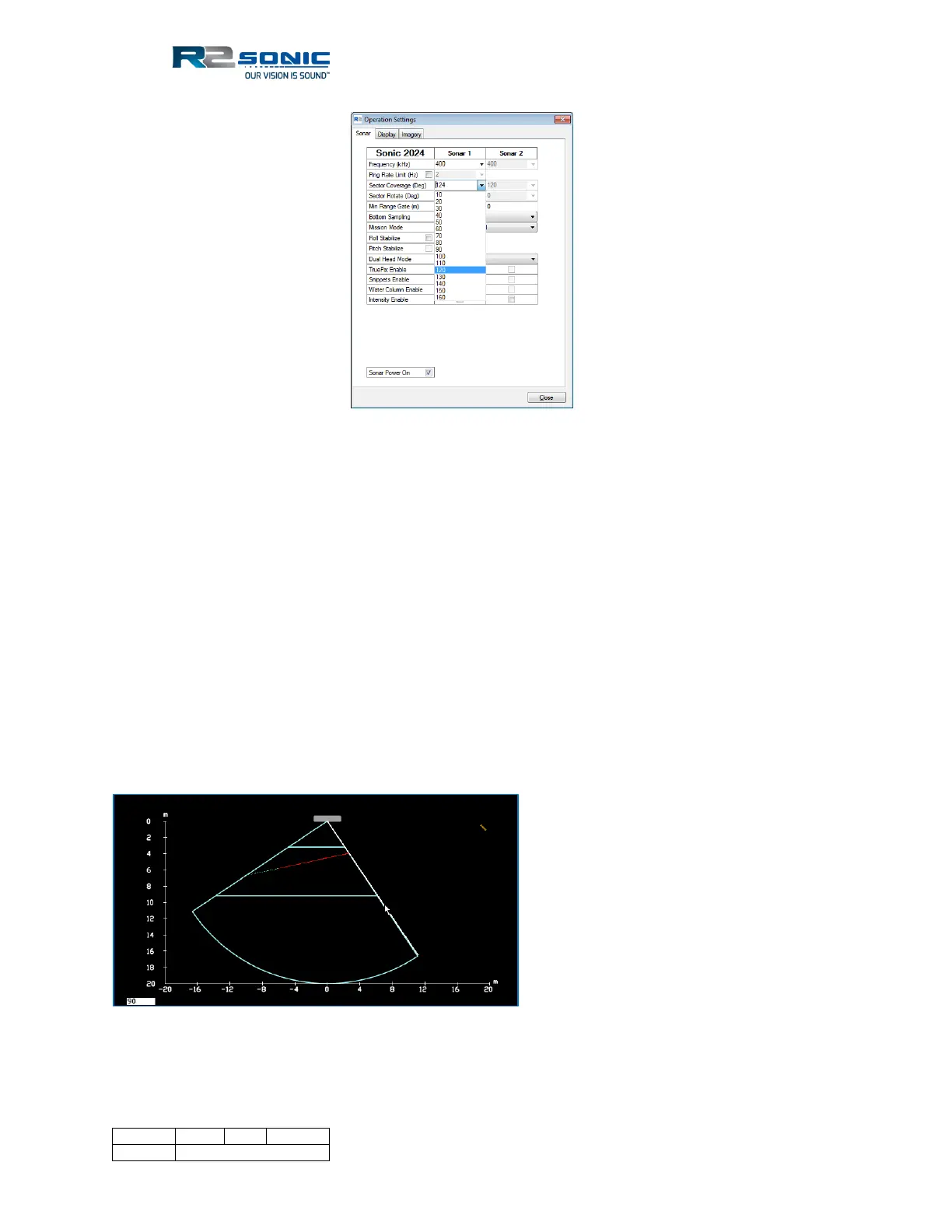
Figure 61: Sector coverage
The Sector Coverage can also be controlled via the mouse cursor inside the wedge display.
5.6.3.1 Symmetric sector sizing
Position the cursor on either of the straight sides of the wedge; the cursor will change to a double
arrow, and the sector can be reduced or increased. When using the cursor to change the sector
coverage, the change only takes place when the mouse button is released. The sector will be
symmetrically set about nadir. The sector angle will be numerically visible in the lower left-hand
corner of the wedge display while the mouse button is depressed.
5.6.3.2 Asymmetric sector sizing
The Shift button can be used to move only one side of the wedge in and out. Position the cursor on
either the right or left leg of the wedge. Hold down the keyboard Shift button and left mouse
button (LMB) to only move that leg of the wedge. Asymmetrical sector sizing can only be done with
the Shift and LMB; there is no menu selection for this type of sector sizing.
Figure 62: Asymmetric sector sizing



 To Next Page