Page 77 of 254
5.6.8 Mission Mode
The versatility, built into the Sonic 2026/2024/2022 systems, is further enhanced with the ability to
adapt the system to the nature of the survey task: normal survey, surveying a vertical feature, or the
optional Forward Looking Sonar mode.
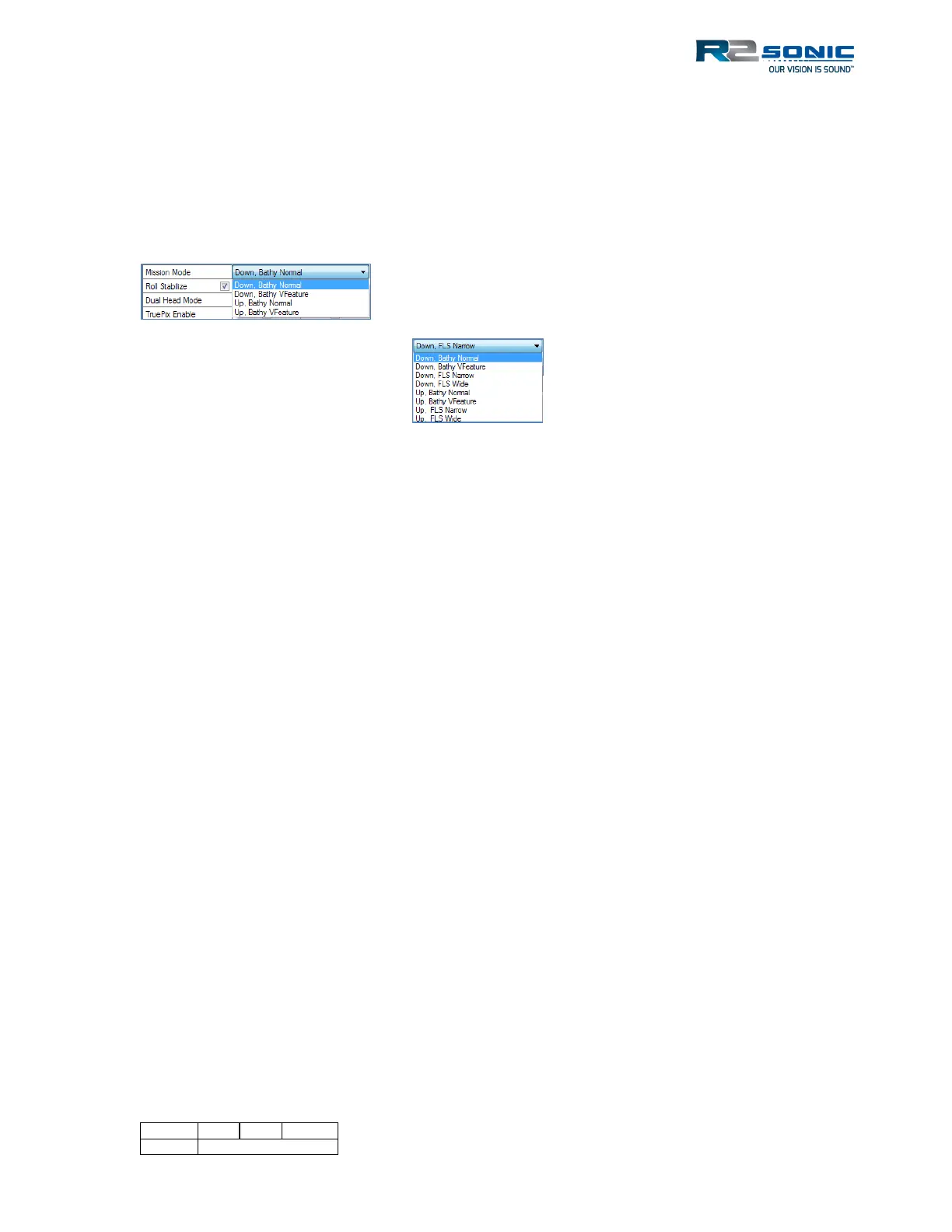
If the FLS option is not installed, the Mission Mode will only contain the Bathy functions.
Figure 68: Normal Mission Mode selections
• Down, Bathy Norm: Normal bathymetry survey
• Down, Bathy VFeature: With the ability to map vertical surfaces, without physically rotating
the sonar head, this Mission Mode provides improved detection methods tailored to
mapping vertical features. This specialised mode greatly reduces the corner ‘ringing’ seen in
older technology systems. When using Bathy VFeature, please use Equiangular bottom
sampling and not Equidistant.
• Down, FLS Narrow/Wide (Type 1004 Projector): One Forward Looking Sonar mode. No
bathymetry output; this setting is for imagery only.
• Up, Bathy Norm; Up, Bathy VFeature: is the same as the above but orientates the wedge,
so it is pointing up (used for hull inspection type survey primarily).
• Up, FLS Narrow/Wide (Type 1004 Projector): Most common setting when using the
optional FLS feature
• NB. Sonic 2026/2020 FLS mode has separate controls covered below
The Mission Mode can be changed on the fly, with no need to stop recording data.
5.6.9 Imagery
5.6.9.1 Acoustic Image (Display only)
The wedge can display acoustic intensity. This will aid in setting the correct combination of
operating parameters (such as power, pulse width, and gain). Enabling the Acoustic Intensity will
increase the network load.
Enable the wedge Acoustic Intensity under the Display options. The Brightness control, in the main
window, is used to set the intensity in the display. A good brightness setting, to start with, is 30dB.
Most users also prefer the 1-pixel bathy dot option (on the Display tab), when viewing the Acoustic
Image, in the display.
Figure 69: Mission Mode
with the FLS Option installed



 To Next Page