Page 109 of 254
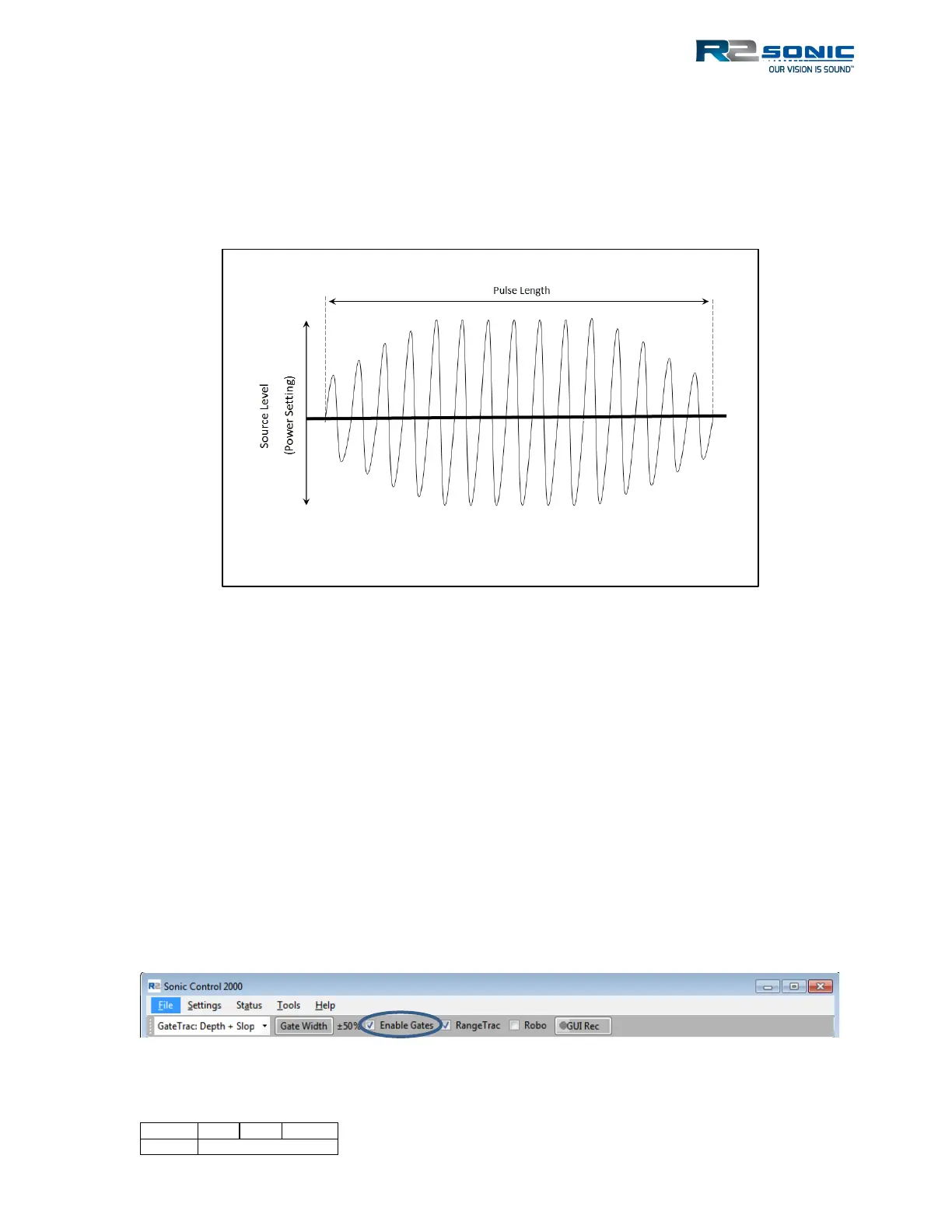
amplitude, which is determined by the Power setting. The general guideline is to maintain as short a
pulse width as possible to optimise the resolution, but not so short as to weaken the transmit pulse.
It is suggested that 20µsec pulse width is considered the minimum to use. Generally, as the water
gets deeper, the pulse width will have to be increased to get more ‘total’ power in the water. The
default pulse width will depend on the chosen operating frequency.
Figure 128: Transmit Pulse
The Pulse Width and sample rate are closely related. In order to reach the maximum pulse with, for
a given sample rate, use Shift + mouse click to increase/decrease the pulse width in quarter octave
steps. Sample rate change at 35, 70, 140, 280…µsecs.
Shift+RMB = Increase in quarter octave steps
Shift+LMB = Decrease in quarter octave steps
5.16.5 Gain: 1 – 45
Receiver gain is in 2 dB steps from 1 to 45. This adjusts the receive gain of the sonar head receivers.
5.16.6 Depth Gates: GateTrac™
The depth gate allows the user to eliminate noise or other acoustic interference by the limits set in
the Minimum and Maximum Depth. There are manually selected gates, GateTrac: Depth and
GateTrac: Depth + Slope.
Gates are enabled by selecting the checkbox next to Enable Gates.
Figure 129: Enable Gates



 To Next Page