Getting Started
R&S
®
NRP2
41User Manual 1173.9157.02 ─ 03
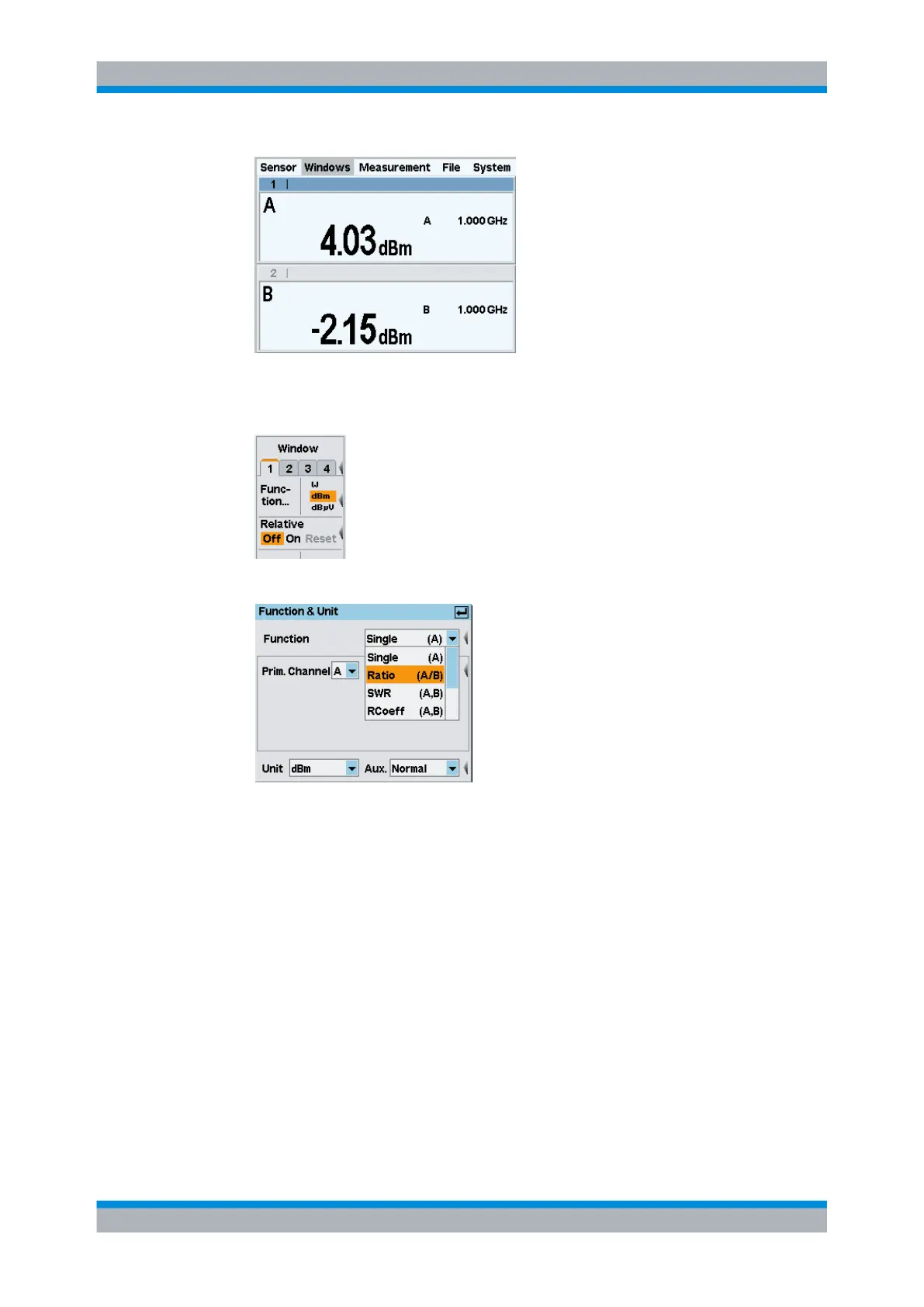
Fig. 2-27: Result windows / sensor A and B
3. Select the "Measurement" menu and then select "Function..." for window 1 this menu.
4. Open the "Function & Unit" dialog box.
Fig. 2-28: Function & Unit dialog box / ratio
In this dialog box, you can select the function used to calculate the result in the
selected window. For example, "Ratio (A/B)" yields the quotient from the measured
power values in channels A and B.
5. Select "Ratio (A/B)" from the drop-down list for the measurement function and close
the drop-down list with ↵ MENU.
6. Now, press the "Unit" softkey.
Setting measurement functions



 To Next Page