Instrument Functions
R&S
®
NRP2
141User Manual 1173.9157.02 ─ 03
Recall
Loads the selected setting. After the settings are loaded successfully, the dialog box
closes automatically.
The same effect can be achieved by pressing the ↵MENU key.
SCPI command:
*RCL on page 196
4.6.4 Loading settings for mobile radio standards
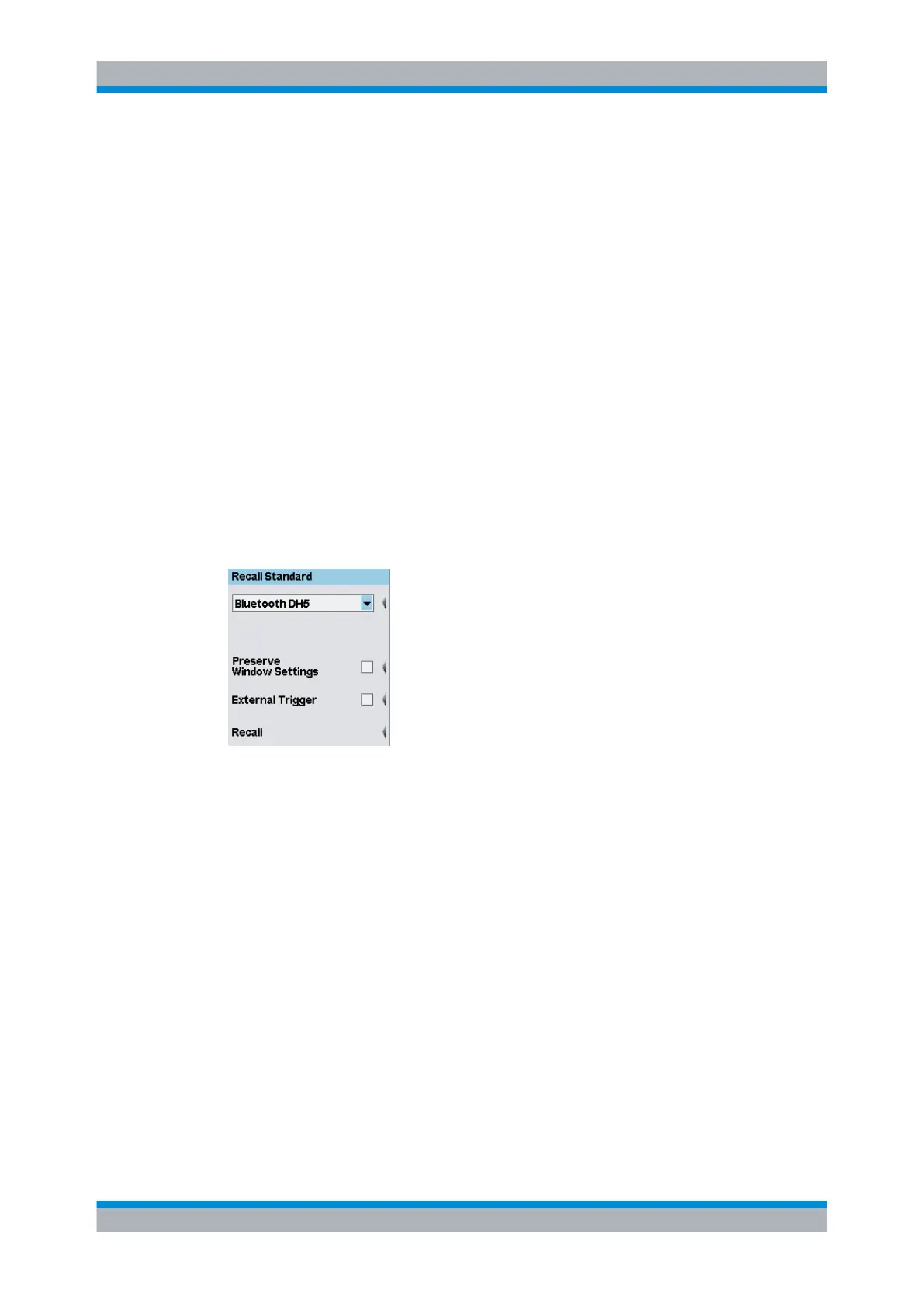
Predefined settings for the most common mobile radio standards can be loaded in the
"Recall Standard" dialog box of the "File" menu for quick configuration of the different
measurement modes.The name of the set standard appears in the title bar of all open
windows and is treated like any other window name ( chapter 4.6.6, "Assigning names
to windows", on page 143). The name can therefore be changed and deleted as desired,
but above all it is not automatically deleted when one of the preset parameters is changed
and the instrument setting no longer corresponds to the loaded standard.
A table of sensor parameter values for the different standards can be found in chapter B,
"Standard Configurations", on page 365.
Fig. 4-69: Recall Standard dialog box
(
Select standard setting)
Selects a mobile radio standard.
SCPI command:
SYSTem:STANdard:CATalog? on page 323
SYSTem:STANdard:PRESet on page 323
Preserve Window Settings
If enabled, the measurement windows are not reconfigured.
SCPI command:
SYSTem:STANdard:PWSettings on page 323
External Trigger
If enabled, an external trigger is required. If disabled, the internal trigger is used..
External triggering should be selected if the test signal yields no clearly defined or only
an unstable trigger event.
Management of settings


 To Next Page