Getting Started
R&S
®
NRP2
27User Manual 1173.9157.02 ─ 03
3.
Confirm the selection with the ↵MENU hardkey or reject with ESC hardkey.
2.3 Preset and zeroing
Preset
If the instrument is switched on, it is not the preset state that is active, but rather the
instrument state that was set before the instrument was switched on. To prevent any
previous settings from causing incorrect results, it is recommended that you set the
R&S NRP2 and the R&S Power Sensors to defined initial states.
To preset the R&S NRP2
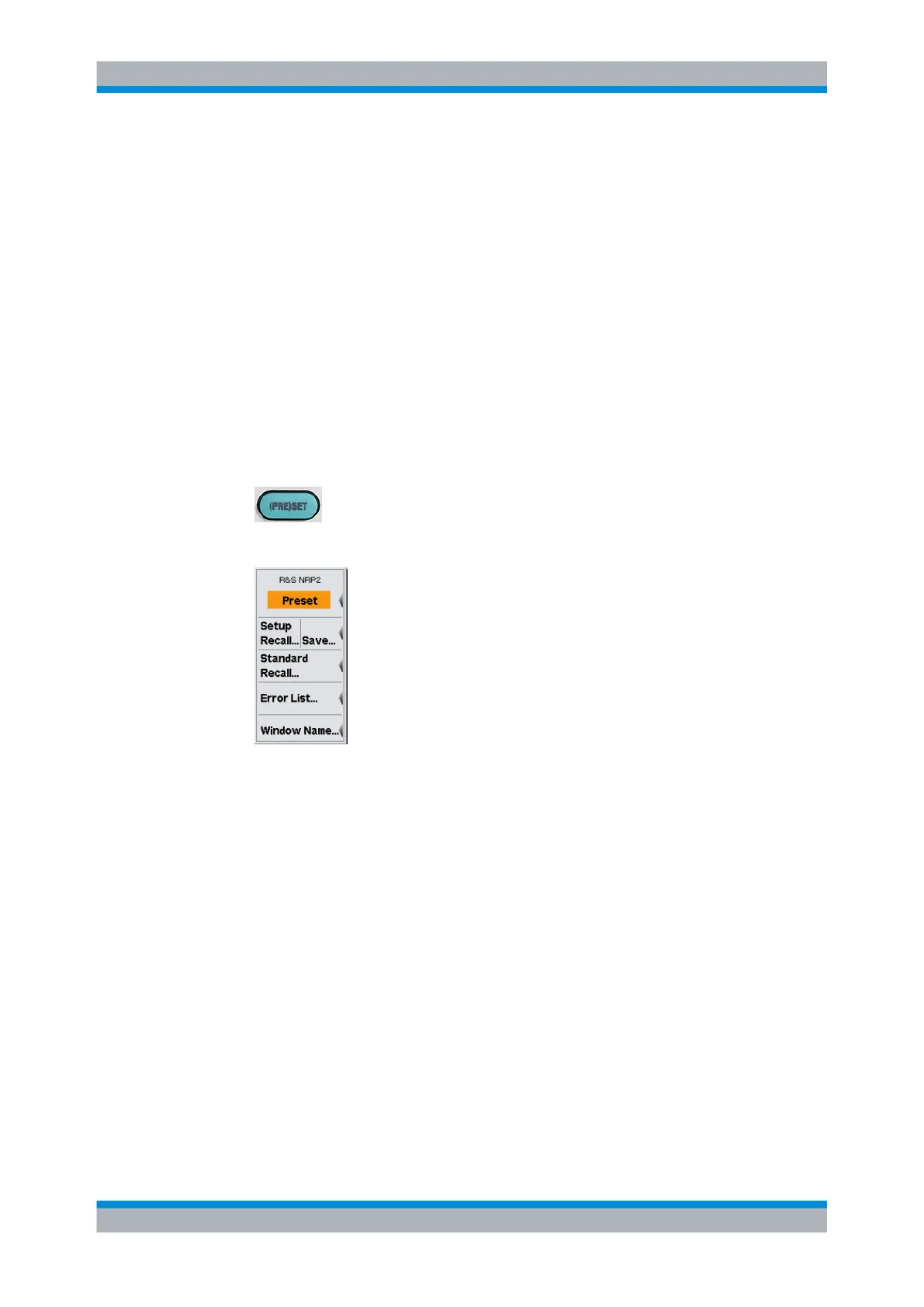
1. Press the (PRE)SET hardkey.
The "File" menu appears.
Fig. 2-1: File menu
2. Press the (PRE)SET hardkey again or press the "Preset" softkey.
All parameters and switching states are preset, also those of inactive operating
modes. When the preset is completed, the "File" menu disappears and the meter is
in the preset state. The preset settings provide a reproducible initial basis for all other
settings.
For a detailed description of the R&S NRP2’s initial state including a list of the default
parameters, see chapter 4.1.1, "Preset hardkey", on page 61.
Zeroing
Zeroing should be performed whenever necessary. As a rule of thumb, this is the case
for measurements of power values less then a 1000 fold of the zero offset and after the
sensor has reached its operating temperature.
Preset and zeroing



 To Next Page