Instrument Functions
R&S
®
NRP2
142User Manual 1173.9157.02 ─ 03
Note: If external triggering is used in the timeslot mode, make sure that the trigger delay
setting is such that the start of the first timeslot coincides with the delayed trigger, see
also chapter 4.2.6, "Trigger settings", on page 85.
SCPI command:
SYSTem:STANdard:TRIGger:SOURce on page 323
Recall
Loads the selected standard settings.
The same effect can be achieved by pressing the ↵MENU key.
SCPI command:
SYSTem:STANdard:PRESet on page 323
4.6.5 Programming aids
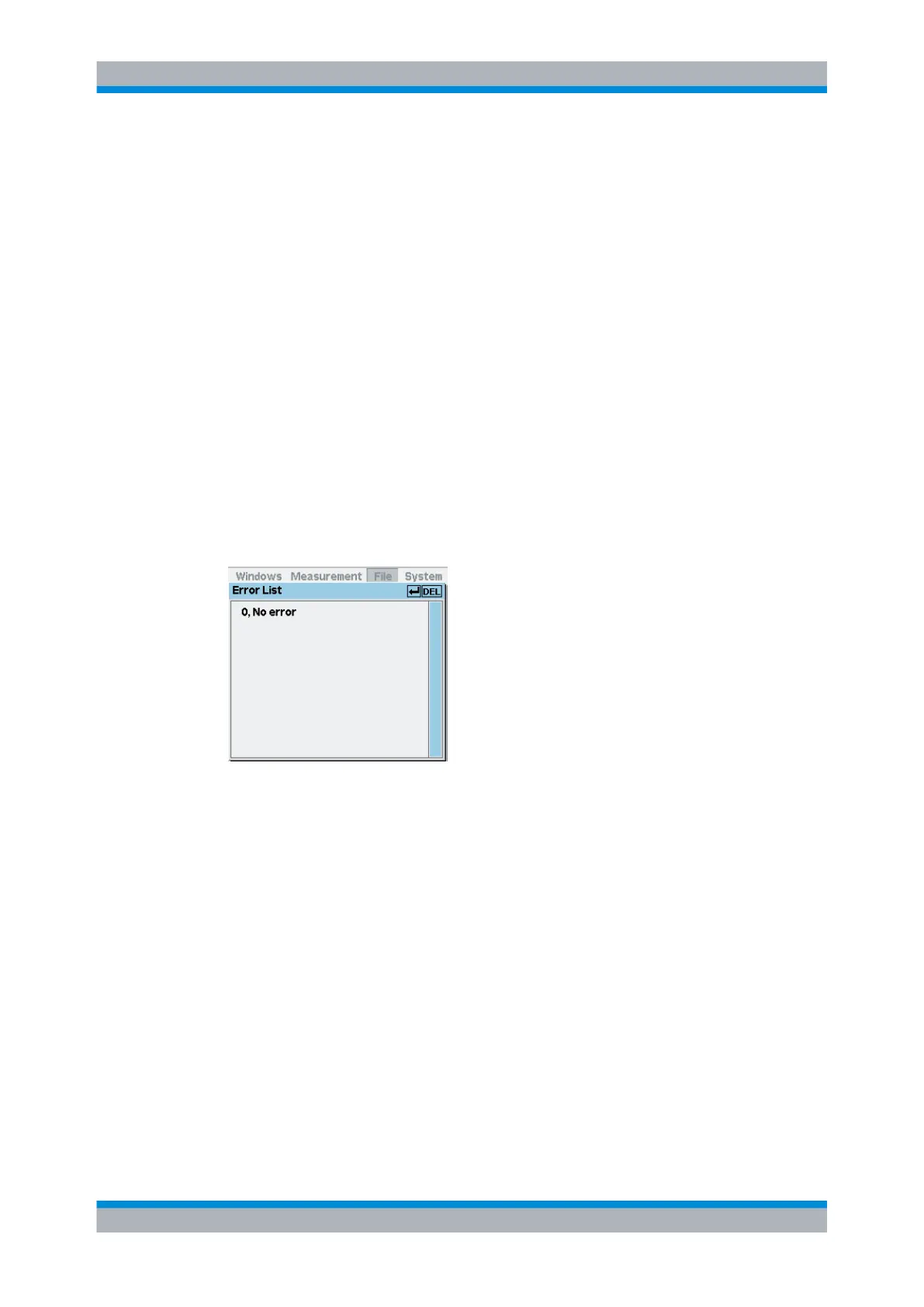
If you are developing remote control programs, you can display the contents of the SCPI
error queue in the "Error List" dialog box of the "File" menu. In addition to the error, the
command line that triggered the error is displayed, along with a question mark highlighted
in black at the point where the command interpreter detected the error.
Fig. 4-70: Error List dialog box
The dialog box can be left permanently open, its contents are continuously updated.
If the device is already in the remote state, the menu bar is replaced and the error list can
be opened with the topmost softkey.
↵DEL
If the "Error List" is open, the error queue of the R&S NRP2 can be deleted by pressing
the DEL/1TRIG hardkey.
SCPI command:
DISPlay:ERRorlist on page 237
To activate extended error messages:
SYSTem:ERRor:EXTended[:STATe] on page 320
Management of settings


 To Next Page